



Hot-Swappable PCB Architecture in Modern Keyboards: Guide
Learn hot-swappable PCB architecture in modern keyboards—what it is, how sockets and traces work, and how to pick the right board. Speed up swaps, reduce risk, and upgrade faster 🔧⚡
Read moreRechargeable mouse battery life explained: learn what 500mAh and 100-hour claims really mean, real-world runtimes, factors that affect longevity, and tips to maximize charge ⚡🖱️
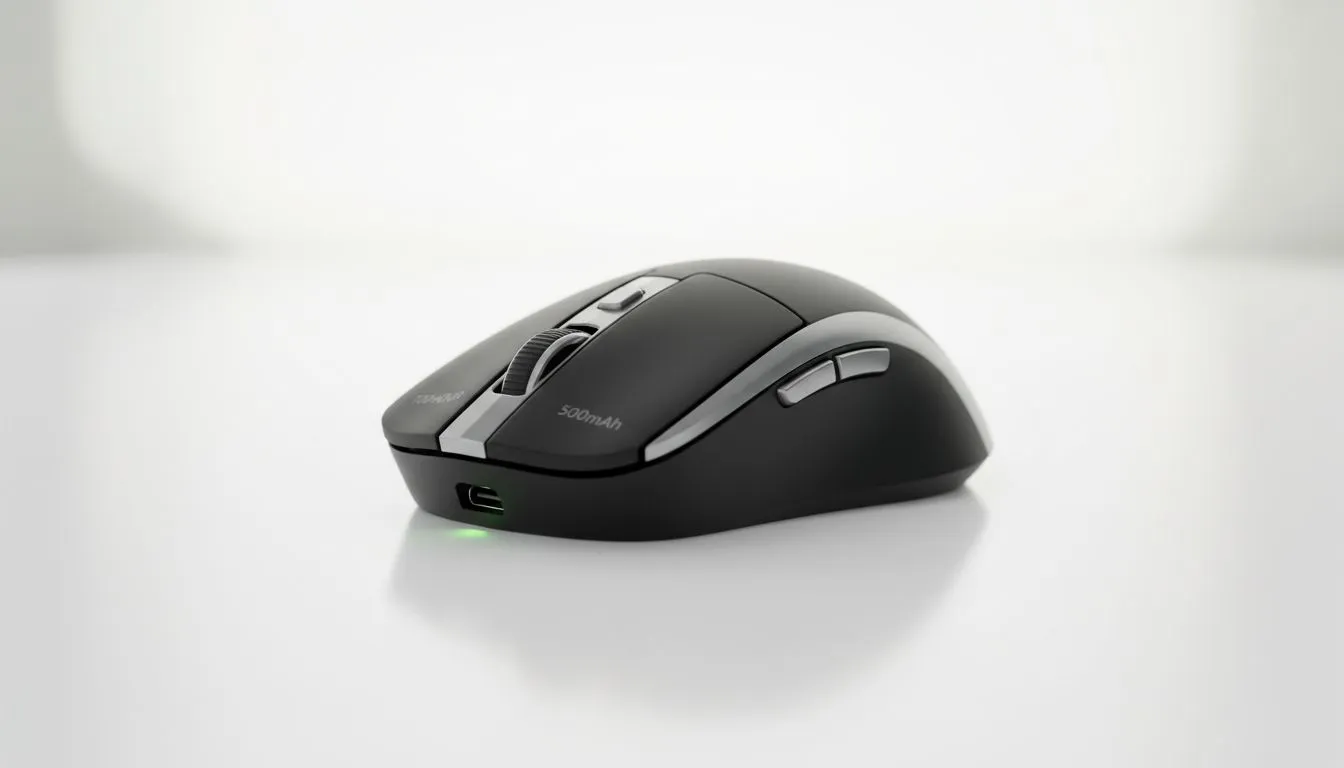
Ever wondered why your mouse dies mid-match? Manufacturers love quoting massive numbers like 100-hour battery life... but the reality in a heated session of Apex Legends is often different. If you are looking for a new gaming mouse, understanding the link between mAh and actual playtime is vital for any South African gamer. Let's demystify these specs. ⚡
When you see "500mAh" on a spec sheet, it refers to milliampere-hours. This is the total capacity of the internal lithium-ion cell. Think of it as the size of the fuel tank. A larger number generally means more power is available... but it also adds weight. Most competitive players in SA prefer a lighter feel. This is why many top-tier best gaming mouse deals feature smaller batteries to keep the weight under 70 grams.
The efficiency of the sensor plays a massive role here. A high-end sensor can squeeze more hours out of a 500mAh battery than a budget version. This is why two mice with the same battery size can have vastly different runtimes.
Why do brands claim 100 hours? Usually, this is tested under "lab conditions." This typically means the polling rate is set to a low 125Hz and all the pretty RGB lights are turned off. When you buy wireless mouse hardware today, you are likely using a 1000Hz or even 4000Hz polling rate.
High polling rates provide smoother tracking... but they consume significantly more power. If you run your mouse at 4000Hz with full brightness RGB, that 100-hour claim might drop to 20 hours or less. It is a trade-off between performance and longevity.
To extend the lifespan of your mouse battery, try to keep the charge between 20% and 80%. Avoid letting it drop to zero frequently. Most modern software allows you to set a 'low power mode' that triggers at 20%, which is a lifesaver during long South African gaming sessions.
If the thought of a dead battery during a clutch moment stresses you out, you might prefer to buy wired mouse options. You lose the cable-free freedom... but you gain peace of mind and usually a lower price point. Many wired models are available for under R800, offering incredible value for money.
However, for those who crave a clean desk setup, wireless is the way to go. Just ensure you have the right mouse accessories like a high-quality paracord charging cable or a dedicated dock. This makes the transition from wireless play to wired charging seamless. 🔧
You can easily double your actual usage time with a few tweaks. First, turn off the RGB lighting. It looks great... but it is the biggest battery drainer. Second, lower your polling rate to 500Hz for general desktop work. Save the 1000Hz+ settings for when you are actually in a game.
Most modern software from brands found at Evetech allows you to create profiles. You can set a "Power Save" profile for browsing and a "Gaming" profile that kicks in automatically when you launch Steam. This ensures your rechargeable mouse battery life lasts through the weekend without needing a plug. 🚀
Ready to Upgrade Your Setup? Don't let a dead battery ruin your win streak. Whether you need the latest wireless tech or a reliable wired powerhouse, we have the best gear in South Africa. Explore our massive range of gaming mouse deals and find the perfect partner for your playstyle.
Expect anywhere from 20 to 100+ hours depending on capacity, wireless radio, polling rate, RGB lighting, and usage. A 500mAh mouse often runs 40–100 hours in moderate use.
No. 500mAh is capacity, not runtime. Actual hours = 500mAh ÷ average mA draw. Low-power mice can reach 100 hours; high-performance mice draw far more.
Often not. 100-hour claims are lab estimates under ideal settings (no RGB, low DPI, sleep enabled). Real-world runtime is commonly lower due to active features.
Lower polling rate and DPI, disable RGB, enable auto-sleep, update firmware, and use power-saving Bluetooth or receiver options to maximize runtime.
Built-in Li-ion cells usually handle 300–1000 full cycles before noticeable capacity loss. Proper charging habits slow degradation.
Significantly. Higher polling rates (1000Hz) increase current draw and reduce runtime compared with 125–500Hz, especially on lower mAh batteries.
mAh measures capacity at a cell level; runtime depends on device draw, voltage conversion losses, power management, and component efficiency.
Learn hot-swappable PCB architecture in modern keyboards—what it is, how sockets and traces work, and how to pick the right board. Speed up swaps, reduce risk, and upgrade faster 🔧⚡
Read more
Mechanical switch lifespan explained—what the 50 million keystroke rating really means, plus tips to extend switch life and reduce double-press issues 🔧⌨️
Read more
60-percent vs full-size mechanical keyboard layouts—learn what each layout includes, who it suits, and how to choose the right fit 🧩⌨️ for typing, gaming, and productivity.
Read more
Double injection keycaps last far longer than standard printed keycaps in most setups. Learn typical lifespan ranges, what shortens them, and how to maximize durability for smoother daily typing and gaming 😊⌨️
Read more
Full-key anti-ghosting: does it stop missed inputs during fast-paced gaming? We break down latency, polling, and key matrix limits so you can buy smarter 🎮⚡
Read more
Protect mechanical keyboard switches from South African dust and summer humidity with practical cleaning and storage habits. Keep your switches smooth, reduce failures, and extend lifespan. 🌬️💧
Read more
Wondering if a TKL wireless mechanical keyboard is worth it for everyday productivity? We break down latency, battery life, comfort, and workflow gains for real work. ⚡⌨️

Maximise battery life on a fanless 15-inch laptop using efficiency core architecture. Cut idle drain, tune power profiles, and improve thermals for longer runtime. 🔋⚙️

Learn how to reduce desk clutter with a TKL wireless keyboard using fewer cables, smart placement, and tidy essentials. Get a faster, calmer workspace with better ergonomics. ✅🧼

RGB keyboard lighting too distracting? Learn how to manage backlight modes, set brightness, and reduce distraction for focus and productivity 😌🖱️

Are themed gaming keyboards worth the extra cost? Compare build quality, switch options, features, and resale value to find the best fit for your setup 🎮⌨️

Full-Size vs Tenkeyless mechanical keyboards for gaming: find out if a smaller layout truly improves aim, speed, and comfort. We break down layout, desk space, latency-feel, and keybinds 🎮⌨️

Dedicated media rollers vs function key shortcuts: learn which setup gives you better workflow control, faster media access, and fewer mistakes. 🖱️🎧

Best Mechanical Switch Type for Gaming: Clicky vs Linear vs Tactile. Find your feel, speed, and noise balance with practical guidance for FPS, MOBA, and productivity 😄🎮

Direct mouse answer: Mouse not keeping up with your work? Everything that matters about dual-mode 2.4GHz + BT 5.0: DPI behaviour, channel switching, battery curves and per-app button mapping. Covers when 2.4GHz USB wins (low-latency desk) and when BT 5.0 wins (laptop, d

Plain wireless mouse guide: Mouse not keeping up with your work? Everything that matters about wireless productivity mouse: DPI behaviour, channel switching, battery curves and per-app button mapping. Includes DPI tuning tips, channel switch shortcuts, and ZAR-aware fea

Real productivity numbers: Set up your wireless mouse in this order: everything that matters about wireless productivity mouse: DPI behaviour, channel switching, battery curves and per-app button mapping. Includes DPI tuning tips, channel switch shortcuts, and ZAR-aware

Pen not feeling like paper? Stylus lag and skipping usually trace to old drivers, dirty nibs, or display refresh mismatches, not the pen itself. Covers pressure curve tuning, tilt thresholds, nib swap timing, and SA pricing brackets.