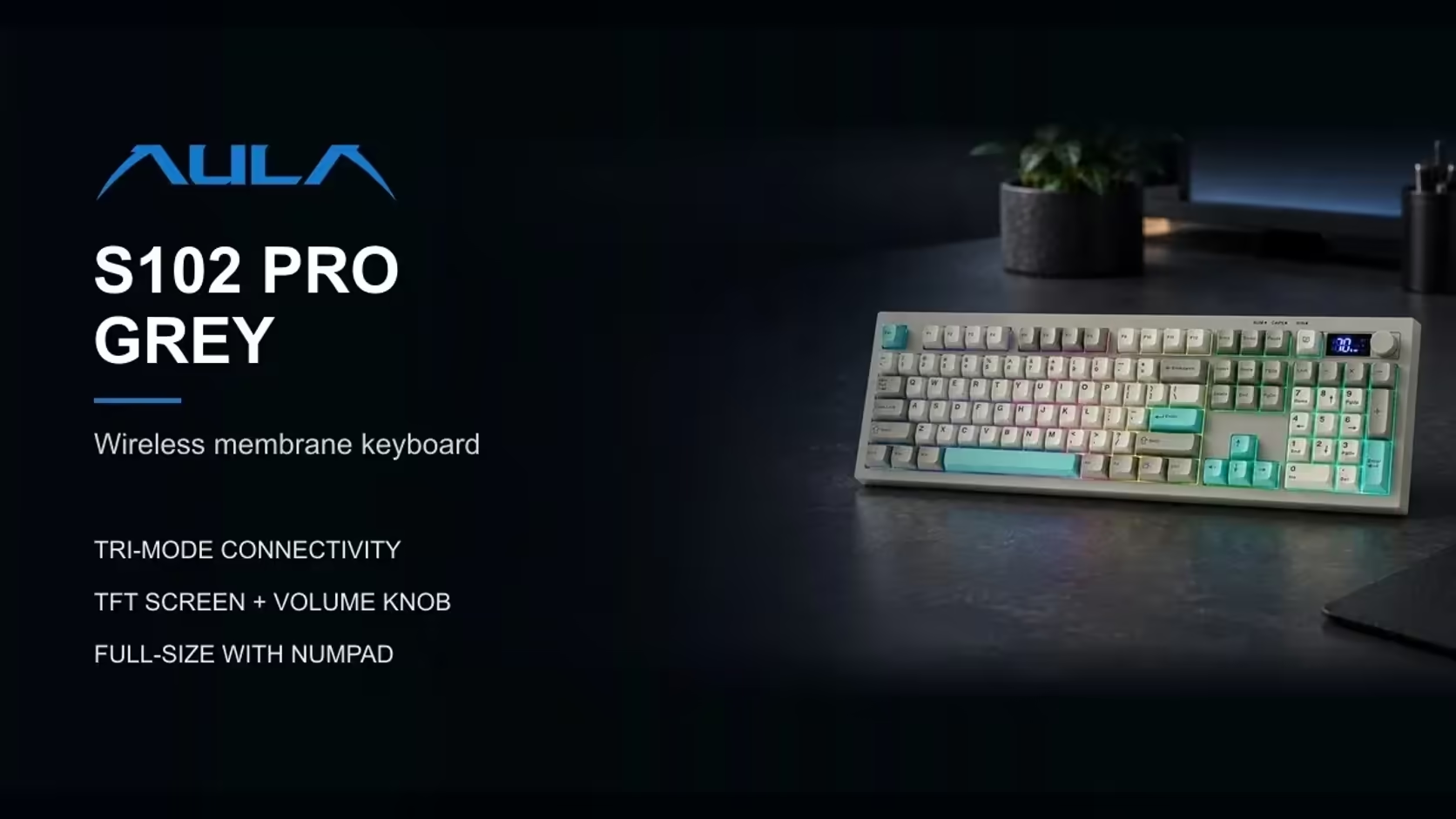
Among AULA's boards are two soft-typing membrane models meant for the house and the workplace, and on paper they overlap: both are full-size, both keep a number pad, both work without a cable and both type softly. Sit down at them, though, and they suit quite different people. One is a feature-packed keyboard with a screen, a knob and three ways to connect. The other comes paired with a mouse, runs on AA cells and looks like a small typewriter. Choosing between these two AULA membrane keyboards for home starts with one question: do you need a mouse too?
Quick Answer
Choose the AULA S102 PRO if you want a tri-mode keyboard with a status screen; choose the AULA AC306 if you want a keyboard and mouse in one box. The S102 PRO adds Bluetooth for two devices, a volume knob, a TFT screen and RGB backlighting, and recharges from a computer's USB port. The AC306 teams round retro keys with a 4-button mouse on one shared 2.4GHz receiver, each running on a single AA battery. Evetech sells both, with the S102 PRO at R299 and the AC306 combo at R239 in any of its colours.
🖱️ Start with the mouse question
This settles most cases in seconds.
The AC306 is a keyboard and mouse sold together. Its mouse is a small, light optical design weighing roughly 50g, with a button behind the wheel that cycles its sensitivity through three steps, from 800 up to 1600 DPI. Both pieces talk to the computer through one receiver, and that receiver tucks away inside the mouse for travel, which makes it hard to lose.
The S102 PRO is a keyboard on its own. If you already own a mouse you like, or would rather choose one separately, that is no drawback at all. If you are furnishing a desk from nothing and want everything to come in a single box, the AC306 answers that directly.
🔗 How each one connects
S102 PRO: three routes
The S102 PRO reaches a computer by its own 2.4GHz receiver, by Bluetooth (two pairings) or by cable. That makes it the natural pick for a household where one keyboard serves a desktop and a laptop, or a laptop and a tablet. Its small TFT readout names the live link, so you can confirm where your words are headed before you type.
Mac users flip it with Fn + S, and Fn + A brings back Windows behaviour.
AC306: one receiver, no Bluetooth
The AC306 keeps things deliberately simple. It works over 2.4GHz only, with the keyboard and mouse sharing one USB receiver, and it has no Bluetooth. Setup is as short as it gets: receiver in, power switches on, done. What you give up is flexibility, since it serves one computer at a time and needs a spare USB port.
AULA lists Mac support here too, with its own Fn pair for the job: Fn + E for macOS, Fn + W for Windows.
🔋 Power, lighting and extras
Rechargeable against replaceable
The S102 PRO has a built-in rechargeable battery. AULA is specific about charging: use a computer's USB port and the supplied lead, because wall adapters are not supported. A percentage on its screen tells you when a top-up is due.
The AC306 takes one AA cell in the keyboard and another in the mouse. Both pieces have power switches, and the mouse dozes off after roughly eight seconds of stillness, waking again the moment you click or scroll. A warning light on the keyboard flags a low battery. If swapping a cell now and then appeals more than remembering to charge, this is your board.
Lit keys or not?
The S102 PRO carries RGB backlighting, with colour and brightness changed through Fn shortcuts, which helps a great deal after dark.
The AC306 is unlit. Its lights are limited to Num Lock, Caps Lock and the low-battery warning. If you often type in a dim room, that difference may be enough to decide.
What else the S102 PRO brings
On top of the screen and lighting, the S102 PRO has a rotary dial for sound levels and kickstands that offer three typing angles, sitting 2cm high at the front when flat.
🎨 Look, feel and a quick guide
Two different personalities
The S102 PRO dresses like a modern office keyboard: a grey body, grey and white keycaps with teal accents, and a Cherry profile that is low and sculpted so each row leans towards your fingers.
The AC306 looks like nothing else on the desk. Round keycaps float above the frame in a nod to old typewriters, and the pair comes in pink, purple, light blue or brown. AULA aims it at the office and everyday home use rather than anything more demanding. The keyboard spans 445mm and on its own tips the scales at around 658g.
Both quiet
Neither board uses individual switches, which is why both type softly. The S102 PRO's silicone membrane is pitched by AULA at shared rooms and open-plan offices. For the AC306, AULA describes an improved membrane with a quiet, responsive press. Either suits a house where someone else is trying to concentrate.
Media shortcuts
The AC306 puts media and system shortcuts on its Fn row, from play and pause to mute, search and lock screen. The S102 PRO gives volume its own dial and leaves lighting to Fn combinations.
A quick decision guide
- One box with a keyboard and mouse: the AC306.
- Moving between a desktop and a laptop or tablet: the S102 PRO.
- Evening typing that needs lit keys: the S102 PRO.
- AA cells instead of charging: the AC306.
- A colourful, retro-looking desk: the AC306.
- A status screen and a volume dial: the S102 PRO.
You will see the S102 PRO listed in Evetech's office keyboards. The AC306, as a matched pair, belongs with the keyboard and mouse combos. Each is backed by a 1 Year Local Warranty, and prices appear on the product pages.
Frequently Asked Questions
Which one comes with a mouse?
The AC306. Its optical mouse has four buttons and three sensitivity steps, up to 1600 DPI.
Which can talk to more devices?
The S102 PRO, with its receiver, two Bluetooth pairings and a cable. The AC306 has a single 2.4GHz receiver and no Bluetooth.
Does either light up?
The S102 PRO has adjustable RGB backlighting. The AC306 has indicator lights but no backlight.
How are they powered?
The S102 PRO recharges from a computer's USB port. The AC306 runs on one AA battery in each piece.
How do they differ in looks?
The S102 PRO has sculpted Cherry-profile keys in grey and white. The AC306 has round retro keys in pink, purple, light blue or brown.
Are both quiet enough for a shared home?
Yes. Both are membrane designs built for a soft keystroke.
Keyboard alone, or keyboard and mouse together?
Compare the S102 PRO and AC306 at Evetech and choose the membrane setup that suits your home desk.