Quick Answer
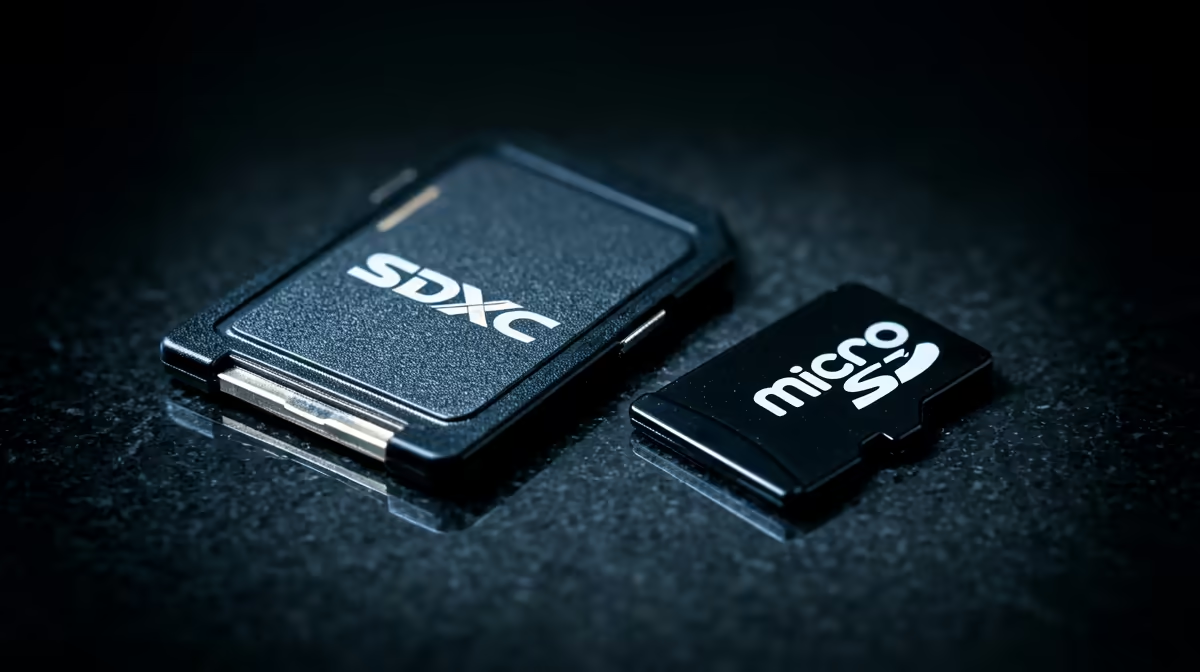
SDXC (full-size SD) makes more sense for mirrorless cameras and DSLRs, where the larger form factor allows UHS-II contacts and higher sustained write speeds. microSD makes more sense for drones, action cameras, and smartphones where the slot only accommodates the smaller format. Choose the format your device physically requires; for devices accepting both, full-size SDXC offers higher peak performance.
SDXC: Built for Professional Camera Bodies 📷
Full-size SDXC cards measure 32 x 24mm and use the standard SD contact layout, with UHS-II cards adding a second row of contacts on the reverse side for speeds up to 312MB/s. Mirrorless cameras from Sony (A7 series), Canon (EOS R series), Fujifilm (X-S and X-T series), and Nikon (Z series) use full-size SD or CFexpress slots. The physical size allows better heat dissipation during sustained recording, which helps maintain consistent write speeds over long takes.
microSD: The Format Drones and Action Cams Require 🚁
microSD cards measure 15 x 11mm and are physically required by DJI drones (Mini 4 Pro, Mavic 3 series, Avata 2), GoPro action cameras (Hero 13 Black), DJI Osmo Action cameras, and many Android smartphones used as secondary recording devices. microSD is also the format for Nintendo Switch, Valve Steam Deck, and handheld gaming devices. In these devices, the microSD slot does not physically accommodate full-size SDXC, making the format choice simple. High-end microSD cards rated V30 and even V60 exist (Sandisk Extreme Pro microSDXC, for example), reaching 170MB/s to 200MB/s read speeds with a UHS-I interface.
Making the Right Choice for Your South African Setup 🇿🇦
For most South African content creators, the device dictates the format: drone users buy microSD, mirrorless camera users buy SDXC. Where a choice exists, as on computers with full-size SD readers (docking stations, laptops with built-in readers), SDXC is preferred for archiving and batch offloading since the UHS-II tier is more accessible. A practical consideration for South African videographers: carry one SDXC card stack for the main camera and one microSD stack for the drone, and use an adapter sleeve to keep microSD cards from being lost in a gear bag.
Label Your Cards by Device ⚡
When carrying both SDXC and microSD cards on a multi-device shoot (camera plus drone plus GoPro), use a label maker or coloured dots to mark each card by device. Inserting a microSD from the drone into the camera in a microSD-to-SD adapter mid-shoot risks card formatting conflicts and file naming collisions if the devices use the same naming sequence. One card stack per device, clearly marked, prevents this problem entirely.
FAQ
Can I use a microSD-to-SD adapter to put a microSD card in my mirrorless camera?
Yes, microSD-to-SD adapters work electrically and physically in full-size SD slots. The microSD card functions at its native speed class in the camera.
Is SDXC significantly faster than microSD for offloading 4K footage?
Full-size SDXC with UHS-II (up to 312MB/s) is faster than most microSD options, which max out at 170MB/s to 200MB/s on UHS-I. For offload purposes, the difference is roughly 10 to 15 minutes per 128GB of footage: SDXC UHS-II offloads in under 7 minutes while fast microSD UHS-I takes 11 to 14 minutes.
What is the maximum size for SDXC and microSD cards currently available in South Africa?
SDXC specification supports up to 2TB; consumer SDXC cards up to 1TB exist at premium prices. microSDXC also supports up to 2TB theoretically; consumer microSD cards up to 1TB are available.
Shooting on a camera, drone, or action cam?
Evetech stocks SDXC and microSD cards in V30, V60, and V90 speed classes. Browse the full memory card range at Evetech to pick the right format and speed for your recording setup.