




IPS vs VA for Strategy and Sim Games in SA
IPS vs VA for strategy and sim games should be judged by fit, not a single winner. Compare compatibility, latency, capacity, upgrade path, cost planning, and South African setup needs.
Read moreUnlock peak performance with our guide to streaming gear maintenance in South Africa. Learn how to clean your mic, manage cables, and protect your setup from dust and loadshedding to ensure a flawless broadcast every time. Keep your gear pristine! 🎙️✨
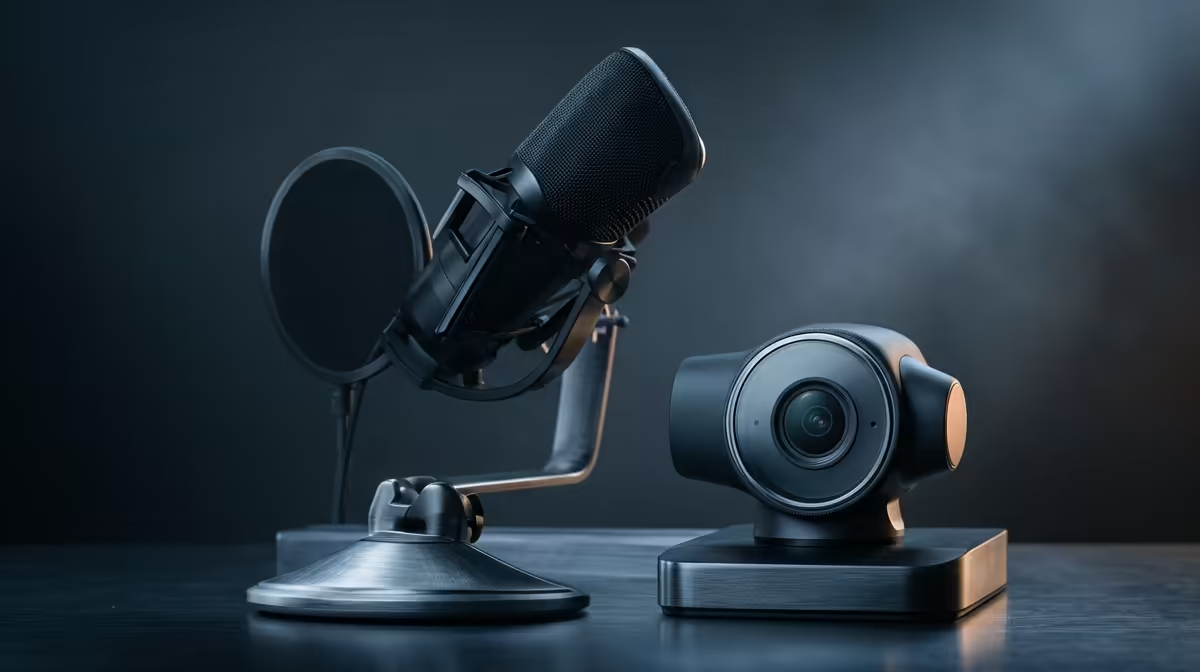
So, you’ve invested a small fortune in your setup. The mic is crisp, the camera is sharp, and your lighting is on point. But here in South Africa, our gear faces a unique set of challenges... Proper streaming gear maintenance in South Africa isn’t just about looking professional; it’s about protecting your investment and ensuring your content never misses a beat. ✨
Think of your streaming setup like a high-performance car. You wouldn't skip an oil change, right? For South African streamers, regular maintenance is even more critical. Dust can clog up sensitive electronics and coat camera lenses, while humidity in coastal regions can accelerate corrosion on connectors.
Neglecting this can lead to scratchy audio, a blurry webcam feed, or worse... complete equipment failure mid-stream. A simple cleaning routine is the best defence, ensuring your gear delivers peak performance for years. This pro guide will walk you through the essentials of caring for your streaming equipment.
Consistency is key. You don't need to deep clean every day, but a structured approach to streaming gear maintenance will save you headaches and money down the line. Here’s a simple breakdown for your core components.
Your microphone is your voice to the world. To keep it crystal clear, gently wipe down the body with a dry microfibre cloth weekly. Pop filters are magnets for spit and dust, so give them a gentle wash with warm, soapy water monthly (make sure it's completely dry before reattaching!). This simple step prevents the muffled, low-quality audio that drives viewers away. If your old mic is starting to crackle no matter how much you clean it, it might be time to browse for an upgrade among our streaming essentials.
A smudged lens is the fastest way to look unprofessional. Use a dedicated lens cloth or a microfibre cloth to gently wipe your webcam or camera lens weekly. For stubborn dust, a small air blower is your best friend. Avoid using harsh chemicals or paper towels, as they can scratch the lens coating. Also, take a moment to inspect your cables for any frays or kinks. A reliable picture starts with a clean lens, and if you're looking to step up to 4K, check out Evetech's range of high-quality webcams.
In South Africa, a quality surge protector is non-negotiable for your streaming rig. Better yet, invest in a small Uninterruptible Power Supply (UPS). It won't just protect your gear from power spikes when the grid comes back on; it gives you a few crucial minutes to shut down your stream and PC safely, preventing data corruption and hardware damage.
Your lighting sets the mood. Whether you're using a key light, a ring light, or ambient strips, dust is their enemy. A dusty LED panel can look dim and patchy on camera. Once a month, power everything down and give your lights a thorough wipe with a dry cloth. For dynamic setups with multiple moving parts, like those awesome Cololight RGB panels, ensuring clean contacts and dust-free surfaces keeps the colours vibrant and consistent.
Your stream deck, keyboard, and mouse are high-contact items. Use a can of compressed air to blast out any dust or crumbs from between the keys and buttons. For surface grime, a cloth lightly dampened with isopropyl alcohol works wonders. Keeping your controls clean isn't just hygienic; it ensures every button press is responsive when you're live. Top-tier brands like CORSAIR offer streaming peripherals built for heavy use, but even they benefit from regular care.
Sometimes, no amount of maintenance can save failing gear. If you're constantly fighting audio crackles, video artifacts, or flickering lights, it might be a sign that a component has reached the end of its life. Investing in new, reliable equipment isn't just a purchase; it's an upgrade to your production quality and peace of mind.
Ready to Elevate Your Stream? Keeping your gear in top shape is smart, but having the right tools for the job is essential. From crystal-clear mics to flawless 4K webcams, Evetech has everything you need. Explore our massive range of streaming essentials and build the ultimate setup today.
A light dusting of your desk and peripherals should be done weekly. A deep clean, including dusting inside your PC and wiping down cables, is recommended every 3-6 months.
Use a dry, soft-bristle brush to gently remove dust from the grille. For pop filters, check the manufacturer's guide; some can be washed with mild soap and water.
Use a high-quality surge protector and, ideally, an Uninterruptible Power Supply (UPS). This protects against power spikes and gives you time to shut down safely.
Regularly clean dust from fans and heatsinks using compressed air. Ensure case fans are unobstructed and consider reapplying thermal paste to your CPU every few years.
Gently wipe the lens with a microfiber cloth to remove fingerprints and dust. Avoid harsh chemicals. Ensure its software and drivers are always kept up to date for best performance.
Use cable ties, sleeves, or raceways to bundle cables together. This improves airflow for your PC, reduces dust buildup, and creates a much cleaner, professional look.
IPS vs VA for strategy and sim games should be judged by fit, not a single winner. Compare compatibility, latency, capacity, upgrade path, cost planning, and South African setup needs.
Read more
Gen 5 NVMe SSD guide for Bloemfontein gamers should be shortlisted around the job it must do. South African buyers should compare capacity, speed, thermals, and motherboard support, warranty path, and upgrade room before treating any pick as best.
Read more
Skip the RTX 5070 if your first-time builder budget needs better balance. Better SA picks can free room for the right CPU, PSU, case, monitor, storage, and cooling while still giving a strong first gaming PC experience this year in South Africa.
Read more
RTX 5080: weighing the pros and cons for SA should be shortlisted around the job it must do. South African buyers should compare GPU tier, VRAM, cooling, and PSU headroom, warranty path, and upgrade room before treating any pick as best.
Read more
Core i5-13400F gives South African PC builders a capable mid-range CPU choice with clear limits. Check its gaming fit, discrete GPU requirement, LGA1700 platform costs, and upgrade path before locking in your parts list.
Read more
Pros and cons of the Wi-Fi 7 routers for SA should be shortlisted around the job it must do. South African buyers should compare WiFi standard, coverage, latency, and device support, warranty path, and upgrade room before treating any pick as best.
Read more
Steam content servers unreachable needs a download-path check, not an immediate reinstall of every game. Restart the client, inspect download settings and compare another connection when practical. Clearing the download cache is separate from deleting installed games.

Keychron G6 HE has built-in and swappable battery versions with different weights. The product brief lists 42g and 46g respectively, each with a 3g tolerance. Choose by grip and battery preference before treating one headline weight as universal.

Corsair HS80 v2 MAX supports 2.4GHz wireless and Bluetooth. Its maximum battery figures use RGB-off conditions and differ by connection. Check microphone routing, comfort and the exact device support before assuming every wireless mode behaves alike.

Windows taskbar notification badges can be shown or hidden in Taskbar behaviours. This changes the small app indicators, not the underlying messages. Choose a calmer desktop while keeping a deliberate routine for checking important conversations and app updates.
Windows taskbar notification badges can be shown or hidden in Taskbar behaviours. This changes the small app indicators, not the underlying messages. Choose a calmer desktop while keeping a deliberate routine for checking important conversations and app updates.

Windows USB device in use can mean a program still has the drive open. Finish transfers and close files before retrying ejection. Better performance caching requires safe removal; a replacement drive is not the first fix for an open-file warning.

Windows Nearby Sharing not working starts with feature, Bluetooth and visibility checks on both PCs. My devices only depends on matching Microsoft accounts. Test a small harmless file before buying networking hardware or changing your home router.

Windows hardware reserved RAM is different from memory used by applications. Compare installed memory with firmware detection and the usable amount before buying modules. Reservations and reporting limits vary by system; no universal setting restores every byte.

Windows title bar window shake can minimise other open windows when you shake the active window by its title bar. Inspect the Multitasking setting and switch it off if that gesture interrupts your work. The preference costs R0 and does not require new hardware.

Windows Print Screen opens Snipping Tool when its keyboard preference is enabled. Change the option under Accessibility, Keyboard to choose another workflow. Test whether you need a clipboard image or a saved file.

Windows desktop icons missing may be a visibility setting. Right-click the desktop, choose View and inspect Show desktop icons. If only system icons are absent, use Desktop icon settings. Check the Desktop folder before assuming files were deleted.

Windows set time zone automatically greyed out calls for a location and device-policy check. Automatic time-zone selection relies on location services. A manual time-zone choice is separate from synchronising the clock; check both before replacing hardware.