Quick Answer
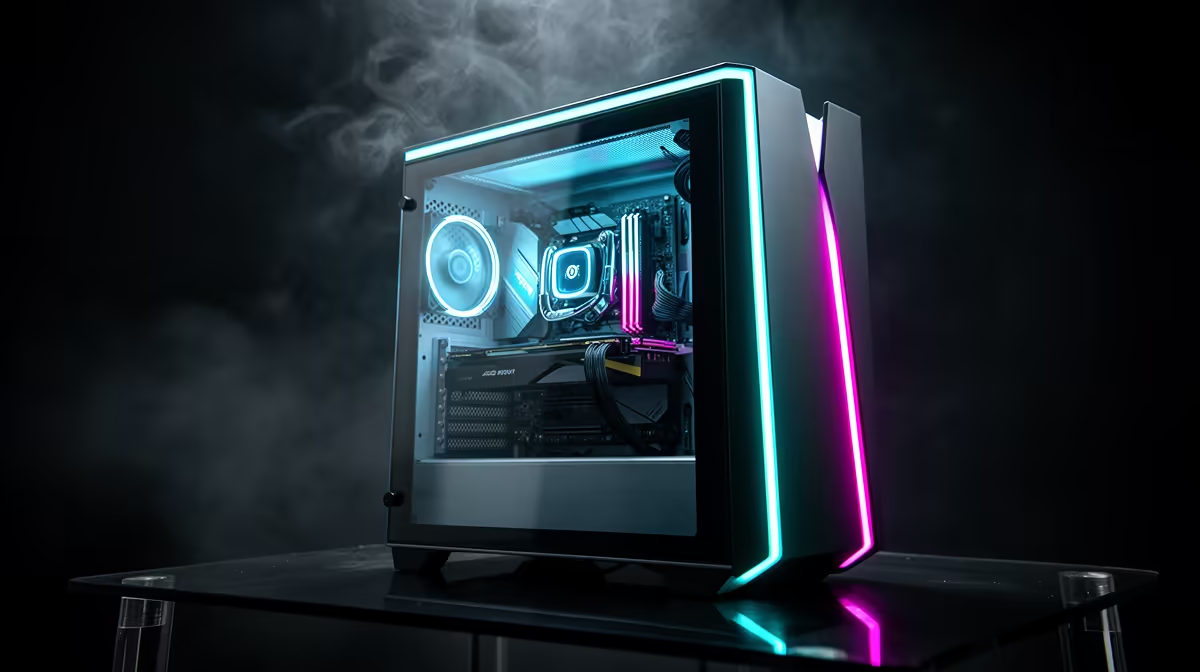
An RTX 5060 8GB GDDR7 gaming PC combines a mid-range GPU with fast video memory, a capable CPU, system RAM, storage, and supporting components. Each part plays a specific role in determining game performance, and understanding what each does helps you choose or upgrade a system confidently.
The GPU: RTX 5060 8GB GDDR7 Explained 🎮
The GPU is the most critical component for gaming. The RTX 5060 uses Nvidia's Blackwell architecture and carries 8GB of GDDR7 video memory. GDDR7 is faster than the GDDR6X used on previous mid-range cards, offering higher memory bandwidth that reduces bottlenecks in texture-heavy scenes. The card handles the rendering of every frame you see: geometry, lighting, shadows, and post-processing effects. It also runs dedicated hardware blocks for ray tracing and DLSS 4, Nvidia's AI upscaling technology. At 1080p the RTX 5060 targets 80 to 100fps in demanding titles; at 1440p it remains competitive with settings tuned to high. In South Africa, RTX 5060 systems are typically priced between R18,000 and R25,000 depending on the full build specification.
CPU, RAM, and Storage: Supporting Roles That Matter 🔧
The CPU processes game logic, physics, AI behaviour, and handles the operating system alongside the game. In an RTX 5060 build, a Ryzen 7 8700F or Core i5/i7 from Intel's current generation keeps the GPU fed with draw calls efficiently. Pairing the GPU with a weak CPU creates a CPU bottleneck where the GPU sits idle waiting for instructions. System RAM, ideally 32GB of DDR5, acts as a fast workspace for the CPU and stores active game assets that do not fit in VRAM. The NVMe SSD is where the game is installed, and a PCIe 4.0 drive reading at 5,000MB/s or faster dramatically reduces load times compared to older SATA SSDs. Together, CPU, RAM, and storage determine how quickly the system prepares each frame for the GPU to render.
Motherboard, PSU, Cooling, and Case: The Foundation 🖥️
The motherboard connects every component and sets your upgrade ceiling. An AM5 board supports the Ryzen 7 8700F and future Ryzen processors, with PCIe 4.0 slots for the RTX 5060 and NVMe drive. The power supply should be a 750W 80 Plus Gold unit, which gives clean, efficient power and headroom for a future GPU upgrade. CPU cooling keeps the processor within thermal limits under sustained load. The case determines airflow, which matters in warmer South African climates where poor ventilation causes throttling and shortens component lifespan.
Match Your Monitor to the GPU Tier ⚡
An RTX 5060 paired with a 1080p 144Hz monitor hits its sweet spot for competitive gaming. If you upgrade to a 1440p 165Hz display, enable DLSS Quality mode to maintain smooth frame rates without dropping settings to low. Buying a 4K monitor at this GPU tier will leave you underserved unless you plan a GPU upgrade soon.
FAQ
Why does GDDR7 matter compared to GDDR6 on the RTX 5060?
GDDR7 offers roughly 1.5 to 1.8 times the memory bandwidth of GDDR6 at comparable clock speeds. Higher bandwidth means the GPU can access texture data and frame buffers faster, which reduces stuttering in memory-intensive scenes and improves minimum frame rates.
What happens if I pair the RTX 5060 with a slow or old CPU?
A CPU bottleneck occurs when the processor cannot send draw calls to the GPU fast enough, causing the GPU utilisation to drop below 90 percent. This results in lower frame rates than the GPU is capable of delivering. Using a current-generation Ryzen 7 or Core i5/i7 prevents this.
Is 8GB of VRAM enough for future games on this card?
8GB of GDDR7 VRAM is sufficient for 1080p and most 1440p gaming in 2026. Some future titles with very high texture settings may push against this limit at 1440p, but running high rather than ultra textures resolves most cases. DLSS also reduces VRAM pressure by rendering at a lower internal resolution.
Ready to get an RTX 5060 8GB GDDR7 gaming PC?
Evetech stocks RTX 5060 graphics cards and complete pre-built gaming systems. Browse the GPU and gaming PC sections to find the right build for your budget.