Quick Answer
The ASUS ProArt LC 420 is a 420mm AIO liquid cooler built specifically for content creation and workstation builds. Its defining features are a tool-free magnetic fan mounting system, a VRM-cooling side jet on the pump head, wide socket compatibility including LGA4677 for Xeon W, and a subdued all-black aesthetic designed for professional environments.
ProArt LC 420 Design and Aesthetic Philosophy 🎨
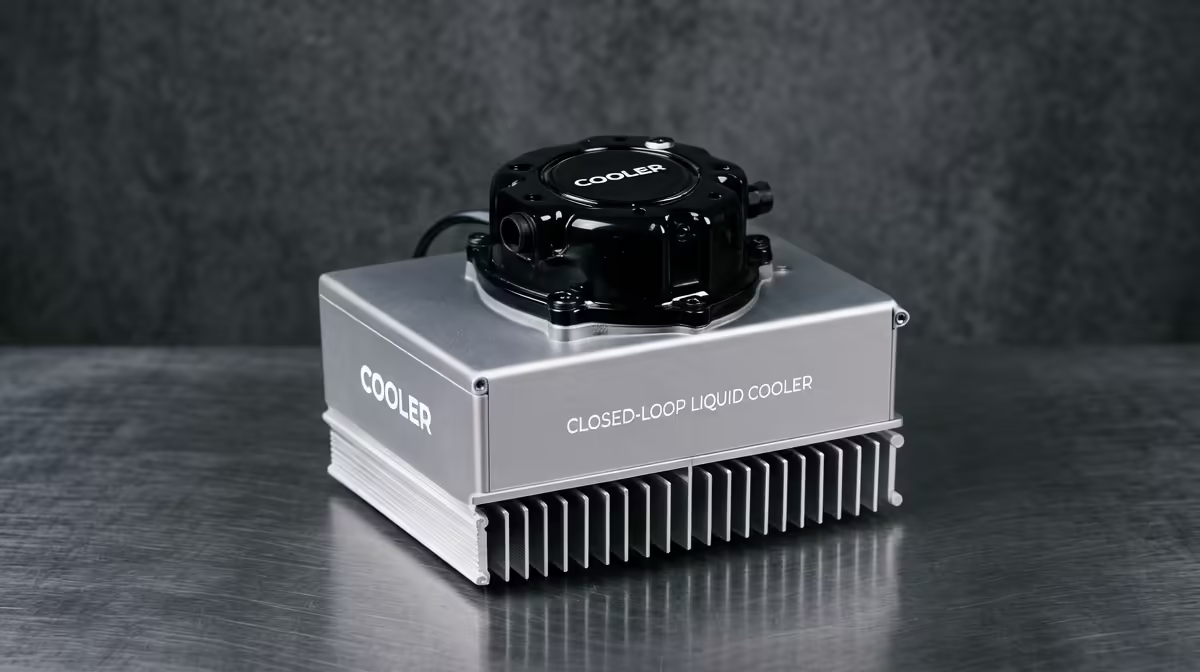
Unlike the ROG Ryujin line that targets gaming aesthetics with bold ARGB and diagonal fan arrangements, the ProArt LC 420 uses a clean industrial design. The pump head is compact, black and features a small embedded fan that directs airflow toward the motherboard's VRM and M.2 heatsink area, a genuinely useful feature when running a Threadripper PRO 7985WX or Core Ultra 9 285K at full load where power delivery components also generate significant heat. The radiator is finished in matte black with no ARGB lighting, which suits the ASUS ProArt PA602 case and similar studio-oriented enclosures perfectly. The magnetic fan clips allow the three included 140mm fans to be removed and reattached without tools, which matters during cable management sessions or when swapping fans for push-pull configurations. South African creator studios building professional workstations will appreciate the aesthetic restraint, as these machines often sit in client-facing edit bays.
Thermal Performance Under Real Creator Workloads 🔬
The ProArt LC 420 keeps a Ryzen 9 9950X below 82 degrees Celsius during extended Blender Cycles renders that sustain 200W package power for 30-plus minutes. Peak temperature spikes during Premiere Pro 4K export sequences sit roughly 5 to 8 degrees Celsius lower than a 360mm AIO from the same ProArt line. The pump operates at a near-silent 2,200 RPM in balanced mode. Fan noise at the default balanced profile stays below 30 dBA up to around 85 degrees Celsius coolant delta, only ramping fans audibly during extreme sustained all-core loads above 220W. The unit is priced in the R4,500 to R5,500 range, currently stocked at Evetech, positioning it between the mid-range NZXT Kraken 420 and the higher-end ROG Ryujin III 420 in terms of cost.
Socket Support and Builder Compatibility 🔧
The ProArt LC 420 ships with brackets for AMD AM4, AM5, Intel LGA1700, LGA1851 and LGA4677 (Xeon W) in the retail box, which is unusually broad coverage. This makes it one of the few 420mm AIOs that natively supports Xeon W3400 and W9-3595X workstation CPUs without requiring an additional bracket purchase. TR5 support for Threadripper PRO requires a separately sold bracket. The cold plate uses a copper construction with ASUS' newer Extreme Thermal Interface layer, which applies controlled pressure evenly across large-die Threadripper and Xeon processors. Installation clearance is standard: the radiator fits top or front mounts in any full-tower and front mounts in select large mid-towers. If you are building inside the ProArt PA602, the top 420mm mount is optimised for this cooler specifically.
Use the VRM Jet Fan for Hot Motherboards ⚡
The small fan on the ProArt LC 420 pump head can be tuned separately via ASUS Armoury Crate. On high-end motherboards with dense power phases, like the ProArt X670E-Creator or W790E-SAGE SE, setting the VRM jet to a fixed 1,800 RPM during heavy render loads can lower VRM temperatures by 8 to 12 degrees Celsius and reduce the chance of power-related thermal throttling during marathon sessions.
FAQ
Does the ProArt LC 420 require ASUS Armoury Crate to function?
No.
Is the ProArt LC 420 worth the price over a standard 420mm AIO?
For a dedicated creator workstation where VRM temperatures matter and tool-free maintenance is a priority, yes.
Where can I buy the ASUS ProArt LC 420 in South Africa?
It is currently stocked at Evetech.
Speccing a serious ProArt creator workstation?
Evetech stocks the ASUS ProArt LC 420 alongside compatible ProArt motherboards and cases, with local warranty support for professional build projects.