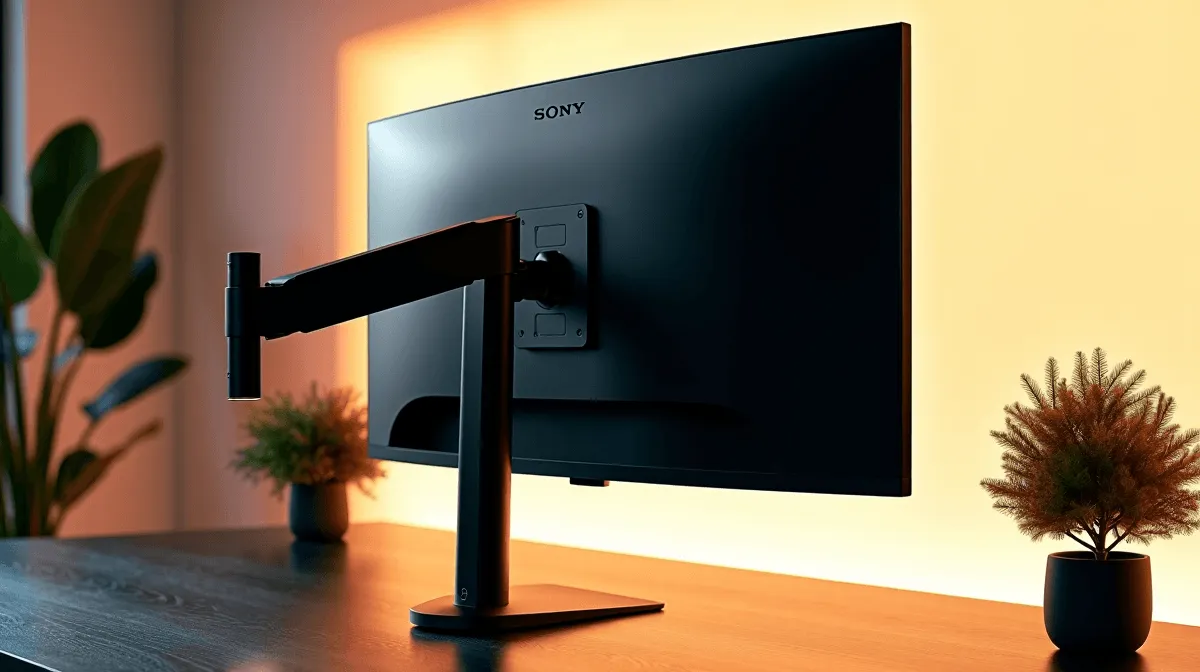
Do You Need a Monitor Arm for Your Desk Setup?
A cramped desk can kill a good gaming session fast. One minute you’re lining up a clutch shot, the next your screen sits too low, your neck feels stiff, and your mouse space has vanished. That’s where a monitor arm starts making sense. For South African gamers, streamers, and work-from-home buyers, the real question is simple... do you need one, or just want one? ⚡
Monitor Arm for Your Desk Setup: What It Actually Solves
A monitor arm lifts your screen off the desk and lets you move it where you need it. Height, tilt, swivel, and sometimes rotation become much easier to manage. That matters if you switch between gaming, browsing, editing, and spreadsheets during the same day.
It also frees up space. A clean desk looks better, sure... but it also gives you room for a larger mouse pad, a keyboard tray, or even a second screen later. If your current monitor stand feels bulky, a monitor arm can make the whole setup feel lighter and more intentional.
For buyers comparing screen options, it helps to first check the size and mounting compatibility of monitors available at Evetech. Not every display is VESA-ready, so it’s worth confirming before you order a mount.
Do You Need a Monitor Arm for Gaming?
If you play competitive titles, yes, it can help. A better screen position reduces neck strain and keeps your eyes level with the top third of the panel. That can make long sessions feel less tiring. If you play casually for an hour or two at a time, the benefit is still there, just less urgent.
A monitor arm is especially useful for ultrawide or larger displays. Those screens can dominate a small desk, and a sturdy arm gives you more breathing room. If you’re building around a proper gaming station, the right support gear matters as much as the panel itself. You can browse gaming monitor deals to match your screen with a setup that fits your space.
Monitor Arm for Your Desk Setup: When It’s Worth Buying
Think about your daily routine. If your desk does double duty as a gaming station and work zone, a monitor arm is usually a smart buy. If you use a laptop with an external screen, it can also help you place both at a healthier viewing height.
The same goes for buyers upgrading in stages. You may start with one screen, then add accessories later. In that case, a monitor arm gives you flexibility without forcing a full desk replacement. It pairs nicely with practical upgrades from gaming accessories deals and other tech essentials that tidy your setup.
Desk Setup Tip 🔧
your monitor arm wobbles, check two things first: desk thickness and VESA compatibility. A strong mount still needs a stable surface and the right bracket pattern. Measure before you buy, and you’ll avoid a very annoying return.
Monitor Arm for Your Desk Setup: Don’t Forget Comfort
A proper setup is not just about looks. Comfort matters. If your chair is too low or your screen too high, the arm will only solve half the problem. Pairing screen height with a decent seat helps you stay comfortable for longer, especially during late-night raids or all-day work calls. If your current seat is past its best, have a look at gaming chairs in South Africa.
In other words, a monitor arm is strongest when it supports the rest of your desk, not when it tries to fix everything alone.
Final Thoughts on Monitor Arm for Your Desk Setup
So, do you need one? If you want more space, better posture, and a cleaner desk, probably yes. If your current setup already feels comfortable and stable, you might not need it yet. The best move is to match the arm to your monitor, your desk, and how you actually use the space.
For South African gamers, that practical approach saves money and avoids regret. A smart desk setup should work with you... not against you. 🚀
Ready to Find Your Perfect Match?
The Mac vs Windows debate is complex, but for maximum power, choice, and value in South Africa, Windows is hard to beat. Explore our massive range of laptop specials and find the perfect machine to conquer your world.