


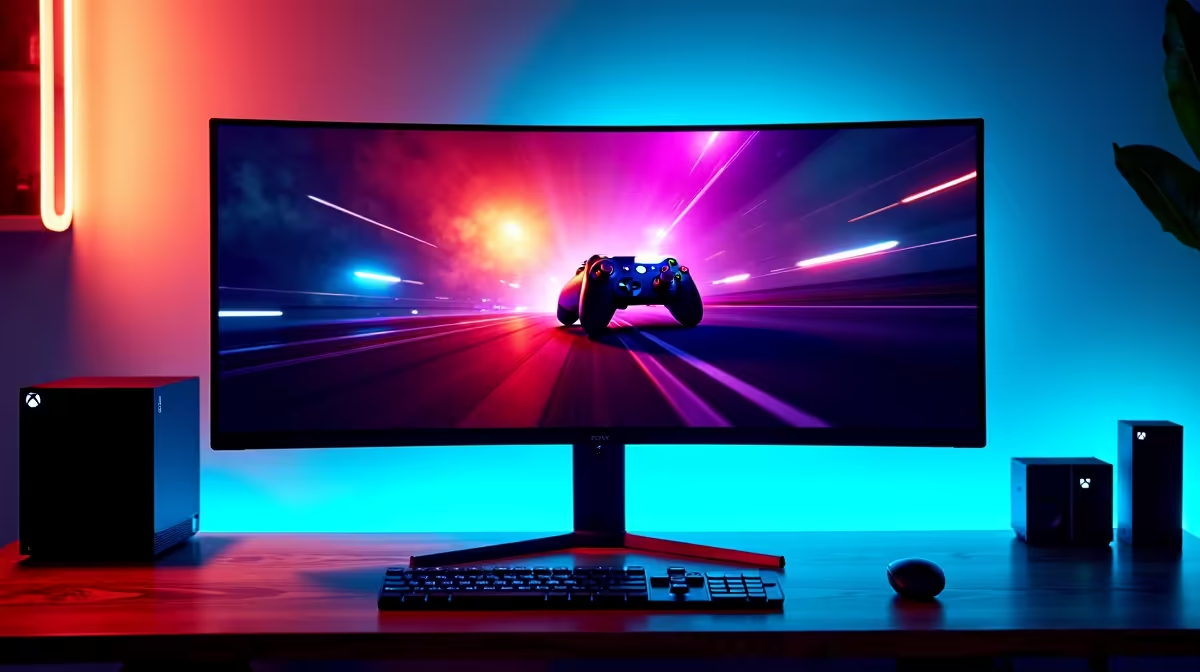
You’ve got the beast… the Xbox Series X. It’s sitting proudly in your setup, ready to pump out glorious 4K graphics at silky-smooth frame rates. But here’s the hard truth many South African gamers miss: if you’re still using a standard, non-HDR monitor, you’re leaving the console’s best feature in the dark. Finding the best HDR monitor for Xbox Series X isn't just an upgrade; it's like switching the game from black-and-white to full, breathtaking colour.
Why Your Xbox Demands a True HDR Monitor
So, what’s the big deal with High Dynamic Range (HDR)? Think of it as a massive expansion of a monitor's colour and contrast capabilities. Where a normal screen might show a bright sky as a flat white area, a good Xbox Series X HDR monitor displays the subtle shades of the clouds and the brilliant glare of the sun. ☀️
In games, this is transformative. The neon-drenched streets of Cyberpunk 2077's Night City feel more alive. The dark, menacing corridors in Alan Wake 2 have deeper, more terrifying shadows without crushing all the detail. This technology allows you to see the game world exactly as the developers intended. It’s a visual leap that makes your entire library feel new again, and it's a massive upgrade over standard PC monitors.
Key Features for the Best Xbox Series X Monitor
Choosing the right display can feel a bit technical, but it boils down to a few key specs. Getting these right ensures you unlock every drop of performance from your console.
HDMI 2.1: Your High-Speed Ticket
This is the most critical feature. HDMI 2.1 is the connection that enables the Xbox Series X's top-tier features:
- 4K at 120Hz: The holy grail of console gaming, offering both incredible detail and buttery-smooth motion. Essential for competitive shooters.
- Variable Refresh Rate (VRR): This syncs the monitor's refresh rate with the console's output, eliminating ugly screen tearing and stuttering.
- Auto Low Latency Mode (ALLM): Automatically switches the monitor to its fastest "game mode" when you fire up your Xbox.
Simply put, without HDMI 2.1, you can't get the best performance. It’s a non-negotiable for anyone seeking the best HDR monitor for Xbox Series X.
Resolution & HDR Certification
While the Series X targets 4K, a 1440p (QHD) monitor is also a fantastic option, often providing higher refresh rates for a lower price. For the ultimate visual fidelity, nothing beats the crisp image on one of these beautiful 4K monitors.
For HDR, look for a VESA DisplayHDR certification. DisplayHDR 400 is the entry point, but for a truly impactful experience, aim for DisplayHDR 600 or higher. The bigger the number, the brighter the highlights and the more impressive the effect. ✨
Calibrate for Perfection 🔧
Once your new monitor is set up, don't forget to run the HDR calibration tool on your Xbox Series X. You can find it under Settings > General > TV & display options > Calibrate HDR for games. This simple 3-step process ensures the console's output is perfectly matched to your screen's capabilities, giving you the best possible picture.
Our Top Picks for Your Setup
While specific models change, the best displays fall into a few key categories. Whether you're a competitive pro or a single-player adventurer, there's a perfect screen for you.
The All-Rounder: 27-32" 4K 120Hz+
This is the sweet spot for most gamers. A 27 to 32-inch screen provides an immersive experience without overwhelming your desk. Paired with a 4K resolution, a 120Hz (or higher) refresh rate, and solid DisplayHDR 600 certification, this type of monitor delivers stunning visuals and responsive gameplay for any genre. It's the ideal choice for experiencing everything the Xbox has to offer. You can explore our full range of gaming monitors to see what's currently in stock.
The Immersion King: The Curved Experience
For those who want to be completely absorbed in their game worlds, a curved panel is an excellent choice. While the Xbox Series X doesn't support ultrawide aspect ratios, the gentle curve of a 16:9 monitor still enhances peripheral vision and creates a more cinematic, "wraparound" effect. Many of these incredible curved monitors pull you right into the action, making open-world games feel even more vast.
The Budget Champion: 1440p High-Refresh Rate
Don't have the budget for a top-tier 4K screen? No stress. A 1440p monitor with HDMI 2.1 and good HDR is arguably the smartest buy in gaming right now. You still get a super-sharp image and can take full advantage of the 120Hz performance modes in games like Call of Duty and Halo Infinite. It's the perfect balance of price and performance, and you can often find a great option if you keep an eye on our best PC monitor deals. 🚀
Don't Forget the Finishing Touches
Your setup isn't complete with just the screen. Investing in the right monitor accessories, like a quality VESA mount, can help you get the perfect viewing angle and save desk space. And for those who game in multiple locations or have a compact setup, even powerful portable monitors are now a viable option with impressive colour and response times.
Ultimately, pairing your powerful console with the best HDR monitor for Xbox Series X is the final step to unlocking its true potential. Stop letting your screen be the bottleneck and start seeing your games in a whole new light.
Ready to See What Your Xbox Can Really Do? Stop gaming with washed-out colours and unlock the vibrant, stunning worlds you were meant to see. Explore our massive range of gaming monitors and find the perfect display to bring your games to life.











