


You're in the zone… editing a podcast, rendering a 4K video, or streaming to your followers. Then it starts: a low hum that grows into a distracting roar. Your PC's stock cooler is working overtime, and your creative flow is shattered. For South African creators and gamers, finding a quiet CPU cooler isn't a luxury; it's an essential tool for focus and quality. Let's explore how to silence your machine for good. 🎧
Why a Quiet CPU Cooler is Essential for SA Creators
A noisy computer isn't just an annoyance; it's a bottleneck. If you're recording audio—whether for a podcast, voiceover, or a stream—your microphone will pick up that fan noise. This means more time spent in post-production trying to clean up your audio, or worse, delivering a final product that sounds unprofessional.
For video editors and 3D artists, long rendering times are part of the job. A loud cooler can make the workspace unbearable, especially in a smaller home office. A high-quality, quiet CPU cooler in South Africa ensures your processor stays cool under pressure without sounding like a jet engine, allowing you to concentrate on what matters most… your creation. Upgrading is one of the most significant quality-of-life improvements you can make to your rig, and there's a huge variety of CPU coolers to fit any budget.
Air vs. Liquid: Choosing Your Silent Champion ❄️
When it comes to PC cooling, the two main contenders are air and liquid. Both can offer fantastic, quiet performance, but they achieve it in different ways.
Traditional Air Coolers
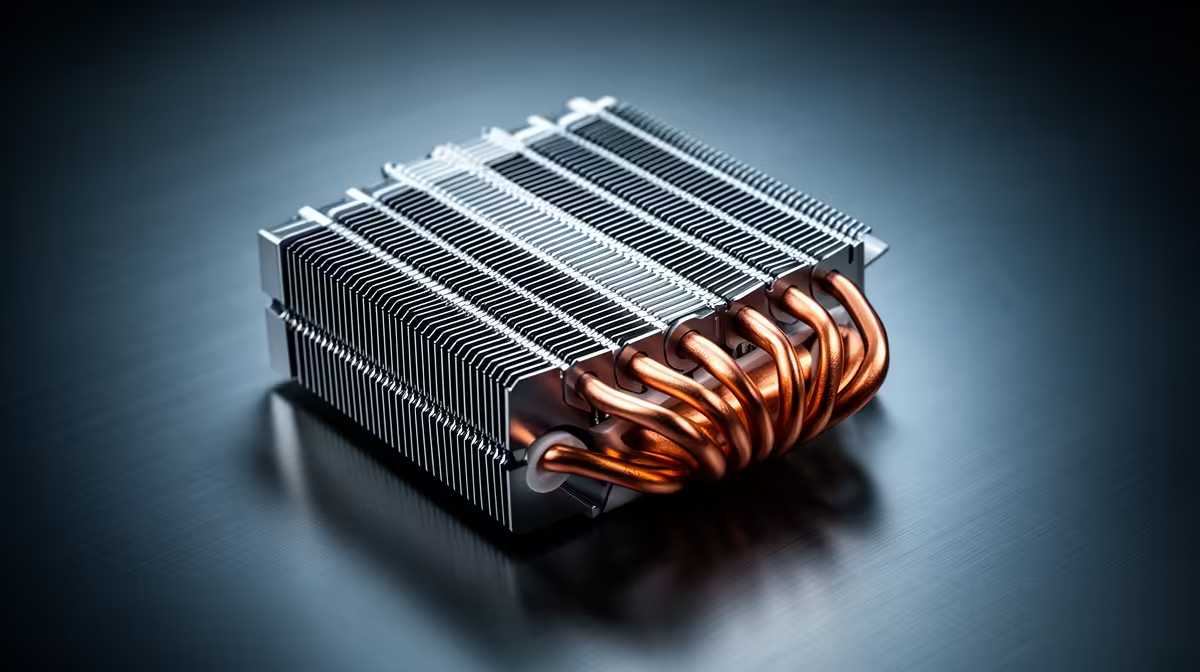
These use a heatsink with metal fins and a fan to draw heat away from the CPU. For whisper-quiet operation, look for models with large heatsinks and big (120mm or 140mm) fans. Larger fans can spin slower while moving the same amount of air as a smaller fan, resulting in much lower noise levels. Modern traditional air coolers offer incredible performance that can even rival liquid cooling, often at a more affordable price.
All-in-One (AIO) Liquid Coolers
AIOs use a pump to circulate liquid through a closed loop, moving heat from the CPU to a radiator, where fans dissipate it. They can offer superior cooling for high-end CPUs and often have a cleaner, more modern aesthetic. While the pump adds another potential source of noise, high-quality all-in-one (AIO) liquid coolers are engineered to be exceptionally quiet, with the large radiator fans doing the heavy lifting at low RPMs.
Pro Tip: Master Your Fan Curves 🤫
Your motherboard's BIOS or UEFI allows you to set custom fan curves. Instead of letting your fans blast to 100% speed the moment your CPU hits 60°C, you can create a gradual ramp. This keeps your PC nearly silent during light tasks like writing or browsing, and only increases fan speed smoothly when you're truly pushing the system with a heavy render or intense gaming session.
Finding the Best Quiet Cooler for Your Build
The best quiet cooler for you depends on your CPU, your case size, and your budget. A mid-range processor used for photo editing won't need the same cooling power as a top-tier CPU rendering complex 3D scenes.
Before you buy, always check for compatibility:
- Socket Compatibility: Ensure the cooler fits your motherboard's CPU socket (e.g., AM5 for modern AMD, LGA 1700 for modern Intel).
- Case Clearance: For air coolers, check the maximum cooler height your PC case supports. For AIOs, check the radiator size your case can accommodate (e.g., 240mm, 360mm).
By doing a little research, you can balance price and performance perfectly. It's always worth finding the best deals on CPU coolers to get premium, quiet performance without breaking the bank.
Beyond the CPU: Achieving Total System Silence ✨
Your CPU cooler is the biggest culprit for noise, but it's not the only one. To build a truly silent PC, consider the noise levels of your case fans, your graphics card, and even your power supply. Investing in a case designed for silent operation and swapping out stock fans for quiet, pressure-optimised models can make a world of difference. It's about creating a balanced system with complete thermal solutions that work together in harmony.
Ready to Silence Your PC? A noisy PC shouldn't kill your creative flow. From high-performance air coolers to sleek AIOs, the perfect quiet solution is waiting for you. Explore our massive range of CPU coolers and find the perfect match for your rig.









