



ASUS XG Core Radeon RX 9060 XT: November launch details
ASUS has detailed its compact 16GB USB4 eGPU. Check what changed since Gamescom, how to verify host compatibility and what desktop alternatives cost.
Read moreNVIDIA App 11.0.9.585 adds 19 listed override profiles. Check the game and GPU before changing one setting and comparing against your own baseline.
NVIDIA App 11.0.9.585 lists DLSS Override support for 19 game entries and Optimal Settings profiles for six. Check the exact game and available controls before changing settings. If your current GeForce system already runs the title well, you can compare the new profile at no hardware cost.
The release highlights list titles including PUBG: BATTLEGROUNDS, Dragon's Dogma 2 and The Witcher 3: Wild Hunt in the override section. A separate group of six, including EA SPORTS FC 27, appears under Optimal Settings. Some names appear in both sections. Read them as two feature lists. The Optimal Settings profile and the individual DLSS override controls can address different aspects of a game's setup.
Start by checking the version shown in the app and confirming which installation the app sees. If a profile is present, open its per-game settings. Check the actual override option on your hardware before changing it. An entry in the release notes is useful for narrowing down the search. It does not mean every model or frame generation multiplier is offered on every graphics card.
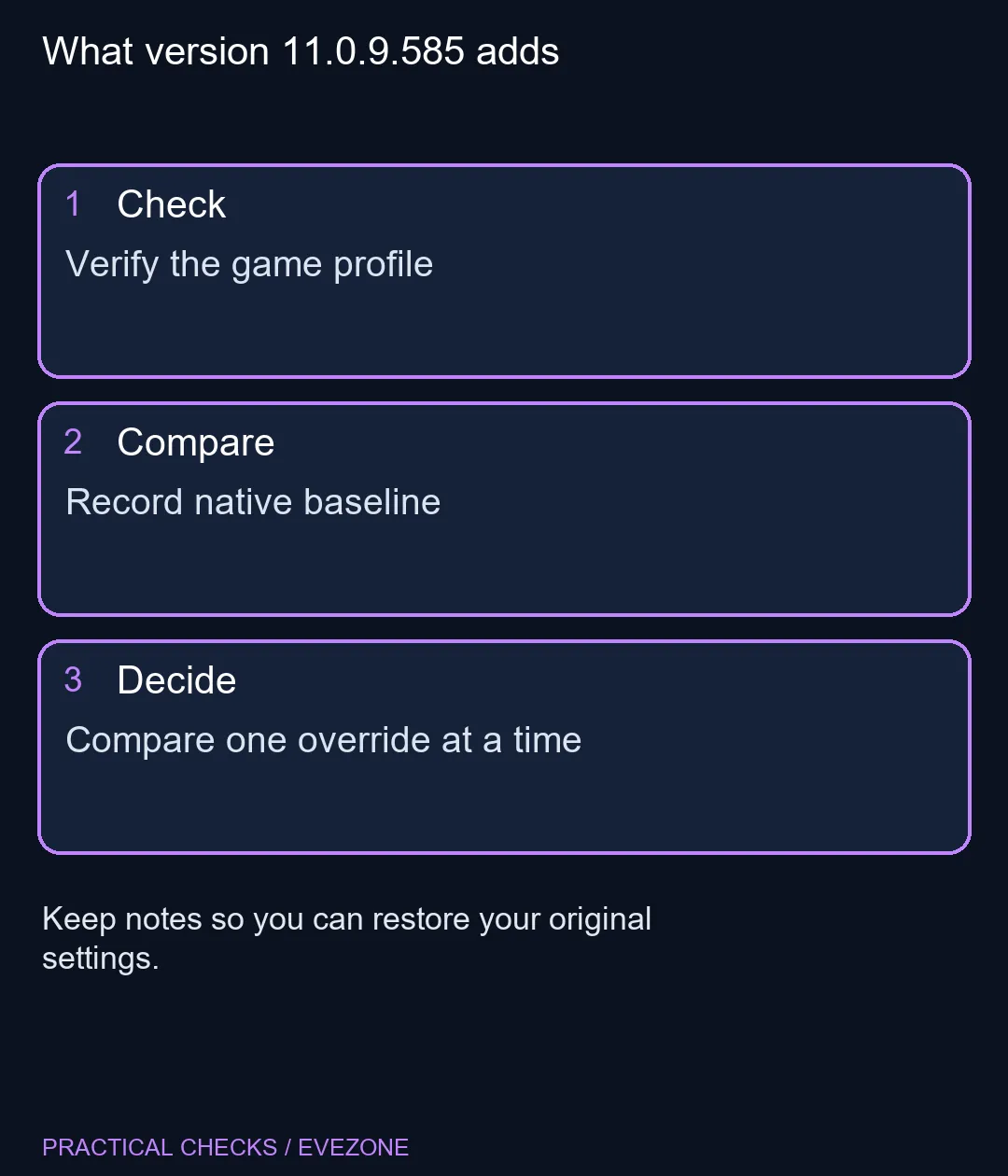
Use the same save, race or replay for both tests if your game allows it. Keep resolution, graphics quality and frame caps steady. Compare how the image looks during movement, and note how the game responds to input as well as the displayed frame rate. A more useful result is one you can reproduce across several passes. If the new setting makes interface text or thin edges look worse to you, write down which preset you changed so you can put it back. Avoid changing several global settings while testing a single title. That makes it difficult to know which change caused a result and can alter other games you play. A single per-game setting is easier to reverse. If the option is unavailable, verify the game and GPU support first. The absence of a control does not by itself establish that the installed graphics card is too slow for the game.
The 6 November local catalogue snapshot showed a Palit GeForce RTX 5060 Dual 8GB in stock at R9,499. That is an example from the all nvidia geforce graphics cards range. A laptop purchase calls for a different comparison. In the geforce gaming laptops range, evaluate the complete system, including its display and the power available to the installed GPU. A desktop price and a laptop price include very different hardware. If the app update solves a problem in a game you already own, keep the money for a more useful upgrade. If your current settings still leave the game short of your target, compare benchmarks at your own resolution and graphics preset before buying. DLSS tools can change how an image is produced, but game behaviour on your current system tells you where the performance issue actually is. Revisit the local price at the point of purchase because this snapshot only describes the catalogue at writing time.
The NVIDIA release notes identify app version 11.0.9.585.
There are 19 under DLSS Override for this version.
NVIDIA lists them separately. Optimal Settings apply recommended game settings, while an override changes supported DLSS behaviour.
Yes, PUBG: BATTLEGROUNDS appears in the release highlights.
Available controls depend on the card, game and supported feature.
It was the local snapshot price of a Palit RTX 5060 Dual 8GB card.
What version 11.0.9.585 adds Verify the game profile.
The NVIDIA release notes identify app version 11.0.9.585.
There are 19 under DLSS Override for this version.
NVIDIA lists them separately. Optimal Settings apply recommended game settings, while an override changes supported DLSS behaviour.
Yes, PUBG: BATTLEGROUNDS appears in the release highlights.
Available controls depend on the card, game and supported feature.
It was the local snapshot price of a Palit RTX 5060 Dual 8GB card.
ASUS has detailed its compact 16GB USB4 eGPU. Check what changed since Gamescom, how to verify host compatibility and what desktop alternatives cost.
Read more
MSI is targeting December for the Claw A8 graphics driver. Check the exact model, plan a repeatable test and compare local handheld prices.
Read more
AOC's China launch pairs a 31.5-inch 4K QD-OLED with 180Hz. Compare your graphics performance, desk fit and verified South African OLED alternatives.
Read more
The ASUS ROG Swift OLED PG27UCWM is on sale in the UK. Check its two refresh modes and what the overseas listing means for South African buyers.
Read more
Compare the 84-key and 100-key Lofree Flow Lite 2 layouts, wireless modes and switch fit before waiting for a South African listing.
Read more
Check display connections, memory and what ships in the box before putting the MSI Cubi NUC WCG on a South African mini PC shortlist.
Read more
Firefox can mute one noisy tab using its speaker button or context menu. Check the tab control before changing Windows volume or replacing a working headset.

ASUS PA329CDV combines a 4K 120Hz QD-OLED panel with USB-C charging and Auto KVM. Compare colour work, laptop power and desk connections before treating overseas availability as an SA offer.

Teclast N30 Pro pairs Core 3 304 with 12GB memory and USB4. Its expansion connection is useful, but an external graphics plan needs a complete cost and compatibility check.

Firefox private browsing separates a temporary session from normal browsing history. It does not make you anonymous online, and files or bookmarks you deliberately save can remain after the last private window closes.

Set Firefox as the default browser to open normal web links from other apps in it. Use Firefox Settings or Windows Default apps, then test an outside link; opening Firefox manually does not prove the default changed.
Firefox can mute one noisy tab using its speaker button or context menu. Check the tab control before changing Windows volume or replacing a working headset.

Firefox has a startup-cache control on its Troubleshooting Information page. Use it for a focused interface test and keep it separate from clearing website data or refreshing the profile.

Firefox Primary Password protects access to locally saved logins. It is separate from a website or Mozilla account password, and forgetting it can put saved credentials at risk during reset.

Check when Chrome saves power, compare a repeatable task on battery and separate browser changes from battery health and Windows settings.

Find Chrome's caption control, check language and audio and bring back the floating bubble when captions disappear during playback.

Open the simplified Chrome reader, adjust type and spacing and check whether the page supports the view before changing your display setup.

Find an open Chrome tab by title with a keyboard shortcut or the address bar, and keep important links in bookmarks for later.