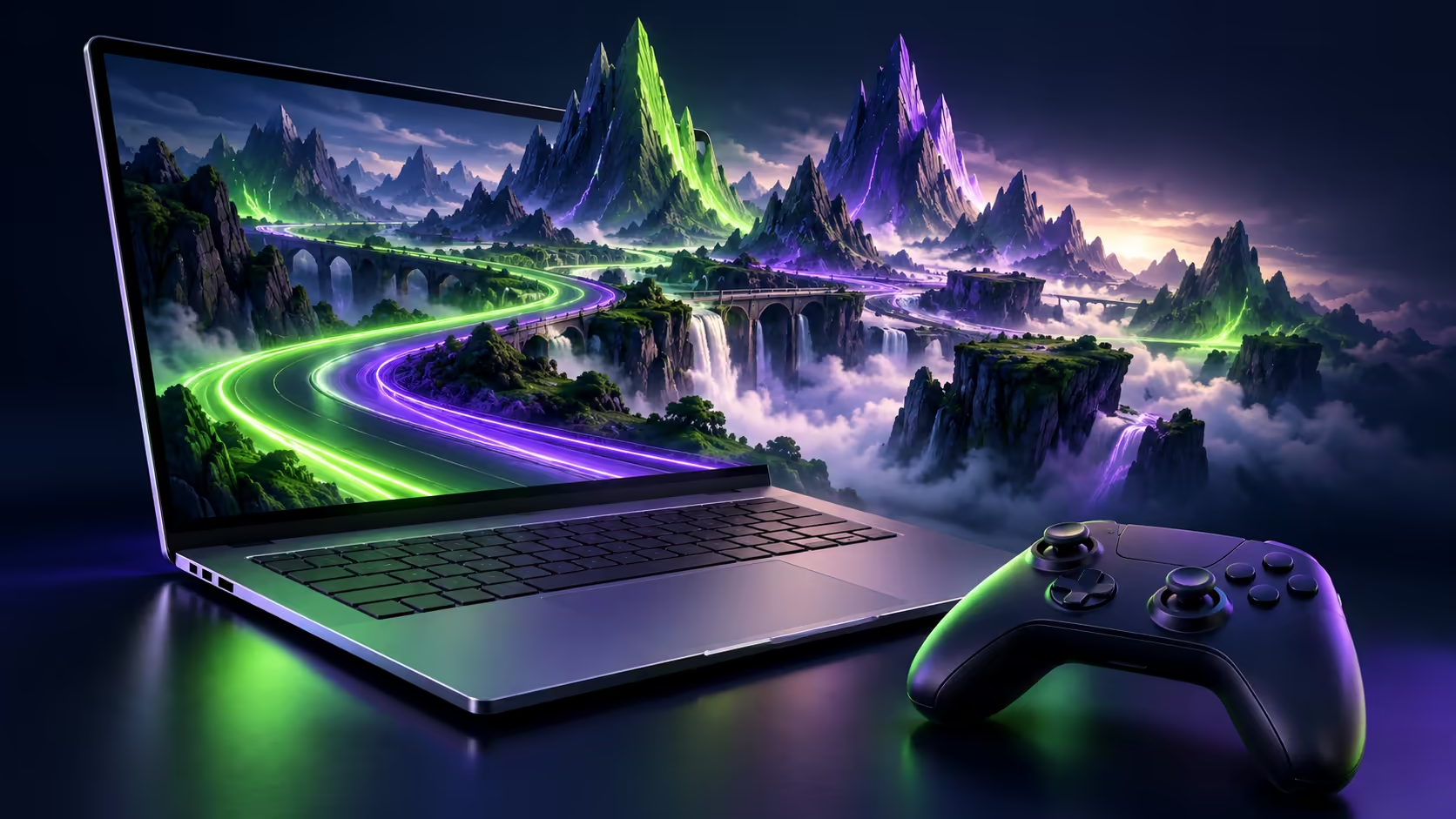
The MSI Prestige N16 Flip AI+ has a Blackwell RTX GPU with ray tracing, DLSS and Reflex, so it is fair to ask whether it doubles as a gaming laptop. The honest answer depends less on the graphics and more on Windows on Arm, because that decides which of your games will launch at all, and how.
Quick Answer
Yes, it can play games, with a catch. MSI and NVIDIA both list ray tracing, DLSS and Reflex support, and the 16-inch OLED runs at up to 120Hz. But it runs Windows 11 on Arm, so most PC games run through emulation, and any game whose anti-cheat installs a kernel driver needs Arm support, although Dell says Easy Anti-Cheat and BattlEye already work on RTX Spark. At R84,999, buy it for AI and creative work first and treat gaming as a bonus.
🎮 What the hardware brings
NVIDIA's RTX Spark page lists the platform as Game Ready, with ray tracing, DLSS and Reflex for the latest games. MSI repeats that for the Prestige N16 Flip AI+ and pairs it with a 6,144-core Blackwell RTX GPU on both South African configurations.
The screen helps too. Both versions use a 16-inch OLED touchscreen with 30-120Hz variable refresh, which smooths out frame-rate dips. The R84,999 model runs at 2880 x 1800, while the R134,999 model's 3840 x 2400 panel looks sharper but asks more of the GPU at native resolution.
🧩 How Windows on Arm runs your games
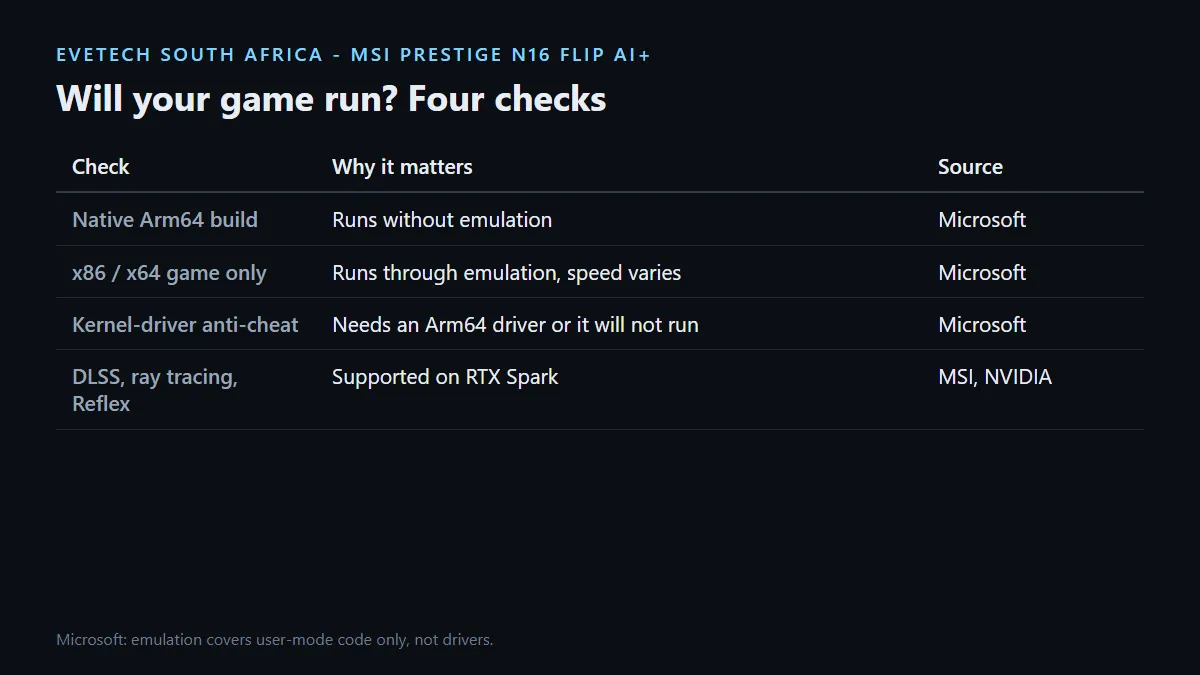
Microsoft's documentation says Windows 11 on Arm emulates both x86 and x64 apps, so a game built for a normal Intel or AMD laptop can run without changes. The newer Prism emulator in Windows 11 24H2 improves performance, and Dell says Prism is now optimised for the RTX Spark microarchitecture, including AVX and AVX2 support. Frame rates under emulation still vary by game, so check rather than assume.
The bigger limit is drivers. Microsoft states that emulation supports only user-mode code, not drivers, and that any kernel-mode component must be compiled for Arm64. Some competitive online games use anti-cheat that installs exactly that kind of driver. Dell says RTX Spark supports two of the most common, Easy Anti-Cheat and BattlEye, but a game whose anti-cheat has no Arm support will not run, however strong the GPU is.
A quick check before you buy
- List the five games you play most.
- Check each one's publisher or anti-cheat provider for Windows on Arm support.
- Prefer titles with a native Arm64 build, where one exists.
- Keep cloud gaming in mind as a fallback for anything that will not install.
⚖️ Who should game on it, and who should not
If you mostly work, create or run AI models and play some single-player or older titles in the evening, the Prestige N16 Flip AI+ covers that without a second machine. Its 99.9Wh battery and 140W USB-C charging also make it a more relaxed travel laptop than most gaming machines.
If gaming is the main reason you are spending the money, a conventional Windows laptop with an RTX GPU avoids the compatibility question entirely and usually costs far less. Compare the GeForce RTX gaming laptops on special and the wider gaming laptop deals, or stay with MSI through its full laptop range.
Frequently Asked Questions
Does the MSI Prestige N16 Flip AI+ support DLSS?
Yes. MSI and NVIDIA list DLSS, ray tracing and Reflex support for RTX Spark.
Will Steam games run?
Many x86 and x64 games run through Windows on Arm emulation. Performance and compatibility vary by title, so check yours first.
Why do some online games not work on Windows on Arm?
Microsoft says emulation does not cover drivers, so kernel anti-cheat needs Arm support. Dell says Easy Anti-Cheat and BattlEye are supported on RTX Spark.
What refresh rate is the screen?
Both South African configurations have a 16-inch OLED with 30-120Hz variable refresh.
Is it a good buy just for gaming?
No. A conventional RTX gaming laptop avoids emulation and anti-cheat questions and usually costs much less than R84,999.
Can I use a controller?
MSI does not publish a controller compatibility list, so check your specific controller and game together.
Gaming is part of the plan?
Check your most-played titles for Windows on Arm support first, then decide whether the Prestige N16 Flip AI+ or a dedicated RTX gaming laptop fits your mix of work and play.