


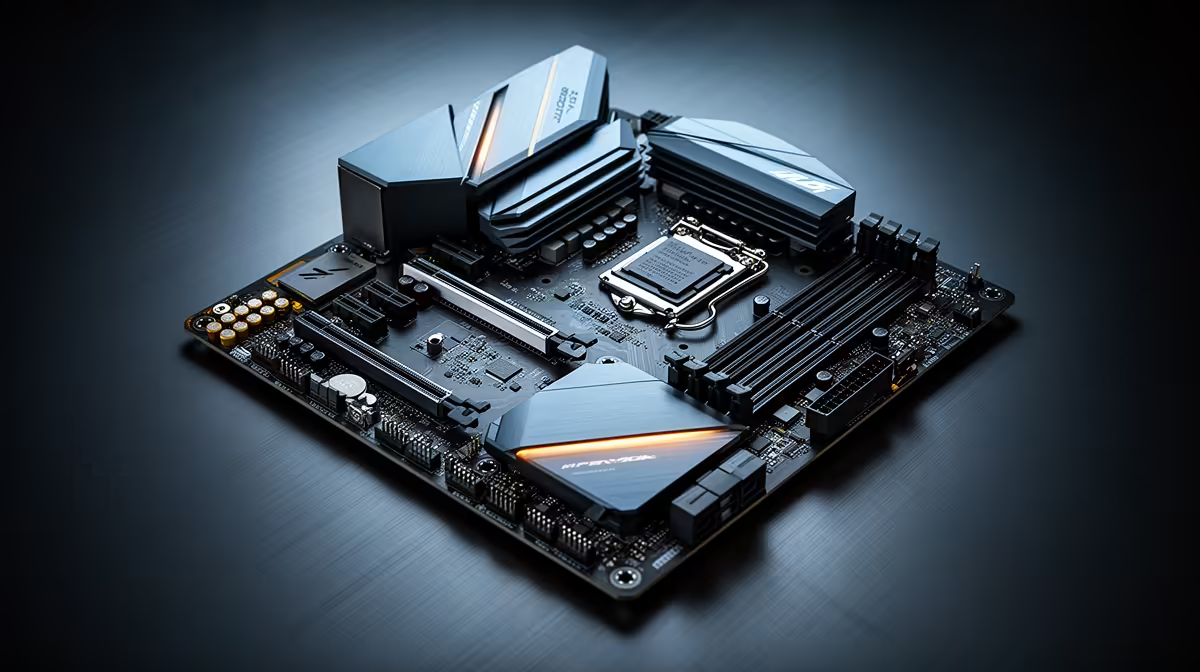
You're coordinating a raid on Discord, streaming your gameplay, and have a dozen browser tabs open for research... suddenly, your PC stutters. Sound familiar? It’s often not your CPU or GPU, but the unsung hero of your rig: the motherboard. Finding the best gaming motherboard for multitasking is the secret to a flawlessly smooth experience in South Africa. Let's dive into what really matters for a rig that can truly do it all.
Why Your Motherboard is the Multitasking MVP
Think of your motherboard as the central nervous system of your PC. It’s the high-speed highway that connects your powerful CPU, lightning-fast GPU, and responsive RAM. When you're just gaming, the traffic on this highway is predictable. But when you start multitasking—streaming, encoding video, or running virtual machines—that traffic becomes a complex web of data.
A cheap or poorly designed board will cause bottlenecks, leaving your expensive components starved for data and waiting in line. A great multitasking gaming motherboard, however, has the robust power delivery (VRMs) and wide data pathways (PCIe lanes) to handle everything you throw at it without breaking a sweat.
Key Features for the Ultimate Multitasking Motherboard
When you're hunting for the best gaming motherboard for multitasking, a few key specs are non-negotiable. Forget the flashy RGB for a moment; this is about raw capability. 🔧
Chipset and CPU Synergy
Your motherboard's chipset dictates which CPU family you can use. For modern multitasking rigs, you're typically choosing between Intel's 700-series (like B760 and Z790) or AMD's 600-series (like B650 and X670). High-end chipsets generally offer more PCIe lanes and better connectivity options, which are crucial for running multiple high-speed devices simultaneously. When starting a build, it's wise to explore the features available on the latest Intel motherboards to see if they align with your performance goals.
RAM Support and Capacity
For a true multitasking machine, 16GB of RAM is the absolute minimum... and 32GB of fast DDR5 memory is the new sweet spot. Your motherboard needs to not only support these capacities but also handle high-speed RAM kits reliably. Look for motherboards with four DIMM slots and official support for high-frequency EXPO (for AMD) or XMP (for Intel) profiles.
Pro Tip: Unlock Your RAM's Full Speed ⚡
Your new DDR5 RAM won't run at its advertised speed out of the box. You must enter your motherboard's BIOS (usually by pressing 'DEL' or 'F2' on startup) and enable the XMP or EXPO profile. This one-click setting overclocks your memory to its rated performance, giving you a significant and free performance boost for multitasking.
Connectivity and I/O
A good motherboard for multitasking needs a generous rear I/O panel. Look for:
- Multiple USB 3.2 Gen 2 ports: For fast external drives and peripherals.
- 2.5Gbps LAN or higher: Essential for fast downloads and lag-free streaming.
- Wi-Fi 6E or 7: Provides low-latency wireless connectivity, keeping you competitive even without a cable.
- At least two M.2 slots: For ultra-fast NVMe SSDs to run your OS and games from.
Our SA Test Results: Top Motherboard Tiers
Based on our in-house builds and local market value, we've identified what to look for across different budgets. The "best" board is the one that meets your specific needs without wasting ZAR on features you'll never use.
The All-Out Powerhouse
If you're a content creator who games and streams at the highest quality, you need a top-tier motherboard. These boards (typically Z790 for Intel and X670E for AMD) boast overkill VRMs for stable overclocking, the maximum number of PCIe 5.0 lanes, and extensive connectivity like Thunderbolt 4. They are built to handle a flagship CPU and GPU running at full tilt while juggling other demanding tasks. Exploring the range of high-end AMD motherboards is a great starting point for this tier.
The Value Sweet Spot ✨
This is where most South African gamers should be looking. Mid-range B760 (Intel) and B650 (AMD) boards offer the best bang for your buck. You get most of the critical features of their high-end siblings, like DDR5 support and PCIe 4.0/5.0 for your primary GPU and SSD, but at a much more accessible price. For a gamer who streams on the side, this is the perfect balance of performance and price.
The Budget-Conscious Builder
Building a multitasking rig on a tight budget is possible. You'll need to be smart about your choices, prioritising a board with solid VRMs and at least two M.2 slots over aesthetic extras. While you might sacrifice the latest connectivity standards, you can still build a capable machine. It's always worth checking for great deals on budget motherboards, as previous-generation chipsets can offer incredible value.
Ready to Build Your Multitasking Beast? 🚀 Choosing the right foundation is the most critical step in building a PC that won't let you down. The best gaming motherboard for multitasking is waiting for you. Explore our massive range of motherboards and find the perfect board to conquer your world.










