Fix Poor Airflow: Common PC Case Fan Mistakes to Avoid (South African Guide)
Hot gaming nights in SA often mean one thing… your PC suddenly sounds like a vacuum cleaner. If temps creep up while you’re editing clips, streaming on Twitch, or running a demanding AAA game, airflow is usually the culprit. 🔧
This guide breaks down the most common mistakes behind poor cooling, so you can fix it fast. We’ll also help you pick the right fans and layout, using parts you can find at Evetech.
Fix Poor Airflow: Common PC Case Fan Mistakes to Avoid (Start with direction)
Airflow isn’t magic. It’s basic physics: air must move in a clear path from intake to exhaust. Many builders accidentally install fans backwards, or they mix up “intake” and “exhaust” roles.
Here are quick checks:
- Front/bottom fans should pull air into the case (intake).
- Rear/top fans should push air out (exhaust).
- If you’re using a top fan, verify it’s actually exhausting hot air upward.
A simple way to test: after booting, feel (carefully) near vents. Intake should bring in cooler room air. Exhaust should push warmer air out.
Fix Poor Airflow: Common PC Case Fan Mistakes to Avoid (Ignore RPM control at your peril)
Fan curves help… but “set and forget” often hurts. If your fans are set too low, they may never ramp when CPU temps spike during raid night or ranked grind.
Aim for a curve that responds earlier, not later. If you’re on a motherboard with fan headers, start with:
- CPU fan: tied to CPU temperature
- Case fans: tied to a motherboard temp sensor (or CPU package if available)
Evetech stocks a wide range of case fans, including performance-focused options, so you can match cooling style to your build. Browse: https://www.evetech.co.za/PC-Components/case-fans-97.aspx
Fix Poor Airflow: Common PC Case Fan Mistakes to Avoid (Don’t mix fan sizes and layouts blindly)
Different fan sizes move different air volumes. Mixing sizes can work, but only if the layout is intentional and you keep the intake/exhaust pattern consistent.
For example, you might build intake with 120mm fans and exhaust with 140mm fans, but you must ensure the case supports the mounting positions and that the shrouds don’t block flow.
If you’re targeting compact builds, compare 120mm options here: https://www.evetech.co.za/PC-Components/case-fans-97.aspx?attributes-size=120mm
For better static pressure and airflow in larger mounts, 140mm may be worth a look: https://www.evetech.co.za/PC-Components/case-fans-97.aspx?attributes-size=140mm
Fix Poor Airflow: Common PC Case Fan Mistakes to Avoid (Cable clutter kills cooling)
This one is painfully common. Even if your fan placement is perfect, a tangle of cables can disrupt airflow right where you need it most.
Do this instead:
- Route cables along the case edges.
- Use Velcro ties where possible.
- Keep the area behind the front intake as clear as you can.
Your GPU and CPU deserve clean air, not a cable obstacle course.
Productivity Pro Tip 🔧
On Windows, use the PowerToys FancyZones utility to create custom snap layouts for your windows. It's a lifesaver for managing multiple apps on an ultrawide monitor, letting you organise your timeline, preview window, and asset folders perfectly for video editing.
Fix Poor Airflow: Common PC Case Fan Mistakes to Avoid (RGB is optional, airflow isn’t)
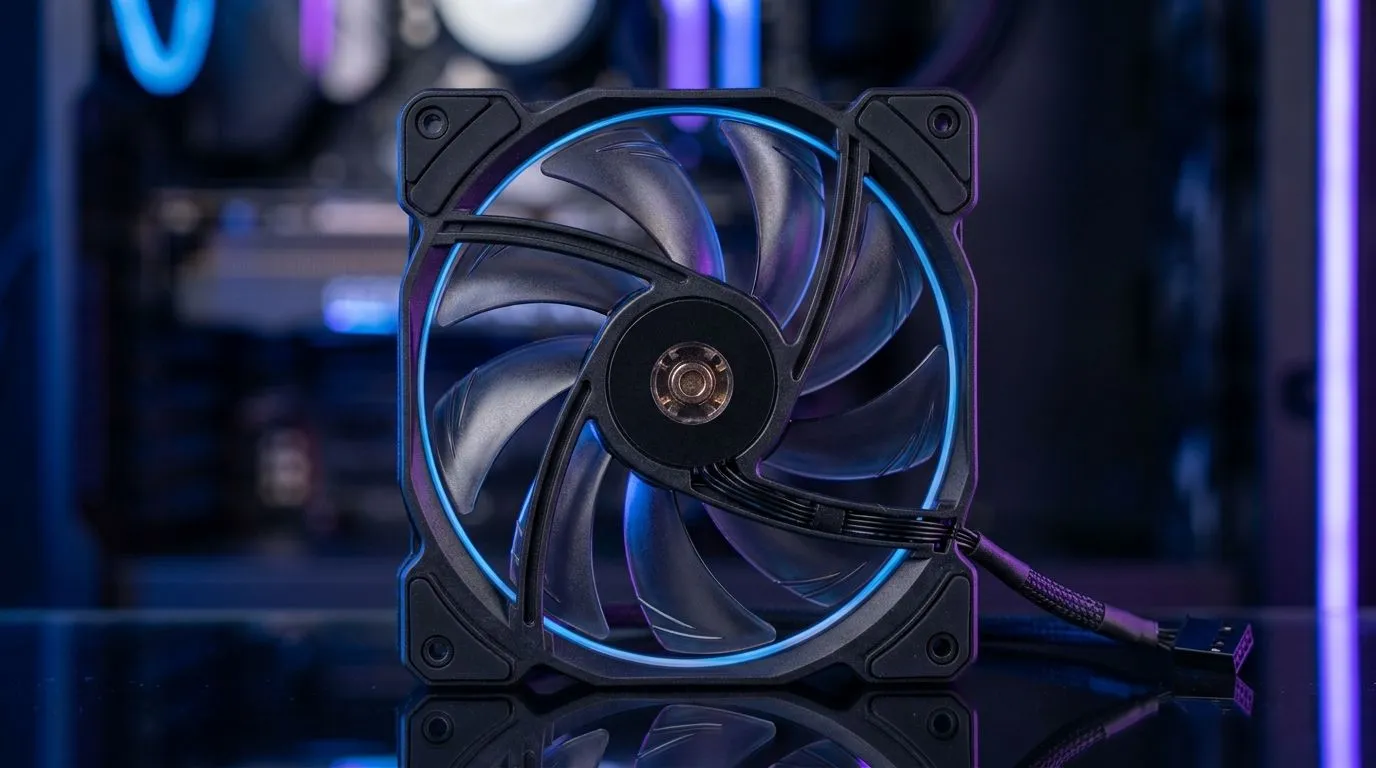
RGB looks great in your setup… but do not buy fans based on lighting alone. When temps matter, choose fans based on airflow performance and mounting compatibility first, then aesthetics second.
If you’re specifically shopping for RGB-style builds, browse: https://www.evetech.co.za/PC-Components/case-fans-97.aspx?attributes-lightingeffects=RGB
If you prefer a clean look with no lighting effects, check: https://www.evetech.co.za/PC-Components/case-fans-97.aspx?attributes-lightingeffects=None
Fix Poor Airflow: Common PC Case Fan Mistakes to Avoid (Brand matters less than fit)
Brand quality varies, but fit and design matter more for airflow success. Static pressure, blade design, and your case’s filter layout can be the difference between “cool enough” and “thermal throttling in Cyberpunk.”
If you already lean toward a specific brand lineup, compare options like CORSAIR here: https://www.evetech.co.za/PC-Components/case-fans-97.aspx?brands=CORSAIR
And for Deepcool options, start here: https://www.evetech.co.za/PC-Components/case-fans-97.aspx?brands=Deepcool
CALLTOACTION
Ready to Find Your Perfect Match?
The Mac vs Windows debate is complex, but for maximum power, choice, and value in South Africa, Windows is hard to beat. Explore our massive range of laptop specials and find the perfect machine to conquer your world.