


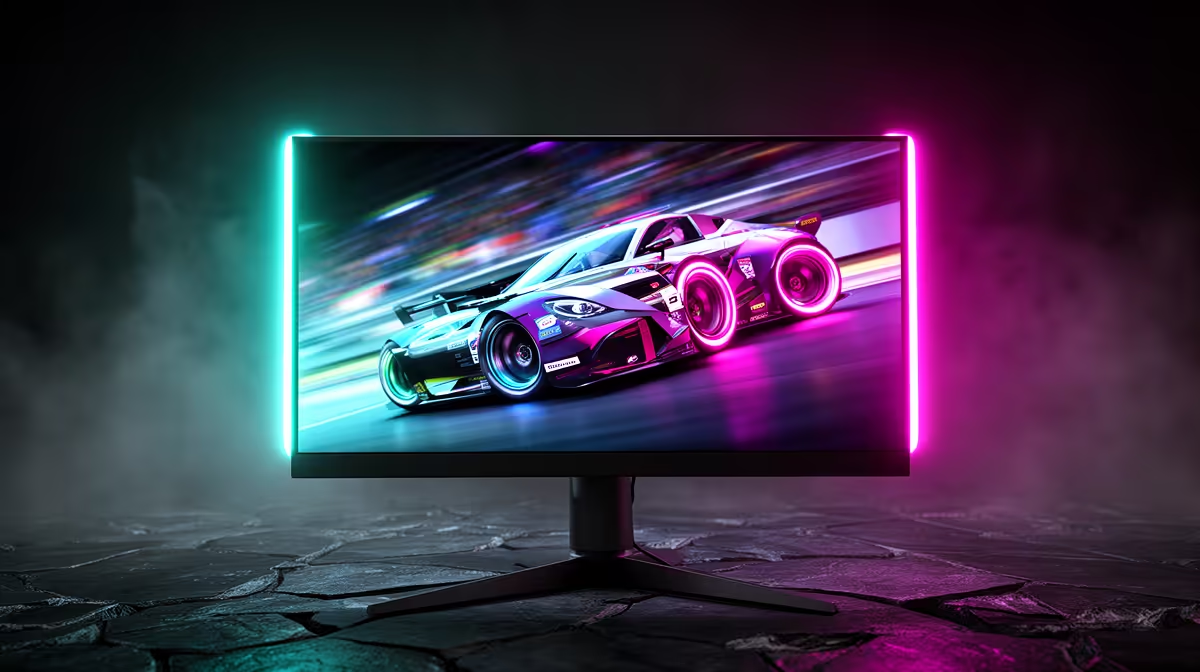
Stuttering visuals in the middle of a clutch Warzone firefight? That jarring screen tear can cost you the match. It’s a common frustration for PC gamers in South Africa, but the fix is simpler than you think. It all comes down to one crucial choice for your gaming monitor: FreeSync vs G-Sync.
Let's break down which adaptive sync technology is the best for your games, your graphics card, and your wallet.
What is Adaptive Sync and Why Does It Matter?
Ever seen a horizontal line "tear" across your screen during fast motion? That happens when your graphics card (GPU) sends out frames at a different rate than your monitor can display them. It's a messy visual glitch that breaks immersion.
Adaptive sync technology solves this by allowing your monitor to dynamically change its refresh rate to match the frames-per-second (FPS) output of your GPU. The result? Buttery-smooth gameplay, no tearing, and reduced input lag. ✨ The two biggest players in this space are AMD's FreeSync and NVIDIA's G-Sync.
Understanding NVIDIA G-Sync: The Premium Standard
NVIDIA G-Sync was the first to market and is often seen as the high-end option. Originally, it required a dedicated hardware module inside the monitor, which communicated directly with your NVIDIA GeForce GPU. This ensured a rigorously tested, high-quality experience but also added to the monitor's cost.
G-Sync Tiers Explained
Today, G-Sync comes in a few flavours:
- G-Sync Ultimate: The top dog. Requires the hardware module and guarantees a premium HDR experience, ultra-low latency, and stunning image quality. This is the choice for gamers who want the absolute best, especially on demanding high-resolution 4K monitors.
- G-Sync: The classic hardware-based solution that provides an excellent, tear-free experience.
- G-Sync Compatible: These are essentially FreeSync monitors that NVIDIA has tested and certified to work well with their GPUs. This offers a great G-Sync experience without the premium price tag.
The main takeaway? G-Sync offers a controlled, high-quality ecosystem, but you'll need an NVIDIA graphics card to use it.
Pro Tip: Enabling G-Sync Compatible Mode 🔧
Got a FreeSync monitor and an NVIDIA card? You might be in luck! Open the NVIDIA Control Panel, go to "Set up G-Sync," and check the box for "Enable G-Sync, G-Sync Compatible." Tick "Enable settings for the selected display model" and apply. It's not guaranteed to be perfect on uncertified screens, but it's worth a try!
Understanding AMD FreeSync: The Open Alternative
AMD's FreeSync is an open standard built on top of the VESA Adaptive-Sync protocol. This means monitor manufacturers can implement it without paying licensing fees or buying special hardware from AMD. The result? FreeSync monitors are generally more affordable and widely available.
FreeSync Tiers Explained
Like G-Sync, FreeSync has tiers that certify different levels of performance:
- FreeSync: The base level, which eliminates tearing and stuttering.
- FreeSync Premium: Adds a requirement for at least a 120Hz refresh rate at 1080p resolution and includes Low Framerate Compensation (LFC), which keeps gameplay smooth even when your FPS drops.
- FreeSync Premium Pro: Builds on the Premium tier by adding strict requirements for HDR (High Dynamic Range) performance, ensuring vibrant colours and deep contrast.
FreeSync works with AMD Radeon GPUs and, thanks to NVIDIA's "G-Sync Compatible" program, many now also work with GeForce cards. This flexibility makes it a very popular choice.
FreeSync vs G-Sync: The Head-to-Head Showdown
So, when comparing FreeSync vs G-Sync for gaming, which one comes out on top? It really depends on your priorities.
- 💰 Cost: FreeSync wins, hands down. The open standard means monitors are cheaper to produce. If you're hunting for the best PC monitor deals in South Africa, you'll find more budget-friendly FreeSync options.
- 🎮 Performance: Historically, G-Sync's dedicated hardware gave it a slight edge in performance consistency. However, with the top-tier FreeSync Premium Pro and G-Sync Compatible certifications, the gap has become almost non-existent for the average gamer. Both offer a fantastic experience.
- Item
For many, the incredible immersion provided by curved monitors is a top priority, and you'll find excellent options with both technologies in this category. Even some modern portable monitors are getting in on the action for gaming on the go. Don't forget that a good setup is more than just the screen; investing in quality monitor accessories like a sturdy VESA mount can make a huge difference.
The Verdict: Which Is Best for Your Games?
For most South African gamers in 2024, the best choice often comes down to budget and your current GPU.
🚀 Choose G-Sync if: You have an NVIDIA GPU and want the most rigorously tested, plug-and-play experience, especially if you're aiming for the high-end G-Sync Ultimate certification.
⚡ Choose FreeSync if: You have an AMD GPU, or you have an NVIDIA GPU and want the best value for your money. A monitor with a "G-Sync Compatible" or "FreeSync Premium" badge offers a superb experience that is virtually indistinguishable from native G-Sync for most eyes.
Ultimately, the battle of FreeSync vs G-Sync for gaming is a win for us, the players. Both technologies brilliantly solve the problem of screen tearing, giving us smoother, more responsive gameplay than ever before.
Ready to Banish Screen Tear for Good? The FreeSync vs G-Sync choice depends on your GPU and budget, but the goal is the same: flawlessly smooth gameplay. Explore our massive range of all our gaming monitors and find the perfect screen to conquer your favourite games.










