Quick Answer
The Lenovo Legion Go is a large-screen handheld gaming PC with detachable controllers and impressive specifications for its class. In South Africa in 2026, it is worth buying if you want PC gaming flexibility on the go - but the price, loadshedding considerations, and game compatibility all need careful thought before committing.
Handheld gaming PCs have carved out a genuinely compelling niche in 2026, and the Lenovo Legion Go sits at the premium end of this category. For South African gamers, the question is not just whether it is a good device globally - it is whether it makes sense given local pricing, power infrastructure realities, and the SA gaming ecosystem. Let''s break it down.
What the Legion Go Offers
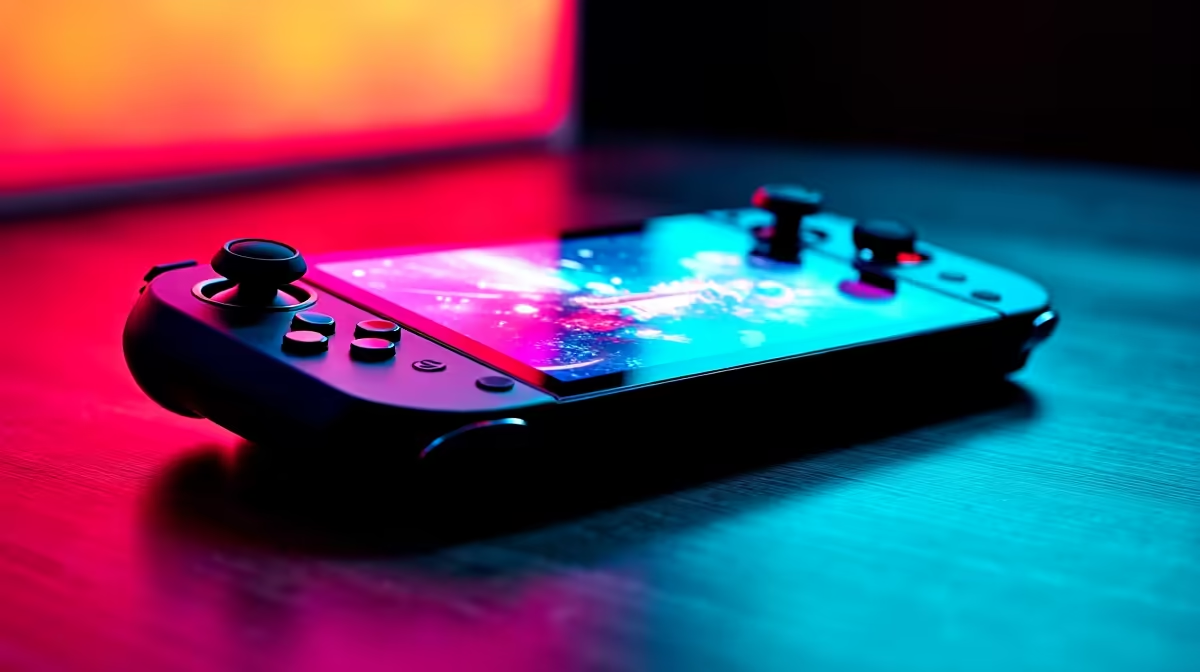
The Legion Go features an 8.8-inch QHD+ touchscreen display - notably larger than competing handhelds - running at up to 144 Hz. Powered by AMD''s Ryzen Z1 Extreme APU, it can handle a wide range of PC games including modern AAA titles at adjusted settings, and esports titles at high frame rates. The detachable controllers are a standout feature: they can be removed and used separately, including a unique ''FPS mode'' for one of the controllers that functions similarly to a mouse for desktop-style aiming in shooters.
As a Windows-based device, it runs the full PC game library - Steam, Game Pass, and all other PC storefronts - without emulation or compatibility layers. This is a meaningful advantage over console handhelds for gamers invested in a PC library.
SA Pricing and Value Assessment
In South Africa, the Legion Go carries a premium price that positions it well above entry-level gaming laptops and desktop builds. As of 2026, expect to spend in the R16,000 to R22,000 range depending on configuration and availability. This puts it in the same territory as capable mid-range gaming laptops - the key differentiator being form factor, not raw performance value.
For pure gaming performance per rand, a desktop build or gaming laptop will outperform the Legion Go at the same spend. The Legion Go''s value proposition is portability and flexibility: the ability to play your full PC library anywhere, including during load-shedding stints on battery, is a real benefit in the South African context.
Loadshedding and Battery Life
This is where the Legion Go earns specific SA relevance. With a 49.2 Wh battery, it can deliver roughly 1.5 to 2.5 hours of active gaming depending on game intensity and settings, with lighter tasks extending battery life further. During Stage 2 to Stage 4 loadshedding (2 to 4 hours of outage), you can realistically game through a full block on a charged device. For students in res or anyone without a UPS, this is a meaningful practical advantage over desktop setups.
Game Compatibility and Windows Experience
The Legion Go runs Windows 11, which is both its greatest strength and a notable friction point. The full PC library is accessible, but Windows on a handheld involves more setup and troubleshooting than a purpose-built console OS. Some games require controller remapping, others need launcher management. Lenovo''s Legion Space software helps streamline the experience, but power users will get more out of it than casual gamers who prefer plug-and-play simplicity.
TDP control is important for battery versus performance balance - the Legion Go allows TDP adjustment within its software, which is essential for extracting the right trade-off between frame rate and runtime on battery.
Who Should Buy the Legion Go in SA?
The Legion Go makes most sense for SA gamers who already have a significant Steam or PC gaming library and want to play it portably, students in res looking for a single device that doubles as a gaming machine and desktop PC when docked, and buyers who value the loadshedding resilience a battery-powered handheld provides. It is a harder sell as a primary gaming device on a tight budget, where a desktop build offers far better performance per rand.
Frequently Asked Questions
Q: Can the Legion Go run modern AAA games like Hogwarts Legacy or Cyberpunk 2077? A: Yes, though at reduced settings and resolution compared to a dedicated gaming PC. The Ryzen Z1 Extreme APU handles these titles at 720p to 800p with medium settings and FSR enabled.
Q: Is the Legion Go better than the ROG Ally? A: Both are strong handhelds with similar APU options. The Legion Go offers a larger screen and detachable controllers; the ROG Ally is more compact. The right choice depends on your priority between screen size and portability.
Q: How does the Legion Go handle loadshedding in SA? A: Better than any desktop setup. Its internal battery provides 1.5 to 2.5 hours of gaming, covering shorter loadshedding stages without any backup power infrastructure.
Q: Is the Legion Go worth it over a gaming laptop at the same price? A: A gaming laptop at the same spend will generally offer more raw performance and a larger screen. The Legion Go wins on portability and handheld form factor - buy it for what it is, not as a value-per-frame proposition.