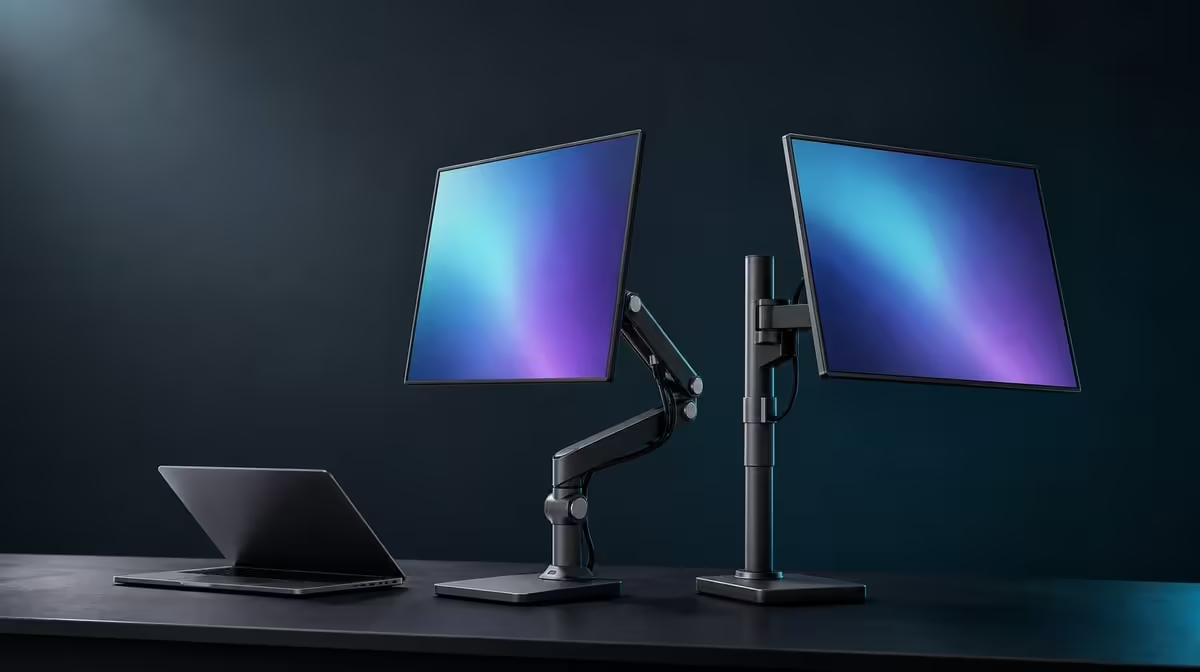
Rotation creates choices; a fixed angle removes decisions. A rotating vs fixed-angle monitor stand comparison should therefore start with the screen positions used each week. The R599 UPERFECT UStand adds 360-degree rotation and a 135-degree folding arm, but those adjustments earn value only when the base remains balanced.
Quick Answer
A rotating stand suits users who switch between portrait, landscape or different viewing positions, while a fixed-angle support can make one setup easy to repeat. The adjustable UStand is R599. Full rotation and arm movement do not guarantee better posture, so set only the height, reach and orientation the task needs and retest stability afterwards.
🔄 Use rotation for a named task
Portrait can suit a tall document, while landscape may fit video, dashboards or a wider workspace. Choose the task first, support the screen and rotate the UStand slowly.
The 360-degree joint changes orientation, not height by itself. After rotation, use the folding arm only if the new view needs a different reach or tilt.
Check contact and centring after every turn. A screen can sit securely in landscape yet shift its leverage when portrait places more of the device above the support.
Browse the Evetech monitor accessory category to compare fixed and moving support designs.
📌 Recognise the appeal of a fixed position
A fixed-angle stand can suit a screen that always serves the same chair and task. Fewer adjustments may make the setup quick to reproduce and easier to assess.
Simple does not mean automatically stable. The footprint, device fit, surface and cable route still need checking. A poor fixed angle can also encourage awkward viewing.
The UStand can imitate a repeatable position by recording the chosen arm shape and orientation. A side photograph helps rebuild it after the unit has folded flat for travel.
Portable-display comparisons are available through Evetech's portable monitor range, with the UStand limited to its confirmed 7-15.6-inch range.
⚖️ Make movement answer to balance
Begin close to the base and extend the 135-degree arm gradually. Release hand pressure slowly and shorten the reach if an edge lifts, the device settles or the stand creeps.
Connect cables only after the viewing position passes. Leave slack for the planned movement, but do not assume the screen can complete a full circle while a lead remains attached.
At R599, the UStand's adjustability has value for a travelling or changing desk. A single-position user should score the same hardware by secure fit and reliable rebuilding rather than the maximum movement.
Once the angle is proven, Evetech's popular accessories page can help frame the rest of the desk.
Assess the view from the normal seat after ten or fifteen minutes of work rather than finalising it while standing over the stand. A technically available angle may still place the screen too high, too low or too far away for the task.
For shared desks, rotation can provide fast orientation changes while the folding arm restores individual reach. Save a simple reference for each person and support the device during every larger adjustment.
Watch the joints over repeated setup cycles. A position that begins to settle or changes without deliberate input should be unloaded and inspected. Do not compensate by extending another joint or letting a cable hold the screen in place.
A fixed support can remain attractive when one user, one device and one orientation never change. The UStand's moving design becomes more compelling when portability or multiple tasks make reliable adjustment part of the routine.
Fold the stand and rebuild the preferred position once before travel. If the screen angle cannot be recreated without repeated loaded adjustments, improve the reference photo or mark the setup steps in a note. Repeatability is part of ergonomic value.
Frequently Asked Questions
What does a rotating stand change?
It changes screen orientation, including portrait and landscape positions where fit and balance remain secure.
Why might a fixed angle appeal?
It can make one known viewing position simple to repeat without regular joint adjustment.
Does greater adjustability guarantee better posture?
No. The useful position depends on the user, task, desk and distance from the display.
How does the 135-degree arm complement rotation?
It changes reach, height and tilt after orientation is chosen.
What should be checked after rotation?
Recheck device contact, centring, base stability, cable slack and the view from the normal seat.
Can repeated adjustment loosen a stand?
Moving parts deserve regular observation. Stop using a position if a joint settles, shifts unexpectedly or no longer holds predictably.
What does the adjustable UStand cost?
The UPERFECT UStand is R599.
Ready to make every stand movement serve a real screen task?
Explore Evetech monitor accessories and compare the UStand's adjustable range with the repeatability your desk needs.