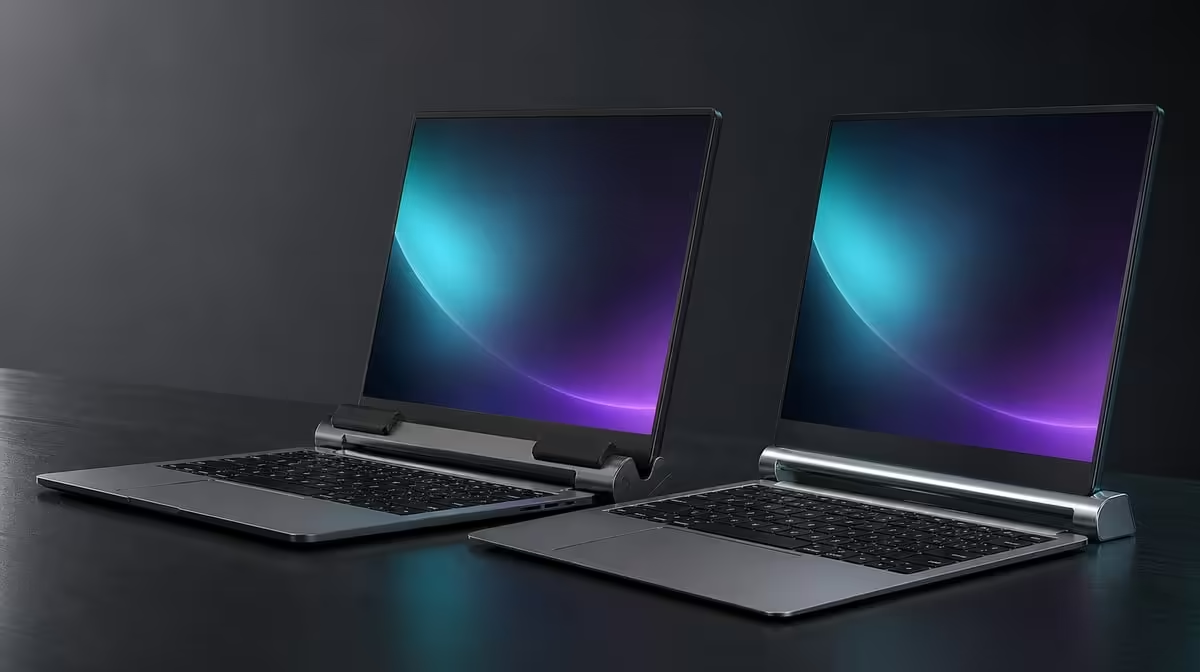
A hard frame needs the right contact surface. In an anti-slip rubber vs bare metal support comparison, rubber can improve grip and cushion the device, while exposed metal relies more heavily on exact geometry and careful placement. The R599 UPERFECT UStand combines an aluminium structure with rubber around its contact areas.
Quick Answer
Anti-slip rubber is generally useful where a portable screen meets the stand or the base meets the desk, because it can reduce movement and separate the device from hard metal. The UStand costs R599 and includes all-around rubber contact. It cannot prevent every slide or fall, so the device must still be centred on a level footprint with conservative arm reach.
🛡️ Use softer contact for grip and separation
Rubber increases friction at clean contact points and places a softer layer between a display and the aluminium stand. This can reduce small shifts as the screen is positioned.
Inspect which surfaces actually touch. A rubber pad that misses the device because of its shape or case cannot provide the intended grip. The confirmed 7-15.6-inch range is only the first fit check.
Compare support formats in the Evetech monitor accessories category, focusing on where the screen and desk meet the product.
🔩 Judge bare metal by geometry
Bare metal can support a device when the cradle shape, base and placement are appropriate, but it provides no soft separating layer at an exposed contact point.
Look for narrow edges, concentrated pressure and surfaces that may slide against one another. A case can help or hurt depending on how it changes fit; it should never be assumed to improve contact.
Material alone does not establish safety. A broad, well-arranged bare support can outperform rubber placed on an unstable arm position.
People matching screens and stands can browse Evetech portable monitors, then check thickness, ports and case shape directly.
🧼 Keep rubber clean and balanced
Dust or grit can reduce contact and place abrasive particles between the stand and device. Remove the screen, wipe accessible rubber with a gentle dry method and inspect for damage before rebuilding.
Do not coat the rubber or place a cloth over it without knowing how that layer changes grip. The UStand should rest directly on a firm surface in the intended configuration.
After rotating the screen or changing the 135-degree arm, recheck every contact point. Rubber cannot correct a centre of mass moved too far beyond the base.
The Evetech accessory favourites collection can help complete the workspace after support and balance pass.
Inspect rubber during each pack-and-build cycle. Look for grit, lifting edges, compression or a contact patch that no longer meets the device evenly. Remove the screen before cleaning or examining the support.
Temperature and storage can affect how any softer material feels, so let the stand return to normal room conditions after travel before judging grip. Do not add adhesive products or improvised pads to restore a position.
Bare metal deserves the same practical test. Place the device gently, check whether an edge carries too much pressure and verify that normal desk movement does not make the contact slide.
Charging and display cables can overwhelm either contact approach if they pull from the side. Route them after the screen is stable and leave enough freedom for only the movement that will actually be used.
At R599, the UStand demonstrates why mixed construction can make sense: aluminium carries the adjustable form while rubber handles the interfaces. The complete geometry decides whether those materials work together.
A final test should include one orientation change and one cable connection. Watch whether the rubber continues to meet the same areas and whether the lead shifts the display. Contact quality is proven through the complete setup, not by touching the empty stand.
Frequently Asked Questions
How does rubber help a mounted device?
It adds friction and a softer separating layer at contact points.
Can bare metal support a screen safely?
It can when the geometry, fit, surface and device position are appropriate. Contact protection still needs consideration.
Does anti-slip material prevent every fall?
No. It assists grip but cannot fix poor centring, excessive reach, an unsuitable surface or cable pull.
What does all-around rubber mean here?
The UStand uses rubber around its support contact areas rather than leaving the device directly against the aluminium frame.
Should rubber condition be inspected?
Yes. Keep it clean and stop using a contact area that is damaged or no longer holds predictably.
Does a case affect grip?
It can change thickness, shape, port clearance and where the device touches the stand. Test the exact case.
How much is the rubber-protected stand?
The aluminium UPERFECT UStand is R599.
Ready to compare the surfaces that actually hold your portable screen?
Browse Evetech monitor accessories and judge the UStand's R599 rubber-and-aluminium design through fit, contact and balance.