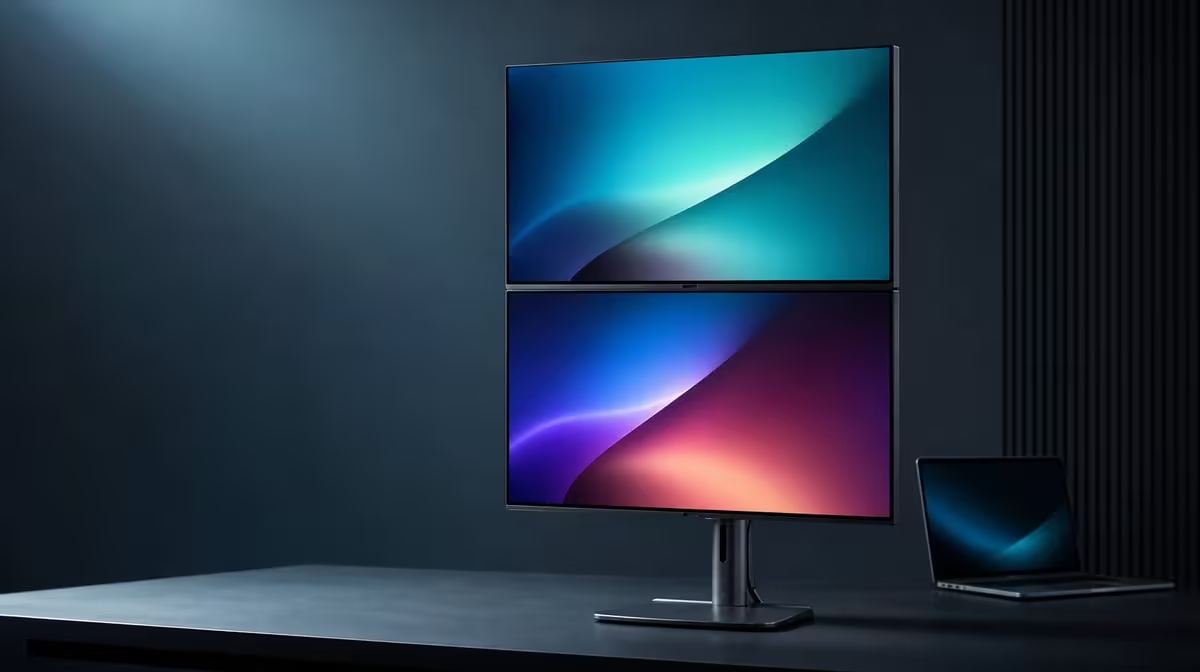
A foldable dual monitor adds more than screen area, so buyers need to check the room and source before focusing on the hinge. South African buyers choosing a foldable dual monitor should verify desk clearance, laptop outputs, useful layouts and a stable software map.
Quick Answer
The R6,899 UPERFECT Delta Mega offers two 23.8-inch Full HD IPS panels, 100Hz, 14ms response and 360-degree folding for Windows and Mac laptops through Type-C or HDMI. Measure the complete desk, confirm the computer's display capability and test whether horizontal, vertical or sharing use fits the work.
📏 Measure the working pose and its path
Place the laptop, keyboard and pointer space on the desk before outlining the two screens. Check width for a horizontal pair, height for a vertical stack and enough depth to read Full HD text without leaning.
Measure movement as well as the final position. The 360-degree range needs clearance from walls, shelves and lamps while the panels change angle. Put the stand on a firm surface and support the structure during adjustment.
Include the everyday clutter that will return after installation: charger, notebook, headset and other work equipment. A folding layout is practical only when necessary objects remain usable without blocking the stand or forcing the laptop into an awkward position.
A vertical stack can save width and is intended to reduce neck strain. Keep sustained work near the natural gaze and test the upper panel over a normal session. Comfort depends on the user and task map rather than the product label alone.
With the room outline complete, browse foldable screen formats in Evetech's portable monitor category.
🔌 Verify the laptop before the cable plan
The Delta Mega gives Windows and Mac laptops a choice of Type-C or HDMI. Check the actual output on the intended computer; not every Type-C socket necessarily sends display video. Do not assume identical behaviour across systems merely because both platforms are supported.
Plan enough cable freedom for the widest and tallest useful positions. Keep leads outside the folding path and make sure no connector becomes taut while a panel moves.
Connect one screen first, add the second and select extended mode. Lay out the software screen icons in their real physical order, choose native 1920 x 1080 and test pointer travel through every boundary.
Evetech's PC monitor range supplies context if a fixed screen would suit the room better.
🖥️ Test image, motion and daily recovery
Select 100Hz only after both panels are stable. The laptop, output and cable must support the desired mode, and each display should be checked individually. Higher refresh can smooth compatible scrolling and pointer motion but does not add Full HD detail.
The 14ms figure describes pixel transitions separately. Office users should inspect normal page movement, while casual players can test familiar game motion. Low blue light offers a reading option, and the speakers can handle straightforward meeting or media audio.
Restart or wake the computer and confirm the two screens return in the correct order. Change once between wide and stacked use, then update the display map. A flexible monitor is easier to live with when its setup can be recovered without guesswork.
Write down the working port, cable, screen order, orientation, scaling and refresh. This brief record turns a successful first test into a repeatable routine and makes faults easier to isolate if another computer later uses the desk.
Review Evetech's monitor best sellers after completing these checks and confirm current availability when buying.
At R6,899, the decision should name a proven task pair and one or two practical folds. If the second display has no recurring job or the movement path cannot be made safe, reconsider the full-size format.
Frequently Asked Questions
Which desk measurements should buyers check?
Check usable width, vertical clearance, viewing depth and the arc needed to move both 23.8-inch panels.
What source capability needs confirmation?
The laptop must provide the intended display output through the chosen Type-C or HDMI route.
How should buyers choose a folding layout?
Assign real applications to horizontal, stacked or sharing positions and keep only the arrangements that improve repeated work.
What does 100Hz require from the source?
The computer and complete connection path must offer that display mode for each panel.
Why should 14ms be checked separately?
It measures pixel transitions, not refresh frequency, resolution or the number of task areas.
How can low blue light affect the workflow?
It provides another viewing mode for longer reading, while lighting, screen height and breaks remain separate comfort factors.
What first-use test covers the essentials?
Confirm both panels, native resolution, scaling, refresh, pointer order, audio, cable freedom and reconnection.
Who should reconsider a full-size dual monitor?
A buyer without room for the movement path or without a recurring second-screen task should compare a simpler format.
Check the desk, laptop and task map before the fold.
Measure the Delta Mega's useful positions, prove both display routes and keep only the layouts that can be restored reliably at R6,899.