



FPS Drops Troubleshooting for DDR5 build
DDR5 build FPS drops needs a methodical troubleshooting pass. Review drivers, thermals, power settings, background apps, cables and game settings before replacing parts in an SA gaming setup.
Read moreCan You Run Baldur's Gate 3 on a Budget PC in South Africa Detailed answer with SA data, expert analysis & practical recommendations for local buyers.
Baldur's Gate 3 is one of the most acclaimed RPGs in years, and South African PC gamers on a budget are right to wonder whether their machine can handle Larian Studios' epic. The good news: BG3 is surprisingly scalable, and with the right settings, it runs on hardware that might otherwise seem too modest for a modern AAA title.
Yes, Baldur's Gate 3 can run on a budget PC in South Africa. The minimum spec is an NVIDIA GTX 970 or AMD RX 480 with 8GB RAM, targeting 1080p Low at 30+ FPS. A mid-range GPU like an RTX 3060 or RX 6600 with 16GB RAM gives a smooth 60 FPS experience at Medium-High settings and is the recommended budget-conscious target.
Larian's official minimum spec calls for an Intel i7-8700K or AMD Ryzen 5 3600, 8GB RAM, and an Nvidia GTX 970 or AMD RX 480. In practice, these minimums deliver 30-40 FPS at 1080p Low with some stuttering in dense environments like the city of Baldur's Gate in Act 3 - which is known to be the most demanding section even on high-end rigs.
The recommended spec targets an RTX 2060 Super / RX 5700 XT with 16GB RAM. At this tier, expect 60 FPS at 1080p High in most areas, dropping to 45-55 FPS in Act 3 outdoors. For SA budget builders, this tier is very achievable - Evetech stocks GPUs at multiple price points that hit the recommended spec without breaking the bank.
The biggest FPS gains in BG3 come from: reducing Shadow Quality (High to Medium saves 10-15 FPS), lowering Depth of Field (minimal visual impact, real performance gain), and setting Texture Quality to match your VRAM (4GB VRAM = Medium, 6GB+ = High). Turning off Screen Space Reflections also reclaims meaningful GPU budget.
Act 3 performance is a known issue on all hardware - even RTX 4090 owners see drops. Setting Crowd Density to Low before entering Baldur's Gate city is a widely-used fix that dramatically improves FPS without ruining immersion. RAM speed matters here too - 3200MHz or faster DDR4 reduces CPU bottlenecks noticeably.
If your current PC falls below the minimum spec, a targeted upgrade makes more sense than tolerating poor performance across 100+ hours of gameplay. Adding RAM from 8GB to 16GB (if that's the bottleneck) is the cheapest fix. A GPU upgrade to the RTX 3060 / RX 6600 tier transforms the experience at 1080p. Check the full gaming PC range at Evetech if a complete system refresh makes more economic sense than piecemeal upgrades.
Q: Does Baldur's Gate 3 support AMD FSR or Nvidia DLSS? A: BG3 supports AMD FSR 2.0. DLSS is not natively supported as of 2026. FSR at Quality mode provides a meaningful FPS boost with acceptable visual trade-offs, making it especially valuable on AMD GPUs or budget Nvidia cards that lack DLSS. Enable it under Video settings.
Q: How much storage does BG3 need and does SSD matter? A: BG3 requires approximately 150GB of storage. An SSD is strongly recommended - loading times between areas are dramatically faster on SSD versus HDD. Act transitions and fast travel are noticeably sluggish on mechanical drives.
Q: Can BG3 run on 8GB RAM? A: Technically yes at minimum spec, but 16GB is strongly recommended. BG3 regularly uses 12-14GB of system RAM, and running on 8GB triggers constant paging to storage - causing stutter and longer load times regardless of GPU performance.
Evetech stocks Budget Gaming PCs and Graphics Card Deals — shop online with fast delivery across South Africa.
Ready to Find Your Perfect Match? Ready to run Baldur's Gate 3 the way it's meant to be played? Find your ideal gaming PC at Evetech.
Can You Run Baldur's Gate 3 on a Budget available at Evetech.co.za with local warranty and fast delivery.
Can You Run Baldur's Gate 3 on a Budget - check Evetech for latest stock and SA pricing.
Depends on your use case. Can You Run Baldur's Gate 3 on offers good value at current Rand pricing.
DDR5 build FPS drops needs a methodical troubleshooting pass. Review drivers, thermals, power settings, background apps, cables and game settings before replacing parts in an SA gaming setup.
Read more
Fps drops on ddr5 build in south africa usually needs a settings, driver, thermal, or power check first. Work through safe SA troubleshooting steps before replacing parts or assuming a full upgrade.
Read more
X870E motherboard frame pacing issues needs a step-by-step check before replacing parts. Review drivers, settings, thermals, power, background apps, display limits, cables, and game options before changing hardware.
Read more
4K monitors cost more as sharp panels raise the bar. See why 4k monitors still expensive for gamers in cape town before choosing screen specs, GPU targets, and value trade-offs.
Read more
4K monitors still feel expensive for Gqeberha gamers because panel quality, higher refresh rates, and GPU demands raise total setup cost. Compare 1440p, screen size, ports, and refresh rate before paying more for 4K.
Read more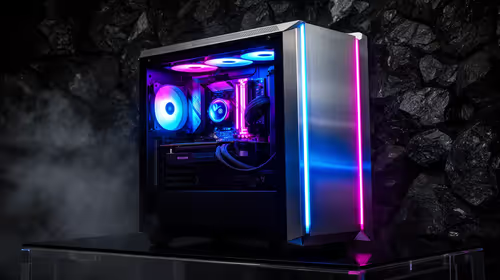
ARGB cases explain mid-tier SA build appeal with visible style, airflow room, and cable control. For SA buyers, the smarter choice is a case where lighting, fan layout, and GPU clearance work together instead of just looking bright.
Read more
The Epomaker RT75 is a tri-mode 75% keyboard with a removable TFT screen. Local screen-equipped compact boards started at R1,199 in our snapshot.

Gigabyte has launched two B450M D3HP boards for Ryzen 3000 to 5000 CPUs. The exact models had no confirmed Evetech listing on 15 August.

Attackers are exploiting a patched Mac screen-sharing flaw to gain root access. Update macOS and remove public port 5900 exposure immediately.

An auto-clamping phone holder offers seamless, one-handed convenience for your vehicle. Discover how it compares to manual cradle mounts to see which keeps your device secure during your daily drive. 🚗📱

A 10,000-hour test found similar image retention across older and newer OLED TVs, while newer panels were brighter and more efficient. Local OLED monitors started at R9,999.

Canonical expects Ubuntu on WSL users to outnumber native Ubuntu desktop users before the end of 2026. The software is open source and runs inside supported Windows PCs.

Telkom's daily bundles pair WhatsApp access with 10 all-network voice minutes. The R15 option includes 300MB, while the R17 option uses a fair-use threshold.

PC Partner expects entry-level graphics-card shortages to worsen in the second half of 2026. Current Evetech GPU listings started at R4,399 in our snapshot.

YouTube will count public views from the first frame across video formats from 24 August, while earnings and eligibility remain tied to engaged viewing.

CXMT memory has been demonstrated at DDR5-9000 and DDR5-6000 CL28, but the results depend on tuned hardware and do not represent a broad retail specification.

Microsoft is testing a simpler File Explorer context menu with controls for built-in commands, app extensions, icon labels and the position of Properties.

Lexar's THOR ULTRA is a DRAMless PCIe 5.0 SSD rated up to 11,000MB/s reads and 10,000MB/s writes, with capacities from 512GB to 4TB.