



1000W PSU Planning for RTX 5090 Builds in SA
1000W for RTX 5090 needs a full-build check, not a simple yes. Review GPU guidance, CPU draw, transient load, connectors, PSU quality, and upgrade plans before deciding.
Read morePick airflow case feature explained that matches GPU length, radiator support, and Rand budget for a clean SA gaming PC. The guide ranks specs by real-build value. Built for SA gaming PC buyers. See the full breakdown.
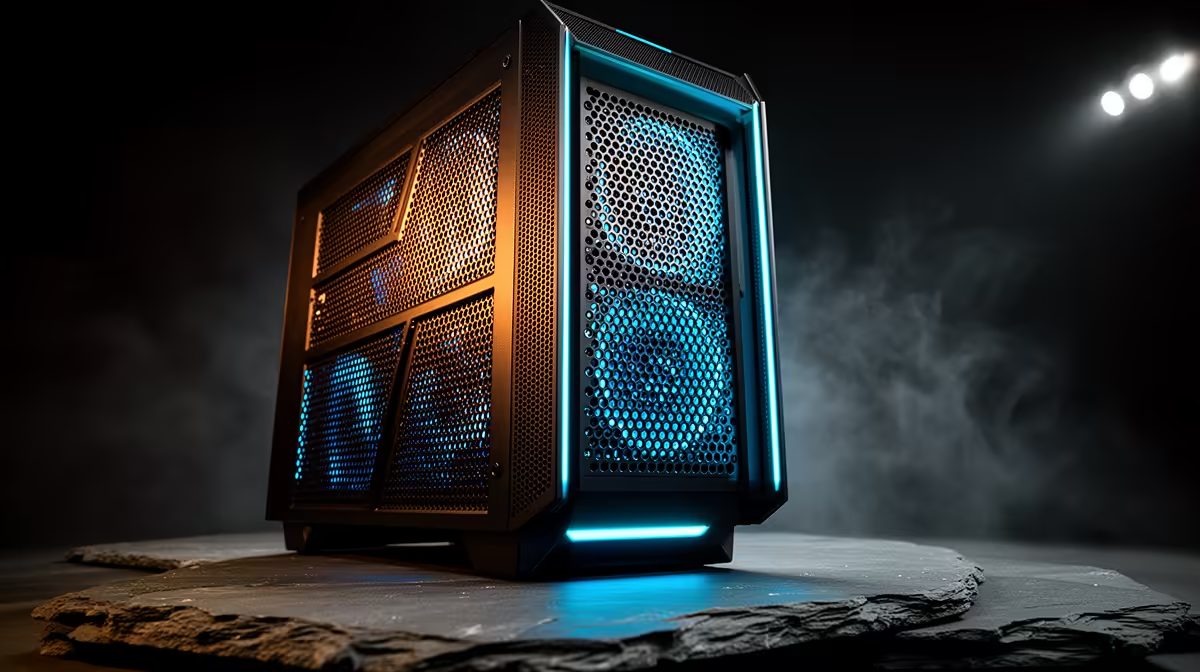
The key airflow features in a high-performance PC case are front panel porosity, fan mount count and position, radiator clearance, pressure configuration, and dust filter access. Each feature interacts with the others; understanding them together lets you build a system that stays cool, quiet, and clean with minimal maintenance.
The front panel is the largest single variable in case airflow. A mesh or perforated steel front with greater than 40% open area allows fans to pull fresh air across the full radiator or fan surface. A solid or glass front forces air through narrow side or bottom gaps, increasing restriction and fan RPM. For high-TDP builds like an RTX 5080 paired with a Ryzen 9 9950X, a front mesh case at 32 degrees Celsius ambient holds GPU temperatures 7 to 12 degrees Celsius lower than a solid-front alternative with identical fans. Dual-chamber designs that isolate the PSU below a shroud further improve airflow by preventing hot PSU exhaust from mixing with the GPU intake zone.
Each fan position serves a distinct function. Front bottom mounts push cool air at the GPU power delivery. Front top mounts feed the CPU AIO or tower cooler. Top mounts exhaust hot air rising from CPU, VRM, and GPU. Rear mounts provide constant low-volume exhaust for pressure control. For a standard three-fan build, two 140mm front intakes and one 140mm rear exhaust creates mild positive pressure. Adding one or two 120mm top exhausts improves CPU heat extraction on overclocked or high-TDP platforms.
A case's radiator clearance determines which liquid cooling configurations fit. Front clearance is the depth from the fan mount to the front panel, usually 55mm to 80mm. Always verify radiator length against case specs: a 360mm AIO is 397mm long and needs a front mount listed as 360mm-capable. For dust management, magnetic washable filters at intake positions are essential in South Africa. Positive pressure setups push dust toward filters at intake points, preventing accumulation through unfiltered panel seams. For a Highveld build cleaned every 6 to 8 weeks, positive pressure with washable magnetic filters is the lowest-maintenance thermal strategy available.
In dry Highveld and semi-arid regions of South Africa, dust accumulates on case filters faster than in coastal cities. Set a reminder to wash magnetic intake filters under running water every 4 to 6 weeks and let them dry fully before reinstalling. A clogged front filter can raise GPU temperatures by 5 to 10 degrees Celsius within three months.
Static pressure fans are optimised for pulling air through resistance, ideal for radiators and tight mesh filters. High-airflow fans move large volumes at low static pressure and suit open fan mounts without filters. Use static pressure fans at intake positions and either type at exhaust.
A three-fan configuration, two front intakes and one rear exhaust, is sufficient for an RTX 5070 Ti with a mid-range CPU on a 240mm or 280mm AIO. For a 170W-class processor like the Ryzen 9 9900X, add a top exhaust to keep temperatures below 85 degrees Celsius during gaming.
Yes. Glass blocks airflow, so do not mount fans on or behind the glass expecting intake benefit. Glass-panel cases rely entirely on front mesh, top, bottom, and rear fan positions. All intake and exhaust fans must occupy those non-glass positions.
Want a build that runs cool and stays clean? Shop high-airflow PC cases at Evetech, with options from budget mesh builds to full-tower workstation enclosures for any cooling configuration.
1000W for RTX 5090 needs a full-build check, not a simple yes. Review GPU guidance, CPU draw, transient load, connectors, PSU quality, and upgrade plans before deciding.
Read more
RTX 5080 Super with a 750W PSU is more comfortable than lower wattage if the unit is quality. SA builders should still confirm GPU guidance, CPU draw, connector type, airflow, and upgrade room.
Read more
How to fix FPS drops after a RX 9070 XT starts with driver cleanup, chipset updates, thermals, and power checks. For SA gaming PCs, confirm PCIe seating, monitor refresh, frame caps, and per-game graphics settings before replacing parts.
Read more
How to fix low FPS Windows 11 Wi-Fi 7 issues starts by checking whether the problem is frame rate or network lag. Test ping, drivers, power settings, Ethernet, and game FPS before adjusting visuals.
Read more
AM5 is smart for SA builders because it supports newer Ryzen CPUs, DDR5 memory, and a longer upgrade path. Compare board cost, cooling, gaming needs, and local part availability before choosing your next PC platform.
Read more
AM5 gives Randburg gaming builders a longer upgrade path. For SA buyers, DDR5 support, newer board features, and future CPU options can justify the platform. Weigh board cost, cooler support, BIOS maturity, and upgrade timing before choosing.
Read more
RTX 5090 on a 550W PSU leaves almost no practical room for OC plans. Treat the setup as constrained, with CPU draw, power spikes, cable quality, thermals, and stability checks more important than chasing extra clocks.

FPS drops on a Ryzen 9 9950X3D build often have a fixable cause. Check settings, drivers, thermals, background tasks, network conditions, and bottlenecks before assuming a part must be replaced.

The difference between PCIe 5.0 and PCIe 4.0 for SA gamers is mostly bandwidth headroom. Compare GPU slot needs, NVMe speed, motherboard support, and upgrade timing before paying extra for a newer platform.

Gaming PC stuck pixel checks in South Africa should confirm the monitor fault first. Use colour tests, screenshot comparison, cable swaps, display menu checks, and clear photos before deciding on support.

AMD's current driver now lists a Radeon RX 9050 4GB, while product coverage details a narrowed memory system. SA buyers should weigh the low VRAM ceiling against current local Radeon options.

Samsung Display has demonstrated a 16-inch 2.5K OLED laptop panel running at 300Hz. SA buyers should wait for a named notebook, full panel specifications and a local price before planning an upgrade.

Microsoft says some Windows 11 game crashes after recent updates are linked to RGB-related drivers. Affected SA gamers should confirm the update and driver before using the published registry workaround.

Thermalright's Fan Frame Vision-1 adds a 640x172 status screen to a standard 120mm fan. SA builders should check clearance, USB routing and local support before treating it as an easy upgrade.
AMD's current driver now lists a Radeon RX 9050 4GB, while product coverage details a narrowed memory system. SA buyers should weigh the low VRAM ceiling against current local Radeon options.
Microsoft says some Windows 11 game crashes after recent updates are linked to RGB-related drivers. Affected SA gamers should confirm the update and driver before using the published registry workaround.
Samsung Display has demonstrated a 16-inch 2.5K OLED laptop panel running at 300Hz. SA buyers should wait for a named notebook, full panel specifications and a local price before planning an upgrade.
Thermalright's Fan Frame Vision-1 adds a 640x172 status screen to a standard 120mm fan. SA builders should check clearance, USB routing and local support before treating it as an easy upgrade.