Quick Answer
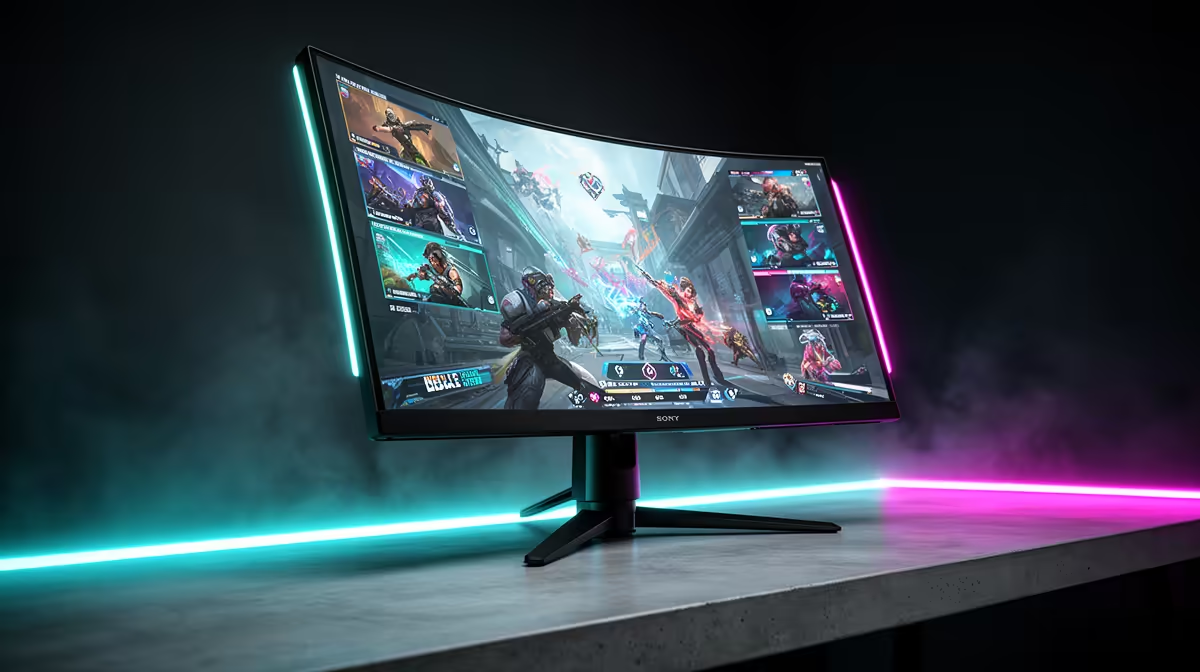
Fast-VA (Vertical Alignment) gaming monitors combine the VA panel's high contrast ratio and deep blacks with improved pixel response times that make them competitive for FPS and esports play. The key features that define a fast-VA gaming panel are optimised overdrive, high refresh rates, strong contrast, and motion blur reduction support.
What Makes VA Fast: Overdrive and Response Time 🔧
Standard VA panels are slow by nature: their liquid crystal alignment requires more force (voltage) to move, resulting in GtG (grey-to-grey) response times of 4 to 10 ms versus 1 to 2 ms for IPS. Fast-VA technology addresses this through aggressive overdrive, which applies additional voltage to accelerate pixel transitions. With optimised overdrive enabled, fast-VA panels achieve claimed 1 ms GtG response times, making them viable for 165 Hz and 250 Hz gaming without the severe smearing associated with older VA panels.
Contrast Ratio and Shadow Boost: The VA Advantage 🖥️
Where fast-VA outperforms IPS is contrast ratio. A quality fast-VA panel delivers 3,000:1 to 4,000:1 native contrast versus 1,000:1 typical on IPS. For esports titles with dark map areas (CS2 tunnels, Apex cave areas, Warzone interiors), the deep blacks of a VA panel make enemies hiding in shadow more distinguishable without boosting gamma. Shadow Boost features (a software-driven gamma curve adjustment available in most gaming monitor OSD menus) further lift shadow detail without washing out bright areas. This combination gives fast-VA players a genuine visibility advantage in dark-heavy FPS scenes without relying on cheating-adjacent brightness hacks.
High Refresh Rate and HDR on Fast-VA 🎮
Fast-VA panels at 165 Hz and 250 Hz are widely available and support FreeSync Premium and ELMB Sync on current models. HDR performance is where fast-VA genuinely competes with and sometimes beats IPS: the higher native contrast ratio means HDR content looks more dramatic without requiring a full-array local dimming backlight. HDR400 certification on a fast-VA panel shows more visible HDR benefit than HDR400 on an IPS panel because the baseline black level is so much lower. For SA gamers playing HDR-enabled titles, the VA HDR experience is noticeably richer in dark scenes.
Start at Medium Overdrive and Adjust Up ⚡
When you first set up a fast-VA monitor, start with the medium overdrive setting (often labelled Normal or Level 2) and test it in a fast-paced game for 30 minutes. Look for trailing halos on white or bright objects against dark backgrounds. If you see halos, step down. If you see smearing, step up. The sweet spot varies by GPU frame rate and game, so calibrate per title rather than accepting the factory default.
FAQ
Do fast-VA monitors still have noticeable ghosting compared to IPS?
With overdrive properly tuned, fast-VA ghosting in 2025 and 2026-era panels is much reduced compared to older VA monitors. Dark-to-light transitions remain slightly slower than IPS even with overdrive, which can show as residual ghosting in specific dark-background scenes. For most competitive play it is not disqualifying.
Is fast-VA better than IPS for esports?
For titles with significant dark-area gameplay (Valorant on Abyss map, CS2 night maps), fast-VA's contrast advantage provides real visibility benefits. For brighter competitive titles, IPS's lower black-to-light transition time gives it a slight edge in ghosting. Both are competitive choices at the current generation of 165 to 250 Hz panels.
What refresh rate should I target on a fast-VA panel for FPS gaming?
165 Hz is the practical minimum for competitive FPS on fast-VA. 250 Hz fast-VA panels exist and are ideal if your GPU can sustain the frame rate, since the higher refresh rate compounds with VA's improved overdrive to produce very sharp motion rendering.
Ready to see what a fast-VA gaming monitor delivers in your favourite FPS titles?
Evetech stocks fast-VA gaming monitors at competitive refresh rates for South African esports and FPS players. Check current stock to find the right panel for your build.