Unlock Immersive Audio: Pair Two Bluetooth Speakers for True Stereo with TWS
Ever felt like your single Bluetooth speaker lacks that immersive kick during a weekend braai? You are not alone. A single audio source often sounds flat and directional. By learning how to pair two Bluetooth speakers for true stereo with TWS, you can transform your listening experience. This setup creates a wider soundstage that fills the room. Best of all, it requires no messy cables or expensive receivers. ⚡
Why TWS is a Breakthrough for Local Audio Fans
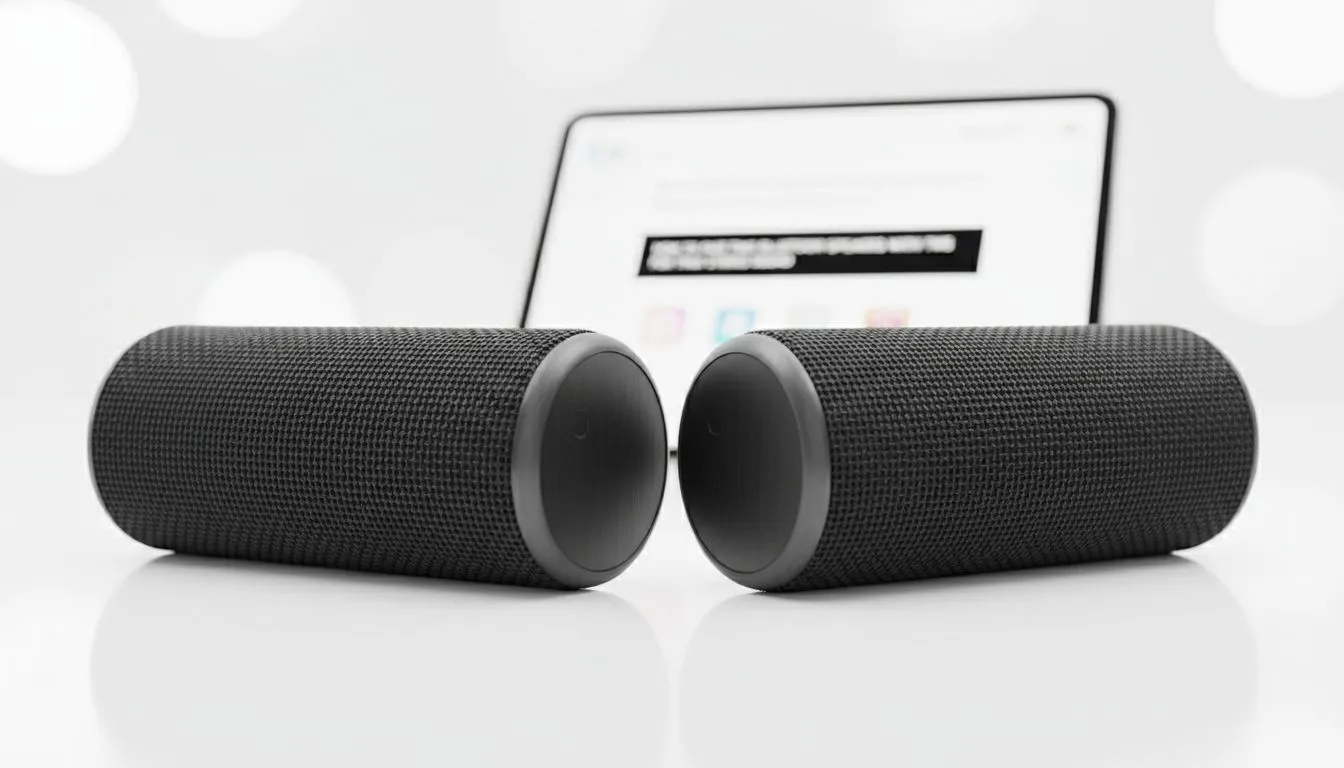
True Wireless Stereo (TWS) uses Bluetooth signals to send audio to two separate devices simultaneously. It allows one speaker to act as the left channel and the other as the right. This creates a genuine spatial effect that single units cannot match. When you look at modern wireless speakers, TWS is becoming a standard feature for enthusiasts.
It is particularly useful for outdoor gatherings in South Africa. You can place speakers on opposite sides of the patio. This ensures everyone hears the music clearly without blasting one area too loudly. Most affordable brands, including Promate, now include this tech in their portable lineups.
How to Pair Two Bluetooth Speakers for True Stereo with TWS
The process is usually straightforward. First, ensure both speakers are the same model. Most brands require identical hardware to sync correctly. Turn both units on and put them into pairing mode. Usually, a dedicated TWS button or a long press on the Bluetooth icon does the trick.
TWS Pairing Pro Tip ⚡
If your speakers refuse to sync, try clearing the Bluetooth cache on your phone first. Turn off the Bluetooth on your device before trying to link the two speakers together. Once the speakers chime to indicate they are paired, then reconnect your phone to the "master" speaker for a seamless stereo link.
Once the speakers find each other, they will chime. This indicates they are now a single stereo pair. You can then connect your phone to the primary unit. While wired speakers offer zero latency, TWS has improved significantly. Modern versions offer near-instant response times for music and movies.
Choosing the Right Configuration for Your Space
Not all setups are created equal. If you are setting up a desk, a 2.0 configuration is the most common for TWS. It provides clean highs and mids for gaming or YouTube. However, if you want that extra thump for Amapiano or action movies, look for a 2.1 configuration setup. This adds a dedicated subwoofer to the mix.
Finding the right hardware is the first step. There are many high-quality speakers available that won't break the bank. You can find excellent TWS-capable units starting from under R500. This makes it an affordable way to double your audio power without a complex installation. 🚀
Ready to Find Your Perfect Match?
Elevate your audio game with the latest TWS technology. Whether you need portable power for the outdoors or a crisp setup for your desk, we have the right gear. Explore our massive range of speaker specials and find the perfect pair to conquer your world.