Quick Answer
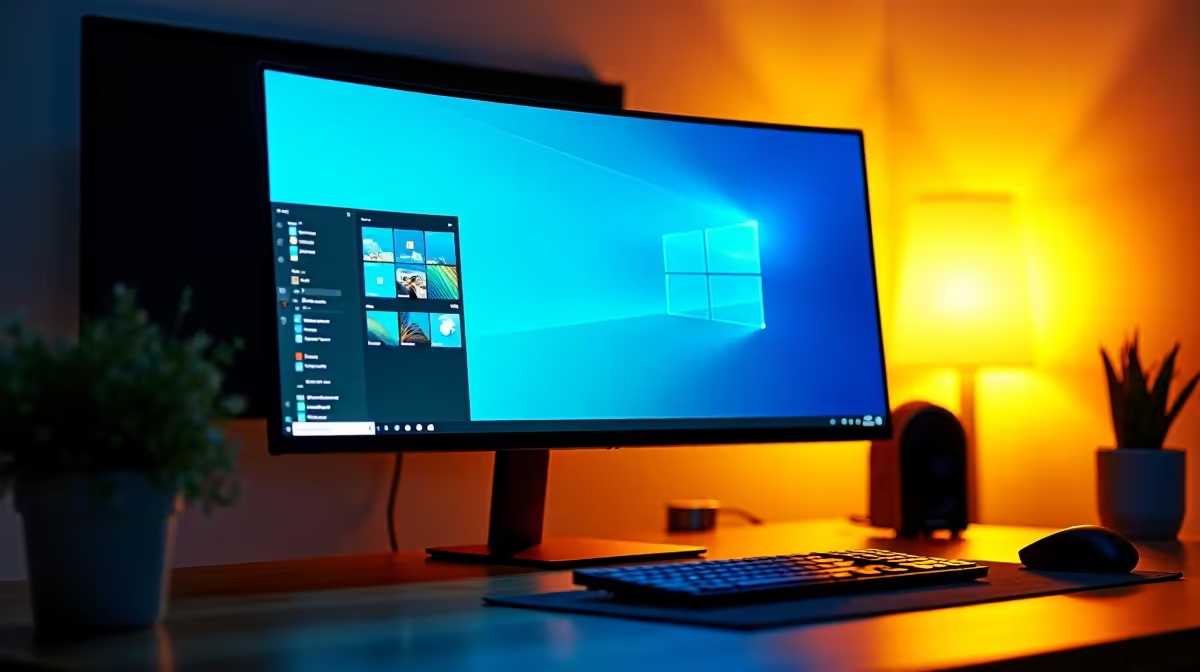
A 34-inch WQHD ultrawide (3440x1440, 21:9) is the productivity monitor sweet spot for multi-taskers because it replaces a dual-1080p setup in a single bezel-free panel, delivers 109 PPI for sharp text at normal desk distances, and provides enough horizontal canvas for two full A4-width documents plus a reference pane simultaneously. Quality 34-inch WQHD ultrawides start around R7,000 to R10,000 locally.
The Dual-Monitor Replacement Case 🖥️
The 3440x1440 resolution equates to roughly 1.67 times the pixels of a single 1920x1080 display. In practice, a spreadsheet occupying 1920 horizontal pixels sits comfortably in two-thirds of the screen while a Teams call or email client fills the remaining third, without the physical bezel gap that breaks visual continuity on a dual-monitor setup. Windows 11 Snap Layouts work natively with 21:9 canvases, offering up to six snap zones across the full width. For SA professionals in hybrid roles, replacing two monitors with one ultrawide also simplifies desk transitions: a single USB-C cable from a laptop to a dock and 34-inch ultrawide is faster than managing display configurations across two monitors with different sizes. Cape Town and Johannesburg co-working spaces increasingly standardise on 34-inch ultrawides for this reason.
Pixel Density and Text Sharpness 📄
At 109 PPI, a 34-inch WQHD ultrawide renders body text sharply in Windows without scaling. This contrasts with a 27-inch 1080p monitor at 81 PPI, where text edges appear soft and eye strain accumulates over long reading sessions. The resolution also means 100 percent zoom in Word or Acrobat displays A4 pages at near-true size, making document review intuitive without constant scrolling. IPS-based ultrawides offer consistent colour uniformity across the full 34-inch width, which matters when reviewing branded presentations where colour accuracy at screen edges is expected.
Gaming After Hours on the Same Panel 🎮
Most 34-inch WQHD ultrawides include a 144Hz or 165Hz refresh rate, providing smooth frame delivery for evening gaming without requiring a dedicated gaming monitor. Modern titles like Cyberpunk 2077 and most open-world RPGs support 3440x1440 natively. One monitor for work and evening gaming eliminates a second display in a study or home office, a meaningful space and cost saving in typical SA apartment setups.
Use Virtual Desktops for Ultrawide Productivity ⚡
On Windows 11, assign specific app groups to virtual desktops and use keyboard shortcuts to switch between them on your ultrawide. Keep email and calendar on Desktop 1 snapped into two zones, code editor and browser on Desktop 2, and video conferencing on Desktop 3. This workflow extracts maximum productivity from the 34-inch canvas without the screen feeling visually overwhelming.
FAQ
Is a 34-inch WQHD ultrawide too wide for a standard SA office desk?
Most 34-inch ultrawides measure 81 to 83cm wide, fitting comfortably on 120 to 160cm desks. Their single-panel footprint is narrower than a dual 24-inch setup, and they require only one stand position. Standard SA desk depths of 60 to 70cm accommodate a 34-inch ultrawide at a comfortable viewing distance.
Does a 34-inch WQHD ultrawide work well with Microsoft Teams on SA hybrid calls?
Yes. Teams scales its interface across 21:9 width and gallery view shows more participants simultaneously without compression, a practical improvement over 16:9 monitors during large SA remote meetings.
Can I use a 34-inch ultrawide as the sole display shared between a laptop and a desktop PC?
Yes, with a KVM switch or USB-C dock supporting video switching. Most current 34-inch WQHD models include two HDMI inputs and a DisplayPort input, allowing physical source switching via the OSD.
Ready to upgrade your SA hybrid workspace?
Browse 34-inch WQHD ultrawide monitors at Evetech, stocked locally with warranty support and fast delivery to Johannesburg, Cape Town, and beyond.