



Best SSD PUBG: Faster Map Loads and Smooth Matches
Best SSD PUBG cuts map load times and reduces texture stutter to improve respawns and match flow. We test NVMe and SATA options and recommend price-to-performance picks. ⚡🎮
Read moreEver wondered about that square monitor USB B upstream port on your older screen? It’s not just for looks—it’s the key to unlocking your monitor's built-in USB hub! 💡 Learn how this simple connection can declutter your desk by activating extra USB-A ports for your mouse, keyboard, and other peripherals. We'll show you exactly how to connect it and what to do if it's not working. Get more from your legacy gear! 🖥️
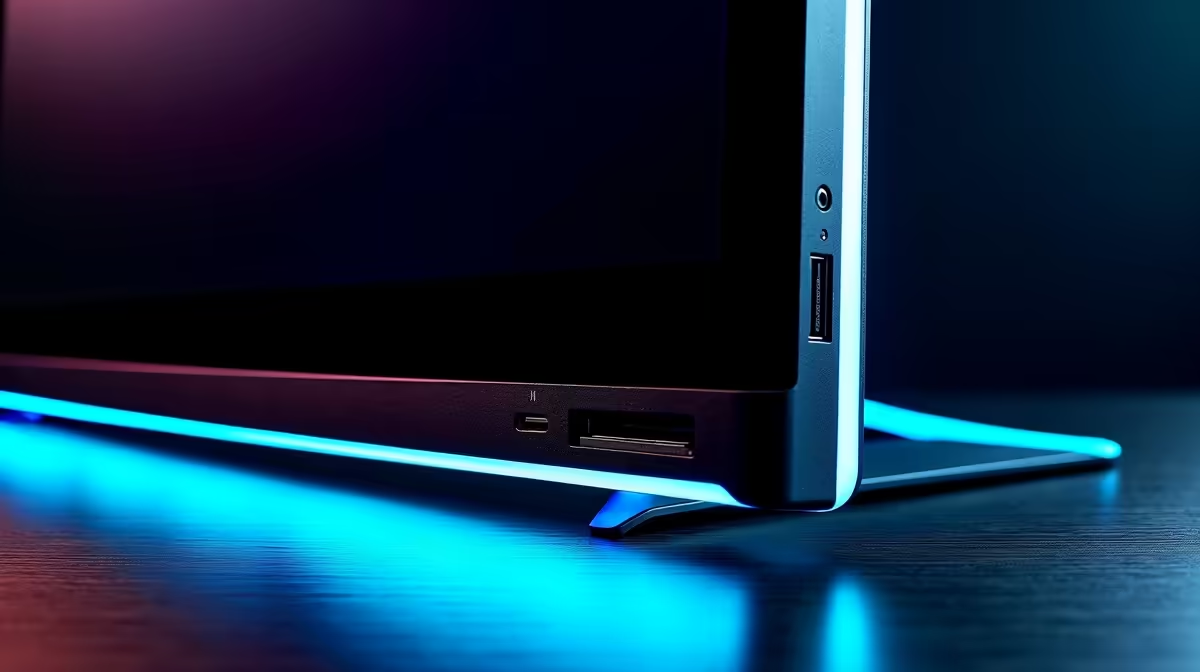
Ever looked at the back of your monitor and spotted that weird, almost square-shaped USB port? You're not alone. It’s not the familiar rectangle for your mouse or flash drive. Many South African gamers and creators just ignore it, missing out on a seriously handy feature. That little connector is the monitor USB B upstream port, and it’s the secret to unlocking a cleaner, more organised desk setup. Let's get it sorted. 🔧
Think of it as the master key for your monitor's other USB ports. On its own, that row of standard USB-A ports on your screen does nothing. The USB B upstream port is what connects them back to your computer. By linking your PC to this specific port, you effectively turn your monitor into a powerful USB hub, bringing convenient connections right to your desktop.
This "upstream" connection sends data from your monitor to your PC, activating the "downstream" ports for your peripherals. It’s a simple but brilliant design found on many of today's best PC monitors.
Getting this setup is easier than you think. You’ll just need the special USB A-to-B cable that likely came in the box with your display.
Here’s the quick-and-easy process:
Suddenly, you don't have to crawl under your desk to plug something in. It's a massive quality-of-life improvement, especially for those of us who hate cable clutter.
an ultra-clean look, use your monitor's USB hub for your keyboard and mouse. You can then use Velcro ties or a cable sleeve to bundle their cables with the main USB upstream cable. This leaves just one neat bundle running to your PC, making your setup look professional. Need more tidying tools? Check out our range of [monitor accessories](https: www.evetech.co.za PC-Components buy-monitor-accessories-368.aspx).
While it's becoming more common, a built-in USB hub isn't standard on every single model. It’s typically a feature you'll find on mid-range to premium displays, where convenience and connectivity are key selling points.
For example, a lot of the best all-round gaming monitors include them so you can easily plug in your controller or headset without reaching for your tower. The same goes for immersive curved monitors, where a clean desk aesthetic is part of the appeal. For professionals and creators working with high-resolution video or photos, the extra ports on 5K & 4K monitors are perfect for connecting external drives and card readers. You can even find this feature on some high-end portable monitors, boosting productivity on the go. 🚀
The monitor USB B upstream port might seem insignificant, but it’s a feature that, once you use it, you won’t want to live without. It simplifies your setup, reduces cable mess, and makes your most-used ports far more accessible.
If you’re tired of fumbling for ports behind your PC or just want a more organised battle station, it’s definitely a feature to look for in your next upgrade. Why not see what a new screen can do for your setup? You can often find some amazing value in the latest PC monitor deals available right here in South Africa.
Ready to Declutter and Upgrade? That little USB B port is just one of many features that make modern monitors so powerful. From built-in hubs to stunning 4K displays, the right screen can transform your setup. Explore our incredible PC monitor deals and find the perfect display for your rig.
The square USB Type-B port on a monitor is an 'upstream' connection. It links the monitor's built-in USB-A hub to your computer, activating those ports for peripherals.
You only need to connect the USB upstream cable if you want to use the other USB-A ports on your monitor for devices like a mouse, keyboard, or flash drive.
Use a USB Type-A to Type-B cable. Plug the square Type-B end into the monitor's upstream port and the rectangular Type-A end into a USB port on your computer.
The most common reason is the USB upstream cable is not connected between the monitor and the PC. Also, check if the monitor's hub is enabled in its on-screen menu.
On a Dell monitor, that square port is the USB-B upstream port. It's designed to connect the monitor to your PC, turning the monitor into a convenient USB hub.
Yes, but often at a slower speed. Monitor USB ports are primarily for data transfer and low-power devices, not fast charging, unless specified by the manufacturer.
Best SSD PUBG cuts map load times and reduces texture stutter to improve respawns and match flow. We test NVMe and SATA options and recommend price-to-performance picks. ⚡🎮
Read more
PUBG RAM vs GPU — decide whether faster RAM or a better GPU delivers bigger FPS gains in PUBG. Get benchmark-led guidance, budget options, and upgrade steps 🎮⚙️
Read more
- Assess if a PUBG CPU upgrade fixes stutter - Recommend CPUs by budget and socket - Guide install, tuning and benchmarking PUBG CPU upgrade: Stop stuttering and reclaim smooth FPS with tested CPU picks, install steps, and tuning tips. 🛠️🎮
Read more
Wondering if a TKL wireless mechanical keyboard is worth it for everyday productivity? We break down latency, battery life, comfort, and workflow gains for real work. ⚡⌨️

Maximise battery life on a fanless 15-inch laptop using efficiency core architecture. Cut idle drain, tune power profiles, and improve thermals for longer runtime. 🔋⚙️

Learn how to reduce desk clutter with a TKL wireless keyboard using fewer cables, smart placement, and tidy essentials. Get a faster, calmer workspace with better ergonomics. ✅🧼

RGB keyboard lighting too distracting? Learn how to manage backlight modes, set brightness, and reduce distraction for focus and productivity 😌🖱️

Are themed gaming keyboards worth the extra cost? Compare build quality, switch options, features, and resale value to find the best fit for your setup 🎮⌨️

Full-Size vs Tenkeyless mechanical keyboards for gaming: find out if a smaller layout truly improves aim, speed, and comfort. We break down layout, desk space, latency-feel, and keybinds 🎮⌨️

Dedicated media rollers vs function key shortcuts: learn which setup gives you better workflow control, faster media access, and fewer mistakes. 🖱️🎧

Best Mechanical Switch Type for Gaming: Clicky vs Linear vs Tactile. Find your feel, speed, and noise balance with practical guidance for FPS, MOBA, and productivity 😄🎮

Direct mouse answer: Mouse not keeping up with your work? Everything that matters about dual-mode 2.4GHz + BT 5.0: DPI behaviour, channel switching, battery curves and per-app button mapping. Covers when 2.4GHz USB wins (low-latency desk) and when BT 5.0 wins (laptop, d

Plain wireless mouse guide: Mouse not keeping up with your work? Everything that matters about wireless productivity mouse: DPI behaviour, channel switching, battery curves and per-app button mapping. Includes DPI tuning tips, channel switch shortcuts, and ZAR-aware fea

Real productivity numbers: Set up your wireless mouse in this order: everything that matters about wireless productivity mouse: DPI behaviour, channel switching, battery curves and per-app button mapping. Includes DPI tuning tips, channel switch shortcuts, and ZAR-aware

Pen not feeling like paper? Stylus lag and skipping usually trace to old drivers, dirty nibs, or display refresh mismatches, not the pen itself. Covers pressure curve tuning, tilt thresholds, nib swap timing, and SA pricing brackets.