


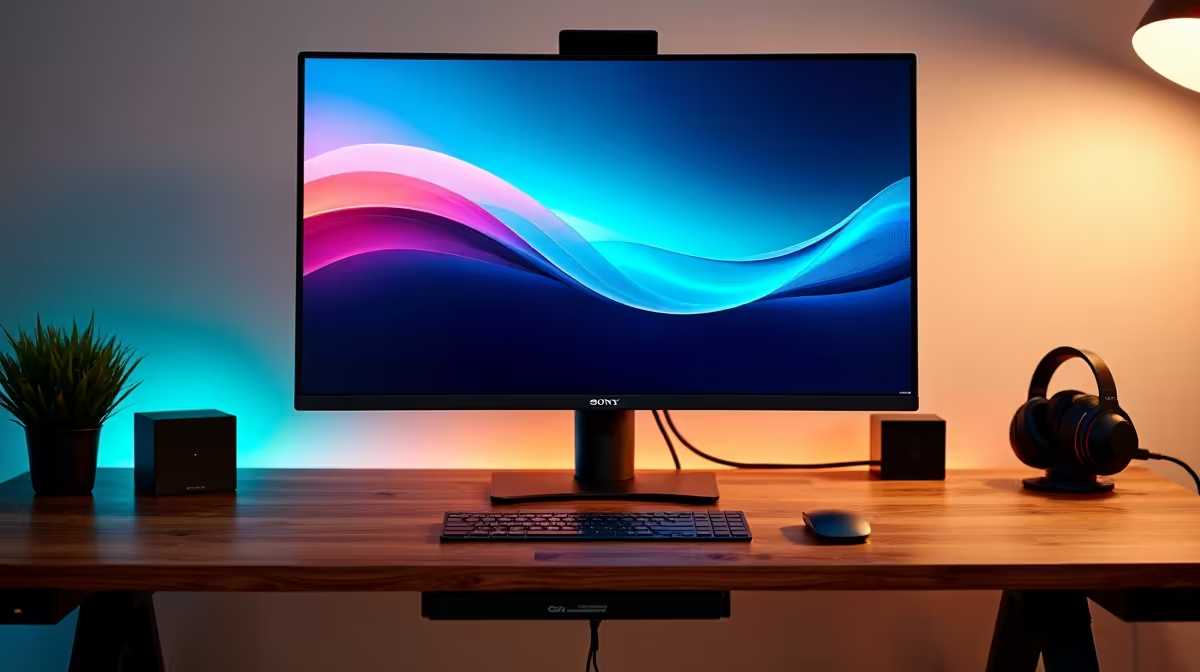
Is your gaming setup looking more like a tangled nest of cables than a high-tech battle station? You're not alone. That spaghetti monster of wires behind your screen doesn't just look messy; it collects dust and makes finding the right plug a nightmare. The good news? The solution often starts with the centrepiece of your desk. Choosing a monitor with cable management built-in is the simplest, most effective first step toward a clean and focused setup.
Why a Tidy Desk Starts with Your Monitor
Before you even think about cable ties and sleeves, look at your screen. A great setup is about more than just raw performance; it's about creating an environment where you can focus, whether you're climbing the ranks in Valorant or deep in a creative project. A messy desk is a distracting desk.
A monitor with cable management features is designed to solve this exact problem. By providing dedicated channels, clips, or hollow stands, it guides your DisplayPort, HDMI, and power cables neatly out of sight. This isn't just about aesthetics ✨. A tidy setup makes cleaning easier, improves airflow, and reduces the chance of accidentally unplugging something vital in the middle of a clutch moment. It's a small feature that makes a massive difference to your daily experience. If you're considering an upgrade, browsing the latest PC monitors with this in mind is a brilliant move.
Key Features of a Monitor with Good Cable Management
When you're shopping, "cable management" can mean a few different things. Not all solutions are created equal, so here's what to look for:
- Integrated Clips & Channels: These are simple but effective. Look for clips on the back of the stand or grooves where you can press your cables in, keeping them snug against the monitor's frame. This is a common and welcome feature on many of today's best gaming monitors.
- Hollow Stand Design: A premium feature where cables are routed through the stand itself, disappearing at the base. This offers the cleanest possible look from the front. You'll often find this on screens designed for immersion, like the stunning curved monitors that wrap you in the action.
- Removable Port Covers: Some monitors come with a plastic panel that snaps on over the input ports. This hides the cable heads completely, creating a seamless, professional look from the back—perfect if your desk isn't against a wall.
Even the sharpest 5K and 4K monitors can be let down by messy wires, so it's a feature worth prioritising.
Cable Management Pro Tip 🔧
For the ultimate clean look, consider a monitor arm. Not only does it free up desk space, but most quality arms have built-in channels to hide cables completely from the stand to behind your desk. It’s the secret to that floating monitor aesthetic you see in pro setups.
Beyond the Monitor: Achieving Total Desk Zen
A monitor with cable management is your strongest ally, but it's part of a team effort. Once your screen's cables are tamed, a few extra steps will complete your journey to a pristine desk.
Velcro ties or cable sleeves can bundle the remaining wires that lead to your PC or power strip. An under-desk cable tray is another fantastic addition, hiding your power brick and excess cable length completely. These simple additions, found among various monitor accessories, work with your monitor's features to eliminate clutter for good. This philosophy of a clean setup even extends to on-the-go solutions; many modern portable monitors use a single USB-C cable for both power and video, minimising clutter in any environment.
Ready to finally banish the cable chaos? It's easier and more affordable than you think. You can often find a fantastic monitor with cable management without breaking the bank, especially if you keep an eye on the best PC monitor deals in South Africa. Upgrading your screen is the perfect opportunity to upgrade your entire desk experience. 🚀
Ready for a Clutter-Free Setup? A tidy desk isn't just about looks... it's about focus. Choosing a monitor with smart cable management is the first step to a cleaner, more productive battle station. Explore our huge range of PC monitors and find the perfect screen to conquer the cable chaos.









