Quick Answer
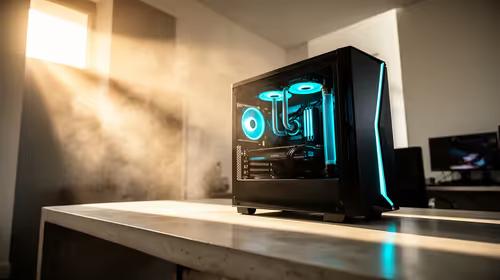
A 480Hz streaming rig must use hardware encoding (NVIDIA NVENC or AV1 on RTX 4000 series) to avoid burning the CPU budget needed to maintain 480+ fps. An RTX 4070 with a Ryzen 5 7600X delivers 500+ fps in CS2 at 1080p while streaming at 1080p 60fps to Twitch via NVENC, consuming under 5% CPU overhead — total build cost around R40,000.
Streaming at 480Hz: The Engineering Challenge
Streaming and 480Hz gaming simultaneously is the most demanding dual-task in PC gaming. The GPU must render 480+ frames per second AND encode a 1080p60 stream — without NVENC, x264 Medium encoding on a 6-core CPU burns 35–45% of CPU budget, directly cutting into the game's fps floor. NVENC on any RTX 4000 card is the only practical solution for maintaining 480+ fps while streaming.
For Twitch, stream at 1080p 60fps via OBS at 6,000 Kbps with NVENC H.264. Viewers receive clean 1080p60 while you play at 1080p 480Hz. Downscaling from 480fps game output to 60fps stream output is handled transparently by OBS — no quality loss.
Internet Requirements for SA Streamers
A 6,000 Kbps Twitch stream requires approximately 8–10 Mbps sustained upload. Most Vumatel FTTH packages in SA (Durban, Cape Town, Joburg) offer 20–50 Mbps upload — well sufficient. Rain 5G delivers 10–30 Mbps upload in good signal areas but may fluctuate. Test your upload using fast.com or Evetech's region before committing to a live stream schedule.
Sample Build: ~R40,000
- CPU: Ryzen 5 7600X — ~R4,800
- Motherboard: MSI B650-A PRO — ~R3,200
- RAM: 32GB DDR5-6000 — ~R3,200
- GPU: RTX 4070 — ~R16,000
- SSD: 1TB PCIe 4.0 NVMe — ~R900
- Case + 750W 80+ Gold PSU — ~R3,000
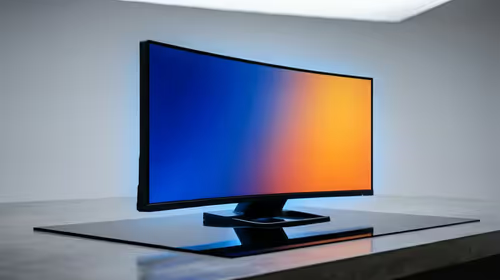
- Monitor: 24" 1080p 480Hz IPS — ~R9,500
- Total: ~R40,600
FAQ
What OBS settings should I use for a 480Hz streaming setup?
Set OBS to: Encoder = NVENC H.264 (or HEVC), Rate Control = CBR, Bitrate = 6,000 Kbps (Twitch) or 8,000 Kbps (YouTube). Output resolution = 1920×1080, FPS = 60. Canvas resolution = match your game resolution (1920×1080). This configuration ensures viewers get clean 1080p60 while you see 480Hz gameplay.
Does playing at 480Hz affect stream quality?
No — OBS captures the game at your in-game resolution and downscales/fps-limits to the stream output independently. Your viewers always see 1080p60 regardless of whether you're playing at 240Hz or 480Hz.
Is a 480Hz display necessary for streaming or just for personal gameplay?
The 480Hz is purely for the streamer's personal experience — viewers watch at 60fps. The benefit is the streamer's improved aim and reaction time in competitive titles, which can translate into better content if your stream focuses on high-skill competitive gameplay.
add a "Game Capture" source rather than "Display Capture" for a 480Hz gaming setup — Game Capture hooks directly into the game's render pipeline, eliminating the performance overhead of capturing the full desktop at 480fps, which reduces stuttering during streaming.