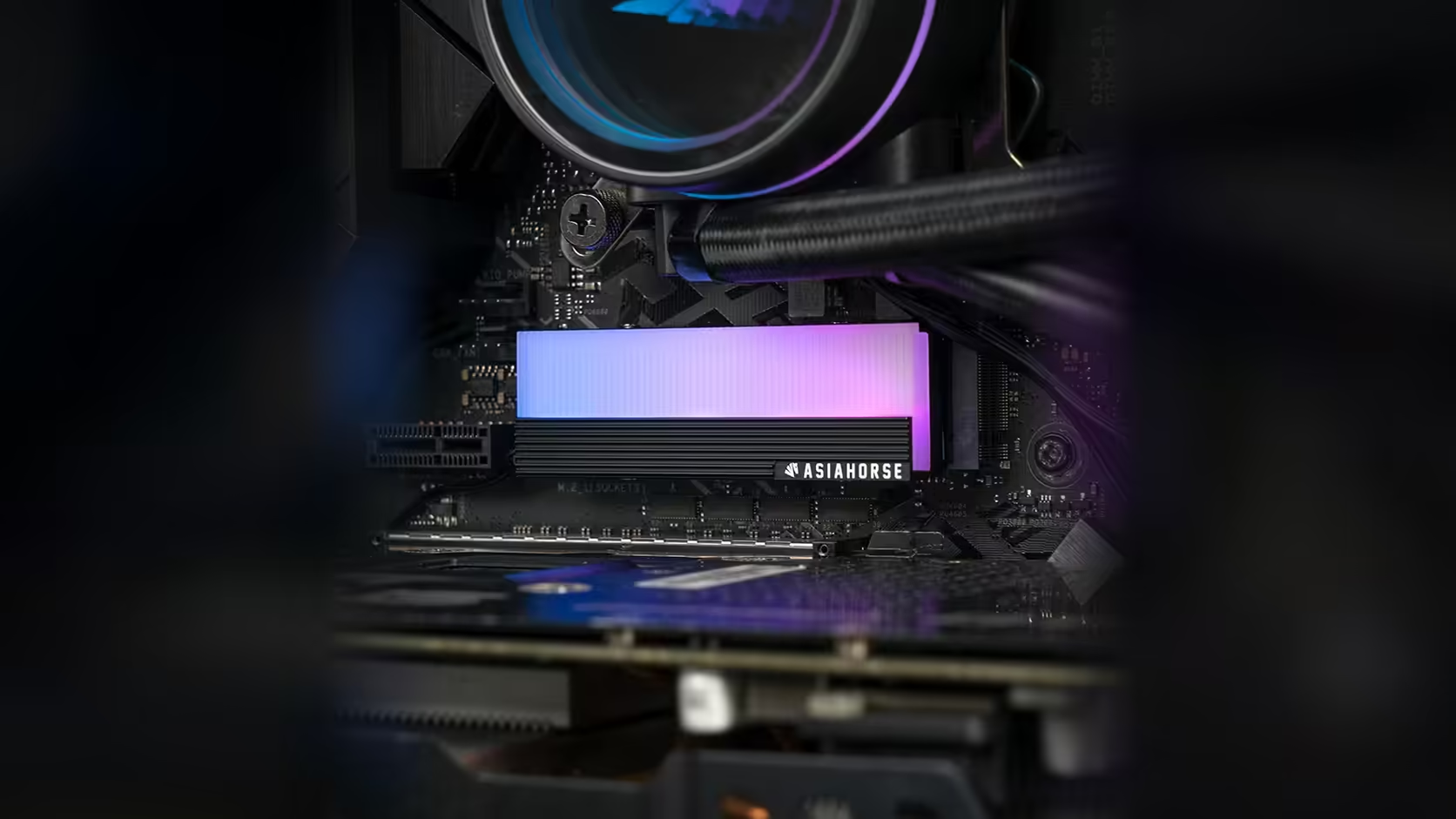
Board layouts have not changed as much as GPU sizes have, and that mismatch is exactly why gpu clearance deserves a proper check before you fit anything into the top M.2 slot. The AsiaHorse aluminium cover with its infinity ARGB panel is a neat addition to that slot in principle, but only if the card above it leaves enough room.
Quick Answer
Most current motherboards place their primary M.2 slot directly beneath where a graphics card mounts, which means anything added to that slot, including this R199 AsiaHorse cover, has to clear the card physically installed above it. No body dimensions are published for the cover, so the only reliable check is measuring the actual gap between your board's top slot and your card once both are fitted.
🎮 Why the top slot is the tight one
Board manufacturers place the primary M.2 slot close to the CPU for signal routing reasons, and on the vast majority of current boards that puts it directly under the first PCIe expansion slot, where a graphics card sits. As cards have grown thicker over successive generations, many now overhang two or even three expansion slots, shrinking the gap above that primary M.2 position considerably compared to boards from a few years ago.
What "clearance" actually covers
It is not just the drive's own height. Once you stack a cover on top of the drive, you are measuring from the board surface, through the drive, through the cover, up to the underside of the card. Every one of those layers adds to the total, and a cover with no published dimensions removes one of the numbers you would normally use to do that sum on paper.
📏 The only check that actually works
Open the case, note the physical gap between the board surface at that slot and the underside of the installed card, and compare it against the cover you have in hand. If you are ordering before the drive and cover arrive, a rough estimate from photos is better than nothing but should not be treated as confirmation.
🔽 The lower slots are usually the easier option
If your board offers more than one M.2 slot, the ones positioned further from the CPU are typically clear of the graphics card entirely, which sidesteps the clearance question altogether. That does come with a trade-off worth checking in your board's manual: some lower slots are wired differently and can affect drive bandwidth, so confirm that before moving a drive purely to dodge a clearance problem. Browse the current solid state drive range for compatible drives, and check case accessories while you have the case open.
💡 A second reason to prefer a visible slot
Even where clearance is technically fine, a slot hidden under the card means the ARGB panel is not visible from outside the case. Since the lighting is a large part of what this cover offers over a plain heatsink, a slot the card does not cover gets you both the clearance and the visual payoff.
🧰 What to bring to the measuring step
A tape measure or a set of calipers turns "looks about right" into an actual number, and it is worth writing that figure down rather than trusting memory once the case is open and the graphics card is back in place. A torch also helps, since the gap above a primary M.2 slot sits in one of the darker corners of most cases once a card is mounted above it, and a rushed look under poor light is exactly how a marginal fit gets waved through as fine. Doing this once properly, before the cover is ordered, is considerably less hassle than discovering the mismatch after the case is already buttoned up.
Frequently Asked Questions
Why does the top M.2 slot usually sit under the graphics card?
Board makers position it close to the CPU for signal reasons, and that location typically falls directly under the first expansion slot where cards are installed.
Does this cover publish a height figure I can check against my gap?
No. No body dimensions are published, so the physical gap has to be measured against the actual cover rather than a spec sheet.
Is a lower M.2 slot always a safe alternative?
Usually it is clear of the card, but check your board's manual, since some lower slots are wired with different bandwidth than the primary one.
What happens if the card actually touches the cover?
That contact should be avoided entirely. If the fit is marginal, choose a different slot rather than risk pressure on either component.
Would a vertically mounted graphics card solve the problem?
It generally would, since a vertical mount opens up far more of the board surface above the standard M.2 slots.
Fitting storage around a large graphics card?
Explore Evetech's NVMe drive range and check your board's slot layout before deciding where the drive goes.