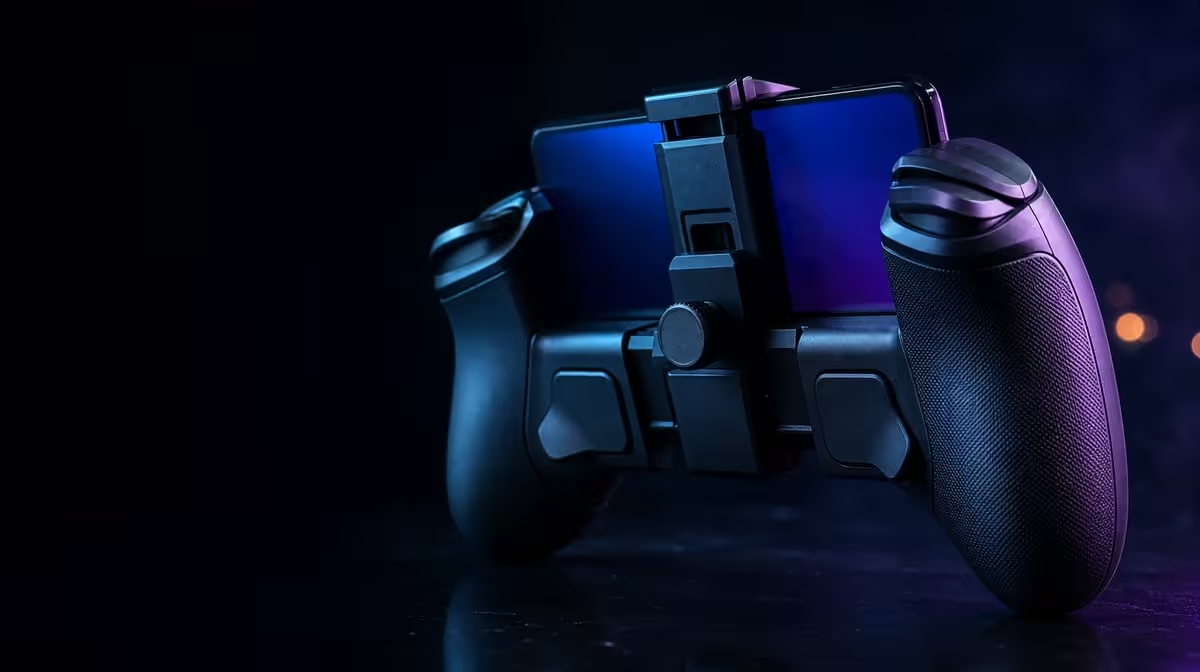
A controller profile should solve a specific play problem, not become a pile of unexplained slider changes. With GameSir app customisation, the Nova 2 Lite can organise buttons, sensitivity, and vibration around a game, provided every adjustment begins from a saved and tested baseline.
Quick Answer
Create a neutral reference profile, duplicate it for the intended game, and change buttons, sensitivity, then vibration as separate passes. The R729 GameSir Nova 2 Lite supports full app tuning across those groups, while each result still needs testing on the platform and connection route where you will use it.
🗂️ Preserve a clean starting point
Connect the controller through a supported route and make sure the host and game recognise it before editing anything. Test the face buttons, both Hall sticks, and both Hall triggers using the default arrangement. If a basic input does not work, resolve recognition or game mapping first; a custom profile is a poor place to hide an unresolved connection problem.
Keep the original settings as a reference. A baseline gives you somewhere dependable to return when an experiment feels worse, and it turns troubleshooting into comparison rather than memory. Name the copy for the game and platform, not for a vague mood. That small habit matters once several profiles exist.
The Nova 2 Lite costs R729 and combines its app support with tri-mode, multi-platform connectivity. Check the exact device and title you intend to use, because a broad compatibility description does not guarantee identical mapping everywhere. Evetech's gaming controllers category helps you compare current models and feature combinations before committing to a profile-driven setup.
🎛️ Remap buttons around repeated actions
Begin with the control that causes the clearest inconvenience. If an action requires an awkward reach or conflicts with another frequent command, move that one assignment and leave the rest intact. Launch the intended game, verify the new action, and also check the original button so that a duplicate or missing command does not surprise you later.
Avoid remapping a whole layout in one sitting unless you have a written plan. Large changes make mistakes difficult to isolate and demand more muscle-memory adjustment. A focused change can be evaluated within a familiar sequence: enter a menu, perform the action several times, and confirm that neighbouring buttons still do what you expect.
Keep profiles separate when platform mappings differ. A layout designed for one game may create confusing prompts in another, even when the controller connects to both. The surrounding gaming accessory range can also help you plan a desk or lounge setup around the way the controller will actually be reached and used.
🎯 Shape sensitivity with two test tasks
Use one task that rewards tiny corrections and another that requires full movement. A stick setting that helps careful aim can feel sluggish during a fast turn, while a lively setting can create overcorrection in menus or precise camera work. Adjust in small increments, repeat both tasks, and keep the change only if the combined result improves.
The Hall sticks and Hall triggers use magnetic sensing, yet the app profile still affects how their input is interpreted. Software tuning refines the response; it does not alter the physical sensing principle. For triggers, choose a game action that reads gradual travel and test the start, middle, and end of the press. If the game maps the trigger as a simple switch, do not expect sensitivity work to create a graduated action that the title does not use.
The controller also lists 1000Hz polling. Keep the active connection, display, and game settings constant while judging a sensitivity change, because response is produced by the whole path. A faster report frequency does not make an unsuitable curve precise, and a good curve cannot guarantee the same timing across every host.
🔊 Tune feedback after control is stable
Dual asymmetric motors can give vibration a different character across the two sides, depending on the game and profile. Start at a modest level and replay a recognisable event. Raise the strength only while the cue stays informative. If vibration makes your grip tense or masks fine trigger control, lower it until the physical feedback supports rather than competes with the action.
Build separate vibration choices for genres that use feedback differently. A strong effect may add drama in one title and become tiring during repeated precision work in another. Because the app can organise vibration profiles, you do not need one compromise setting for every game.
After each setting group is complete, return to normal play rather than relying only on a menu. Use the profile for a full session, note any accidental inputs or tiring effects, and make one final correction. Current controller and setup ideas can be compared through Evetech's accessory best sellers while checking the R729 model's current price and availability.
A finished profile should be easy to describe: which game it serves, why its button change exists, how sensitivity differs from default, and what the vibration level communicates. If you cannot explain a change, remove it and test again. Simplicity makes a tuned controller more dependable.
Profile discipline also makes later troubleshooting faster. When a title updates or a device behaves differently, begin with the saved reference, then load the custom copy. The point at which behaviour changes shows whether the setting set or the underlying game path deserves attention.
Frequently Asked Questions
How many settings should change in one test?
Change one related group at a time. That gives each result a clear cause and makes reversal straightforward.
Can a remap solve failed game recognition?
Recognition must work before a remap can be trusted. Confirm the controller and its basic inputs in the game first.
What makes a useful sensitivity comparison?
Repeat a fine-control task and a full-movement task with all other conditions unchanged. Keep the adjustment only if it helps the balance you need.
Should vibration profiles match across genres?
They do not have to. Save distinct levels when different games use physical feedback for different purposes.
Ready to build a profile with a clear purpose?
Explore Evetech's gaming controller selection and compare current app-tunable options for the devices and games in your setup.