Dropping thousands of ZAR on the latest hardware feels great... until your rig randomly crashes to the desktop. If you recently upgraded, you might be facing memory issues. Knowing the DDR5 tuning basics is essential to getting your system running perfectly. Let us explore how to optimise memory stability on a high-end Intel motherboard so you can game without those dreaded blue screens. 🚀
Understanding the Default Speeds
When you install new RAM, it runs at a basic default speed. To get the performance you paid for, you need to enable XMP in your BIOS. This tells your system to use the factory-tested overclock settings. Before tweaking settings, ensure you have quality DDR5 memory kits that match your CPU capabilities.
How to Optimise Memory Stability
Sometimes XMP profiles cause instability. This is common when pushing speeds past 6000MHz. The fix usually involves slight voltage adjustments. You want to look for VDD and VDDQ voltages in your BIOS. Bumping these up slightly... say from 1.35v to 1.40v... can work wonders for stability.
BIOS Update Pro Tip 🔧
Always update your BIOS to the latest version before tuning RAM. Manufacturers constantly release microcode updates that drastically improve DDR5 compatibility and system stability.
Heat is also the enemy of stable memory. DDR5 runs hotter than older generations. Make sure your PC case has excellent airflow over the RAM slots. If your modules exceed 50 degrees Celsius under load, they might throw errors. If your board struggles to maintain these speeds, upgrading from our premium motherboards selection might be the solution.
Tweaking Primary Memory Timings
Voltage is only half the battle. Your memory timings dictate how fast data moves. The most important timing is CAS Latency... often listed as CL in your BIOS. Lower numbers mean faster response times. If your system is unstable at CL30, try loosening it to CL32. This gives the memory controller a bit more breathing room. Adjusting timings requires patience. Change one setting at a time. If your PC fails to boot, simply clear your CMOS to reset the BIOS.
Choosing the Right Hardware
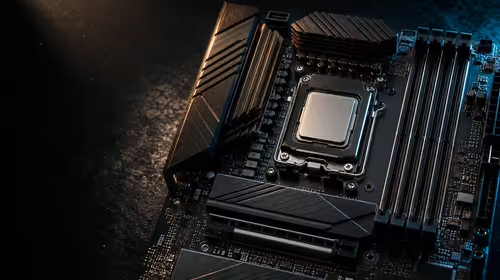
The physical layout of your memory slots matters immensely. Boards with only two RAM slots generally overclock better than four-slot boards. This is due to shorter signal paths. If you want top-tier performance, ASUS Intel motherboards feature excellent memory trace routing. ✨
Just remember that tuning concepts differ slightly if you switch platforms. For example, ASUS AMD motherboards rely on EXPO profiles instead of XMP. Always buy hardware suited for your specific processor.
Testing Your Overclock
Never assume your PC is stable just because it boots into Windows. You need to stress-test your memory. Free software like MemTest86 will push your memory to its limits. Let the test run for a few hours. If you see zero errors, your tuning was a complete success. ⚡
If manual tweaking sounds like a headache, you can skip the BIOS entirely. Browse our best gaming PC deals for pre-tuned systems built and tested by our experts.
Ready for Blistering Fast Speeds?
Tuning your RAM unlocks the true potential of your processor. If you want maximum frame rates in South Africa, Evetech has you covered. Explore our massive range of PC components and build your dream machine today.