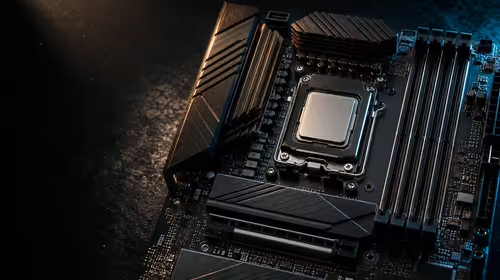
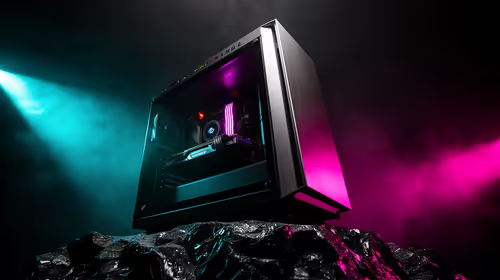
Building a PC in South Africa is incredibly exciting... but motherboards present a tough choice. When looking at spec sheets, you must choose between multiple M.2 slots and PCIe 5.0 support. Do you chase the absolute fastest transfer speeds available? Or do you stack up terabytes of storage for your massive Steam library? Let us break down what actually matters for your next gaming rig.
Why PCIe 5.0 Support Sounds Amazing
PCIe 5.0 is the latest standard for motherboard bandwidth ⚡. It promises sequential read speeds hitting up to a blistering 14,000 MB/s. That is ridiculously fast. If you move massive 8K video files daily for video production, this speed is absolutely incredible.
However, for the average South African gamer, Gen 5 NVMe drives carry a hefty premium in ZAR. You pay a massive tax for performance you might rarely utilise. If you value portability over a massive desktop build, you might even consider browsing notebooks for sale in South Africa. Most modern laptops still rely on Gen 4 technology. That standard remains incredibly fast and perfectly capable for any heavy daily task.
The Real-World Value of Mass Storage
Here is a hard truth about modern gaming. Titles like Call of Duty and Ark Survival Ascended will eat your storage drives alive. Game sizes easily push past 150GB these days. This is where having three or four NVMe slots becomes incredibly valuable.
Instead of buying one insanely expensive 2TB Gen 5 drive, you can install several affordable Gen 4 drives. You get massive overall capacity without breaking the bank. If you are looking at the best gaming PC deals, you will notice a clear trend. High capacity often beats raw, theoretical speed for everyday gaming enjoyment. More slots mean you can easily plug in another 1TB drive next year when your budget recovers.
Making the Right Choice for Your Build
So, how do you make the final call? It all comes down to your specific workload and your budget. If you are a professional creator who needs every ounce of rendering speed, the newer standard is definitely worth the investment.
For 95 percent of local gamers, prioritising a motherboard with extra storage slots is the smarter play. Gen 4 drives already load modern games in mere seconds. You simply will not notice the difference between 7,000 MB/s and 14,000 MB/s while loading into a multiplayer match. Plus, you can use the Rands saved to upgrade your graphics card for better frame rates. Keep an eye on the latest Evetech specials to find great prices on high-capacity storage 🚀.
Motherboard Lane Sharing Tip 🔧
Always read your motherboard manual before buying. On many mid-range boards, populating all your M.2 slots might disable certain SATA ports. It can even reduce the bandwidth of your primary graphics card. Plan your storage layout carefully!
Ready to Build Your Ultimate Rig?
Motherboard choices can be complex, but for maximum gaming performance and value in South Africa, we have you covered. Explore our massive range of PC components and find the perfect hardware to conquer your next gaming adventure.