Moving to PC storage is where households that swap between a PlayStation, Xbox and a desktop in one evening feels the biggest, cheapest jump. An NVMe SSD changes load times more than almost any other single part.
Quick Answer
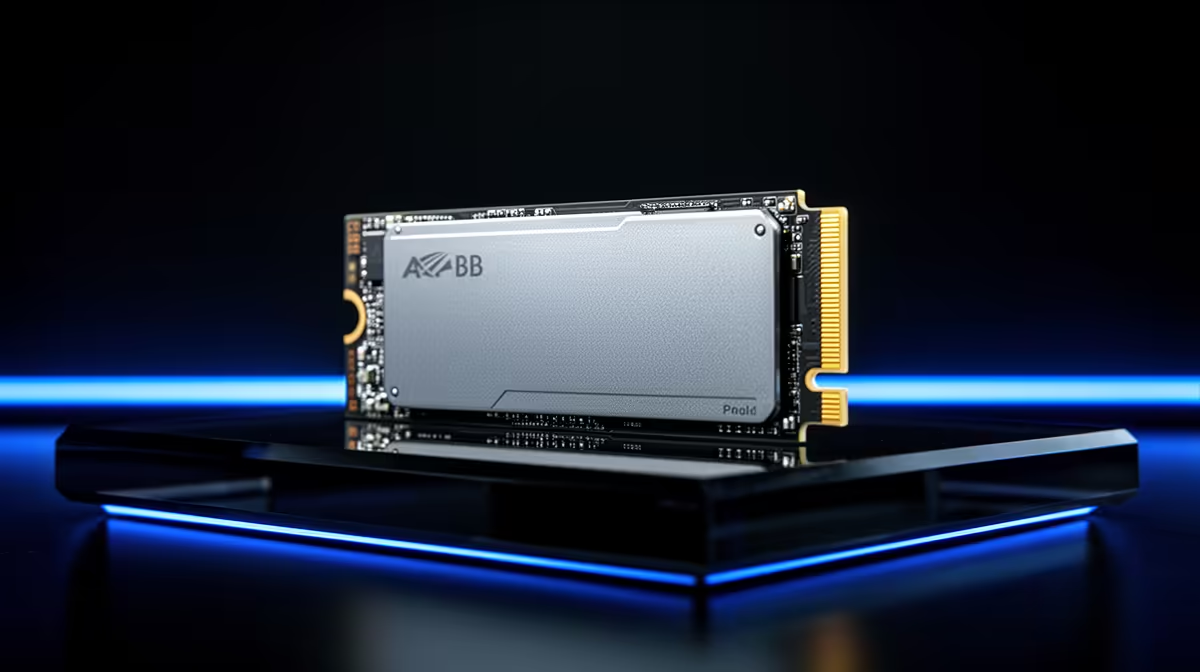
Start with a 1 TB Gen4 NVMe SSD (about R900 to R1,600 in SA) as your boot and game drive; it reads at 5,000 to 7,000 MB/s and installs the OS plus several large games. Add a 2 TB drive (R1,600 to R2,800) when your library grows, since modern AAA games run 70 to 150 GB each.
Why NVMe is the upgrade you feel
A Gen4 NVMe SSD loads levels and the OS in a fraction of the time a hard drive takes, and games that stream assets (open-world titles) stop hitching. 1 TB is the practical floor today: Windows plus updates eats 60 to 80 GB, and two or three AAA installs fill the rest. Gen4 speeds of 5,000 to 7,000 MB/s are plenty; Gen5 drives cost more and run hotter for gains you rarely notice in games.
Sizing storage for console to pc switching
For households that swap between a PlayStation, Xbox and a desktop in one evening moving from a console, plan double the storage you think you need, because PC games and shaders take more space than console versions. Keep a fast 1 TB drive for the OS and current games, then add a second 2 TB NVMe for your wider library. Check your motherboard has a free M.2 slot with a heatsink, since Gen4 drives run warm and throttle without one.
FAQ
How big an SSD do I need for PC gaming?
1 TB is the floor for the OS and a few AAA games; 2 TB is comfortable for a growing library. Modern games run 70 to 150 GB each, so storage fills faster than on console.
Is Gen5 NVMe worth it over Gen4?
Rarely for gaming. Gen4 at 5,000 to 7,000 MB/s already exceeds what games can use, while Gen5 costs more and needs extra cooling. Save the money for capacity instead.
Do I need an M.2 heatsink?
For Gen4 and Gen5 drives, yes, to prevent thermal throttling under sustained load. Many motherboards include one; if not, a cheap add-on heatsink keeps speeds consistent.
1 TB Gen4 NVMe for the OS and current games, then add a 2 TB drive later. Gen4 is fast enough for gaming, so spend on capacity rather than chasing Gen5 speeds.