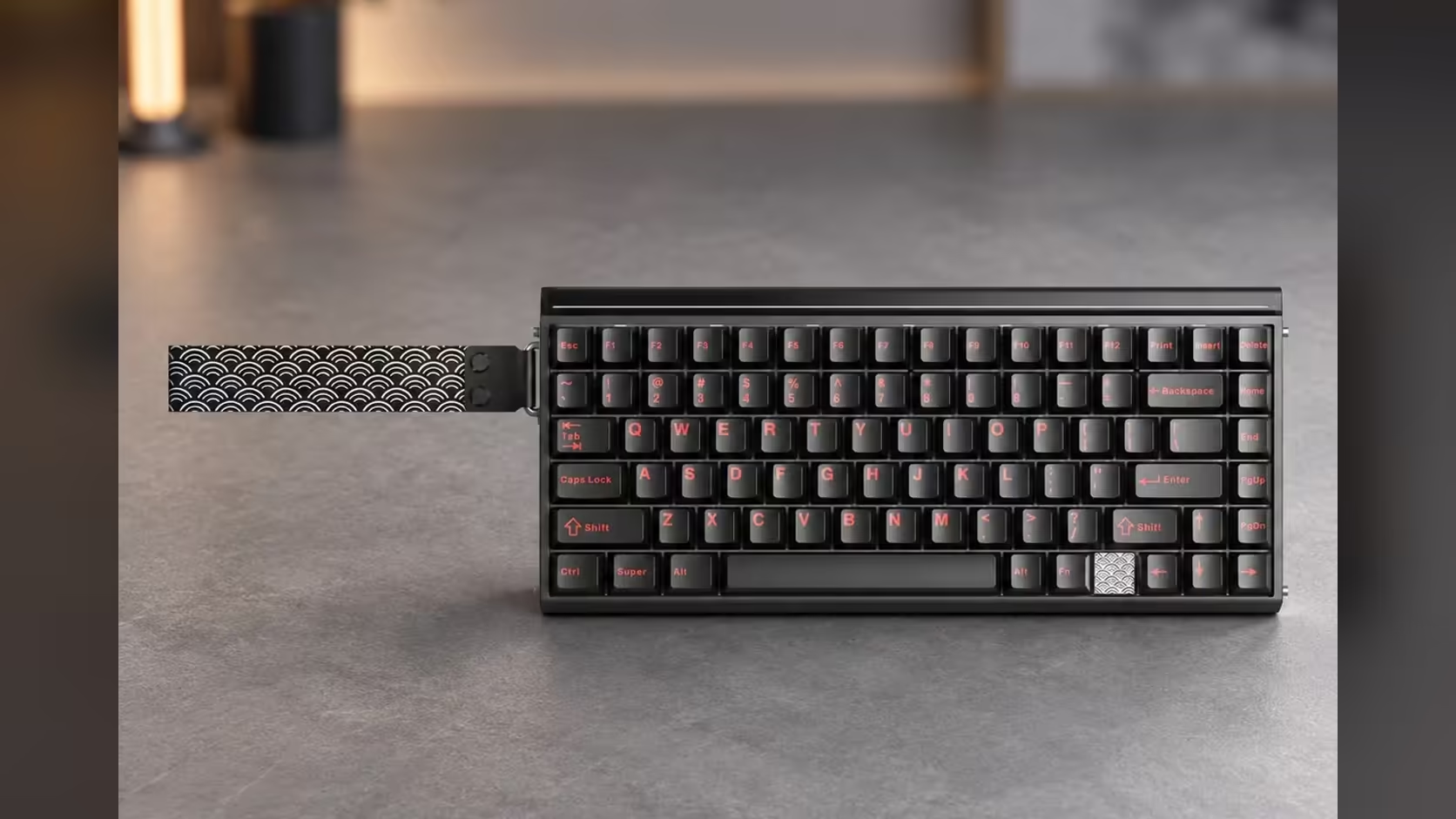
Most desks collect devices: a gaming PC, a work laptop, maybe a tablet propped up for recipes or reading. Each usually comes with its own keyboard, or none at all. The AULA HERO 75 HE can remember three Bluetooth devices at once, so one board can serve all of them. Pair each device once, then hop between them without re-pairing, and keep the 2.4GHz receiver or the cable for the PC games that want full speed.
Quick Answer
The AULA HERO 75 HE stores up to three Bluetooth pairings, so a PC, a laptop and a tablet can share one board. Pair each once, then switch between them as needed. Bluetooth runs at 125Hz, fine for typing and media, so play games on the USB-C cable or the 2.4GHz receiver, which both run at 8000Hz. The HERO 75 HE is R899 at Evetech.
🧭 Plan which device goes in which slot
Before pairing anything, decide what each of the three Bluetooth slots is for. A sensible split:
- Slot one: the laptop you type on most, for email, documents and calls.
- Slot two: a tablet or phone for reading, notes or streaming.
- Slot three: a spare, such as a second laptop or a smart TV that accepts Bluetooth keyboards.
Your main gaming PC does not need a Bluetooth slot at all. It is better served by the 2.4GHz receiver, which keeps 8000Hz, leaving all three Bluetooth slots for other devices.
🔗 Pairing each device, step by step
AULA's product page confirms three Bluetooth devices but does not list the key combinations for pairing or switching, so keep the printed manual handy for the exact keys. The process itself follows the usual Bluetooth pattern.
Step 1: charge the board
The 8000mAh battery powers the wireless modes. Starting a pairing session with a healthy charge avoids the board dropping out mid-setup.
Step 2: put the keyboard into pairing mode on the chosen slot
Select the slot you planned for the device and start pairing using the combination in the manual. The board then advertises itself to nearby devices.
Step 3: pair from the device
On the laptop, tablet or phone, open Bluetooth settings, find the keyboard in the list and connect. Most systems finish in a few seconds.
Step 4: repeat for the other slots
Select the next slot, pair the next device, and so on. Label them mentally in the order you planned.
Step 5: practise switching
Hop between slots a few times and check each device responds. Once each is paired, switching should not need re-pairing.
🍏 Mixing Windows and Mac devices
If one of your devices is a MacBook, the HERO has a Mac mode: Fn with S switches to Mac layout and Fn with A goes back to Windows. That swaps the modifier behaviour to suit each system. Remember to switch mode when you move between a Mac and a Windows device, or shortcuts may land on the wrong key.
The board's configuration tool, the AULA HUB web driver, runs from a browser. AULA's own store lists it as a Windows tool, so plan to do any detailed tuning, such as actuation or key modes, from a Windows PC.
🎮 Where Bluetooth fits, and where it does not
Bluetooth on the HERO runs at 125Hz. That is plenty for typing, video calls and scrolling through a tablet, but a big step down from the 8000Hz the board reaches over the cable and the 2.4GHz receiver. For games, especially fast ones, use one of those two links. The magnetic features, including Rapid Trigger with actuation from 0.1mm to 3.4mm, SOCD and DKS, are at their best on the high-rate connections.
For tablets, a 75% board with 84 keys is a comfortable size. It keeps the function row and arrows and measures 313 x 139 x 43mm, compact enough for a small desk.
One battery serves both wireless radios. AULA does not publish runtime figures, so lighting and how much you use each mode will decide how often you plug in. The HERO has a per-key south-facing RGB layer and a 36-LED light box; dimming them is the simplest way to stretch the time between charges.
However many of your devices end up sharing it, the board's 2 Years Local Warranty runs through Evetech. See it alongside the other gaming keyboards Evetech carries, or check the keyboard best-seller list to compare.
Frequently Asked Questions
How many Bluetooth devices does the HERO remember?
Three. Each is paired once and kept in its own slot.
How should I use the three slots?
Give them to devices that do not need gaming speed, such as a laptop and a tablet, and use the receiver for your gaming PC.
Anything to change for a MacBook?
Switch to Mac mode with Fn and S, and back to Windows with Fn and A, when you move between systems.
Is Bluetooth good enough for gaming?
Not for fast games. It runs at 125Hz, while the cable and 2.4GHz receiver both run at 8000Hz.
Is the board comfortable for tablet typing?
Yes. The 75% layout keeps the function row and arrows in a compact footprint.
Do the wireless modes share one battery?
Yes. The 8000mAh battery powers both the 2.4GHz and Bluetooth modes.
Want one keyboard for every device on your desk?
Browse multi-device boards like the HERO 75 HE in Evetech's gaming keyboard range and cut down the clutter.