Ryzen X3D tuning rewards patience more than aggression. The 7500X3D supports AMD Curve Optimizer, but a stable result comes from small negative adjustments, repeatable measurements and testing every type of load the PC will face.
Quick Answer
A 7500X3D undervolt should begin with stock settings, a temperature and performance baseline, then a small negative Curve Optimizer value such as minus five. Test single-core, all-core, idle and gaming stability before moving further. AMD lists the six-core chip at a 65W TDP with an 89C maximum operating temperature, and the captured standalone local price was R5,199.
🧭 What Curve Optimizer changes
Curve Optimizer shifts the processor's voltage-frequency relationship. A negative value asks the CPU to use less voltage at a given operating point, rather than forcing one voltage and clock across every condition. Precision Boost can still respond to temperature, power and workload limits.
A larger negative number means a larger curve shift, not a guaranteed efficiency gain. Individual silicon varies. One processor may run minus 20 without errors while another can fail at minus 10, and separate cores on the same chip may have different limits.
That is why copied settings are only a starting reference. The safe value is the one proven on the exact processor, motherboard BIOS, memory configuration and cooling setup.
🌡️ Establish a stock baseline first
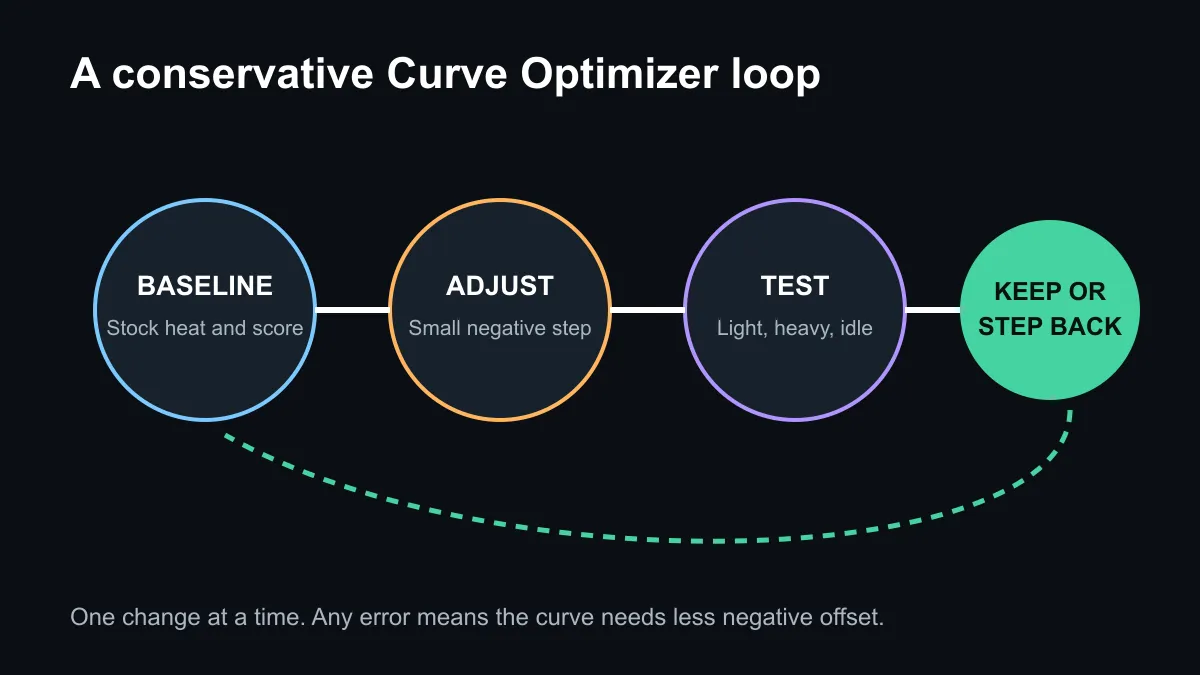
Record idle temperature, a repeatable all-core result, a lightly threaded result and two or three games at stock settings. Note ambient conditions, fan profile, package power, peak temperature and performance. Without a baseline, a lower temperature can hide a performance loss or a changed fan curve.
AMD lists the Ryzen 5 7500X3D with six cores, 12 threads, a 4.0GHz base clock, up to 4.5GHz boost, 96MB of L3 cache and no bundled cooler. A competent CPU cooler remains important even when tuning for efficiency.
🔧 A conservative tuning sequence
Enable Precision Boost Overdrive and set Curve Optimizer to a small all-core negative value. Minus five is a sensible first test because it leaves room to observe the direction of change. Save the BIOS profile, boot normally and repeat the baseline tests.
If results remain stable, move in small steps. Stop when errors, restarts, application exits, clock stretching or performance regressions appear, then return to the last proven setting. Per-core tuning can recover margin when one weak core limits an all-core value, but it takes longer to validate.
Use more than one stress pattern. Heavy all-core tests can pass while a lightly threaded boost transition fails. Include single-core loops, all-core loads, cold starts, idle periods, sleep and wake, and the games actually played. Reliability over several days matters more than a quick benchmark pass.
💰 Local value and warranty judgement
The captured catalogue showed the standalone 7500X3D at R5,199, alongside bundles and complete systems. Check current AMD processor listings and the narrower Ryzen 5 range because pricing can change.
Undervolting is optional. A stock processor within AMD's operating limits is not unfinished, and buyers uncomfortable with BIOS recovery should leave it there. Record every change so the machine can be returned to a known-good configuration.
Frequently Asked Questions
Can the Ryzen 5 7500X3D be undervolted?
Yes. AMD lists Curve Optimizer and Precision Boost Overdrive support for the processor.
What negative value should I start with?
Start cautiously, such as minus five, and test the exact system. Another person's value is not proof of stability.
Will an undervolt always lower temperature?
Not always. Precision Boost may use some electrical margin for more clock speed, so measure power, heat and performance together.
What is the stock temperature limit?
AMD lists a maximum operating temperature of 89C. Normal results still depend on cooler, case airflow and room temperature.
How long should stability testing take?
Use repeated tests and normal workloads over several days. Include light boosts and idle transitions, not only an all-core test.
What should I do after an error?
Reduce the negative offset towards zero, restore the last stable profile and repeat the same test that exposed the problem.
Tuning a Ryzen gaming build?
Compare current processor and cooling options, save a stock baseline, and make only one measured change at a time.