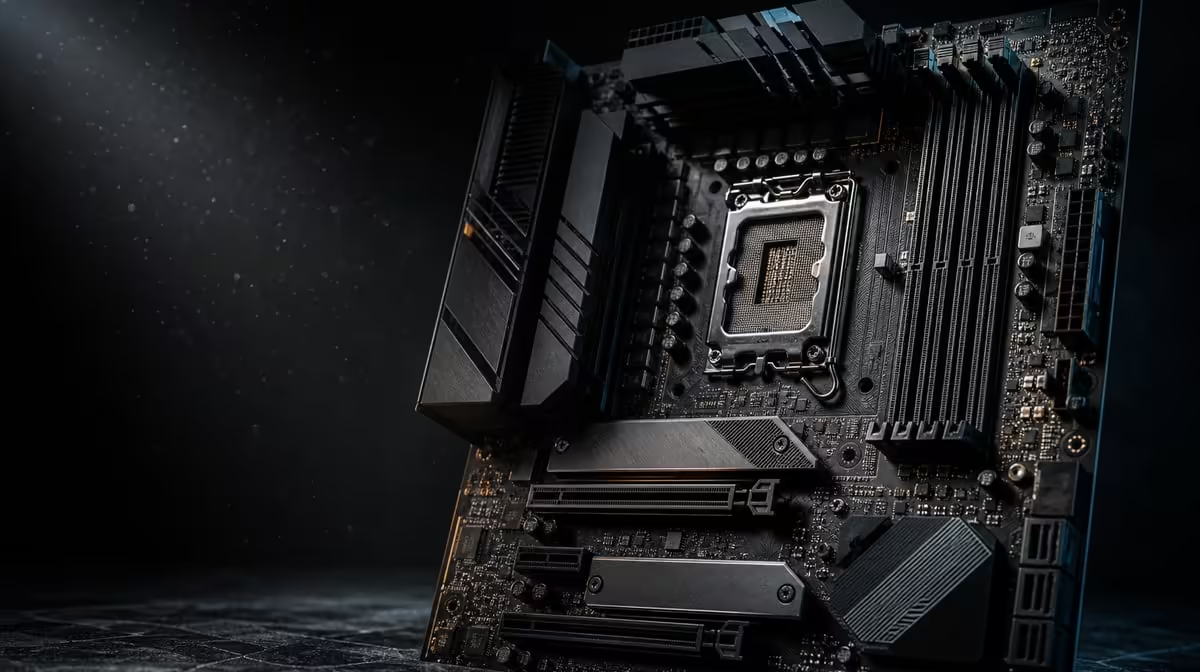
AI features on a PC platform should solve defined control problems, not act as a substitute for application hardware. The advanced AI PC features for gaming and productivity named on the X870E Extreme are AI Overclocking and AI Networking. Their value comes from assisted tuning and network management that can be measured and reversed.
Quick Answer
Use AI Overclocking for a controlled tuning task and AI Networking for a defined connection problem, always against a stable baseline. The R24,899 Extreme surrounds those tools with AM5, DDR5, five internal drive locations and wireless plus multi-gig connectivity; none performs application AI compute or guarantees gaming gains.
?? Define what the feature controls
AI Overclocking belongs to platform tuning. AI Networking belongs to network behaviour. Neither replaces the processor, graphics hardware, memory or software used for productive AI work.
Write the desired outcome before enabling either tool: measurable performance, easier setup, stable traffic or time saved. Avoid broad "faster PC" expectations.
Select the processor through Evetech's AMD CPU category, then confirm exact compatibility.
?? Build a tuning baseline
Start with a stable, correctly cooled machine. Record firmware, configuration, temperatures, noise and representative gaming or productive tasks.
Use the automated function, change nothing else and repeat the same tests. A useful result must remain stable and respect the user's thermal and acoustic priorities.
Keep a return path
Save the original state and note every assisted change. Stop if the system becomes unstable or behaves abnormally.
?? Test network assistance separately
Choose one interface and one workload. The Extreme provides Wi-Fi 7, 5G LAN and 10G LAN, each dependent on the network around it.
Measure a game, call or local transfer before and after the assisted configuration. External routing, service limits and endpoint storage remain possible constraints.
Compare the X870 board range after defining the network task, not by AI label alone.
Use normal traffic
Repeat under ordinary household or office load. A tool that helps only on an empty network may have limited daily value.
?? Judge the R24,899 bundle
Five M.2 positions, PCIe 5.0, USB4 Type-C and advanced networking form the wider flagship case. Builders using several of these alongside automation can justify the platform more coherently.
Evetech's broad AMD motherboard selection provides alternatives for users who need compatibility and storage without the full tool set.
Review results after a week
Record whether automation saved time, improved a repeatable task or remained unused. Real ownership evidence should guide later upgrades.
Keep AI work hardware separate
If the goal is running productive AI software, assess the application's processor, graphics, memory and storage needs directly. Motherboard automation serves platform management rather than supplying model compute.
Define a productivity benchmark
Choose one repeatable task such as a project export, large file move or sustained application run. Record completion time, system behaviour, temperature and noise before enabling tuning assistance. This becomes the baseline against which any change must earn its place.
Do not replace that task with a synthetic result alone. A setting can improve one metric without making the actual work faster or more reliable.
Define a network benchmark
Select one online call, game session or local transfer and hold the interface constant. Observe throughput, latency variation and interruption before and after AI Networking is used. Repeat under normal traffic rather than an empty network.
If the connection changes from Wi-Fi to 10G during the comparison, the result cannot be attributed to the tool. Evaluate interface choice and automation in separate steps.
Include cooling and recovery time
Assisted tuning can change platform behaviour, so check sustained temperature and fan noise. Save the original settings and confirm that returning to them restores the baseline.
The value of easier tuning falls sharply if diagnosis or reversal becomes confusing. Clear records are part of safe automation.
Compare the feature with manual simplicity
Some users prefer a stable default configuration and have no recurring need for tuning or traffic management. For them, unused assistance should carry little budget weight. Others may save time repeatedly through guided control.
Score the function after normal ownership, not during initial setup. Actual reuse is stronger evidence than the novelty of the interface.
Audit productive AI requirements directly
List the models or applications the PC will run, then identify their processor, graphics, memory and storage demands. This prevents motherboard automation from being mistaken for application acceleration.
The Extreme can host a capable platform, but compute performance comes from the selected components and software path. Budget those first.
Use a decision log
For each automated change, record the reason, baseline, result and whether it was retained. Include the firmware and interface involved. The log makes later updates easier to assess and prevents old experiments from becoming unexplained permanent settings.
Set a review date
Return to the tools after several weeks of gaming and work. If neither solved a recurring problem, reduce their value in the platform score. If one consistently saves setup time, document that benefit for the next build.
Review stability after firmware or major network changes as well. An old automated result should not be assumed to remain optimal forever. Repeat the baseline, confirm the same limits and retain only settings that continue to improve real work.
Keep automated assistance secondary to recoverable, stable operation. A smaller improvement that survives normal gaming and productive work is more valuable than a larger result that cannot be repeated.
Record the final retained settings beside the workload that justified them, making later review precise.
Repeat that workload after major platform updates before assuming the prior automation remains suitable.
Compare automated and manual ownership
Run the platform for a week with the retained automated settings, then return to the known default for another comparable period. Observe useful performance, stability, noise and the time spent managing the machine.
The comparison may show that automation earns its place through convenience even when the benchmark difference is modest. It may also show that a stable default is simpler and equally effective for the user's work.
Keep the conclusion tied to the tested workloads. Another owner with a different cooling target or network environment may reasonably value the same tool differently.
Frequently Asked Questions
Which AI capabilities are named'
The X870E Extreme specifies AI Overclocking and AI Networking.
How can AI Overclocking help'
It can assist a tuning process that still needs baseline measurements, cooling, stability checks and a return path.
What does AI Networking target'
It addresses network-management tasks within the interfaces and infrastructure available to the PC.
Can these tools run AI applications'
They are motherboard platform tools. Application compute depends on the rest of the hardware and software.
Do they guarantee higher frame rates'
No. Any change must be measured in the actual game and complete system.
Who benefits most'
Users with a recurring tuning or network task and a willingness to test the result can gain the clearest value.
Ready to evaluate AI motherboard tools by results'
Compare Evetech's AMD platforms by compatibility first, then measure automated tuning and networking against one stable task at a time.