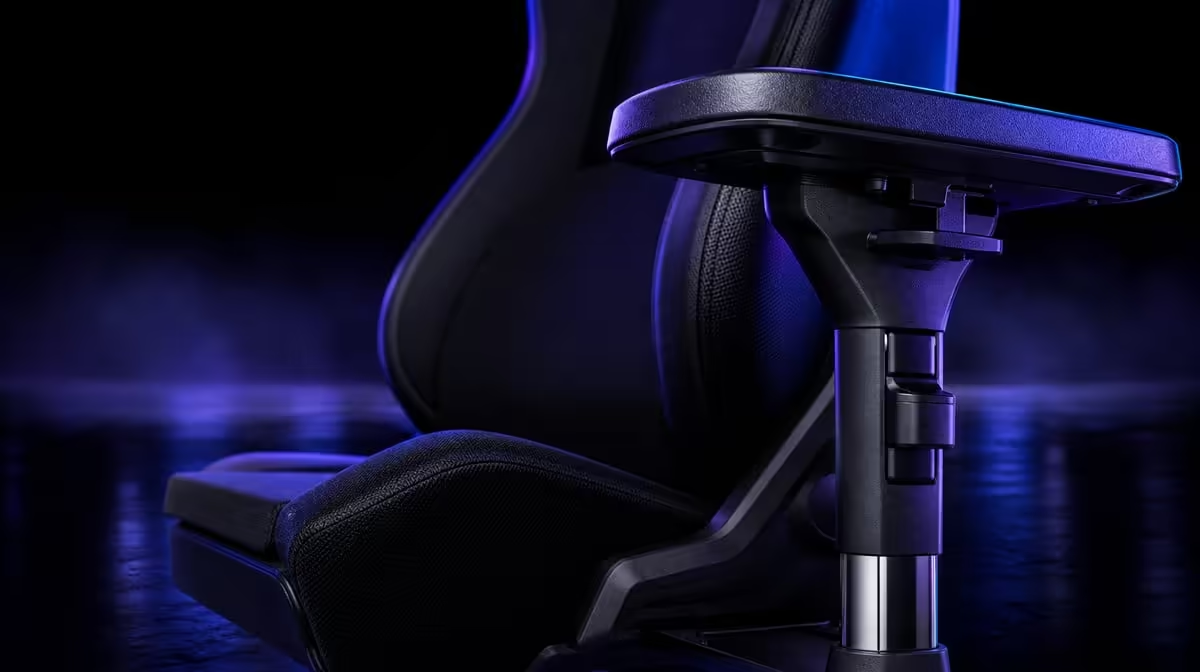
Large adjustable pads are valuable only when they keep the forearms supported across the tasks that fill a long session. Are enlarged 4D armrests worth it depends on shoulder position, desk clearance and how often the controls move. Four-way positioning and a broad pad area form the arm-support case for the R8,599 noblechairs HERO Black Edition.
Quick Answer
The HERO's enlarged 4D pads are worth paying for when they let relaxed forearms stay supported through keyboard, mouse and controller use. Test height, depth, width and angle against the real desk. At R8,599, adjustment count alone is not value; repeatable shoulder and wrist comfort is.
📐 Establish the arm line
Sit back, let the shoulders drop and bend the elbows naturally. Raise the pads towards the forearms without making the shoulders shrug.
Move them closer or further apart so the arms do not reach sideways. The broader surface should support the forearm rather than press into the wrist.
Evetech's noblechairs chair category provides the HERO context.
↔️ Follow changing controls
Move pads forward for desk controls and rearward when a controller sits closer to the body. Refine angle only after height and location are stable.
Check each side independently. The mouse and keyboard arms can require different positions.
Test desk clearance as the chair moves in and out. A pad that repeatedly catches the edge weakens the saved setup.
Run the test with ordinary chair movement, not only while sitting perfectly still. Approach the desk, turn towards another screen and stand again. The pads should preserve support without becoming obstacles.
Watch where each forearm lands during pointer travel and key presses. A large surface is useful when the arm retains contact through these small movements rather than slipping towards the wrist.
Adjust one direction per trial. Changing height, depth and angle together may produce comfort without revealing which movement mattered, making the position harder to reproduce.
Check both a quiet work block and a gaming section. The feature earns long-session value when it follows the change without forcing raised shoulders.
Compare the first ten minutes with the end of a longer block. Initial pad contact may feel correct, yet the user can gradually begin shrugging or reaching. A delayed compensation is still evidence that height, width or desk distance needs revision.
Test typing without pressing the forearms into the supports. The pads should provide a resting point, not become surfaces the user must lean on to remain upright.
Move the mouse through its normal working area. If the arm repeatedly slides off the pad, adjust angle or depth before increasing height. If the torso follows the mouse, bring the control itself closer.
For controller play, let the elbows settle near the torso and move the supports towards them. Do not hold the controller at desk height simply to preserve the work position.
🪑 Judge enlarged surfaces
The HERO's pads provide a broad contact area through small hand movements. Size does not correct poor positioning.
Tune lumbar depth first because torso changes move the elbows relative to the desk. Keep controls within reach.
Set the screen so the head can remain comfortably back. Reaching visually can change the torso and make an armrest test partly about display placement.
For a shared chair, save approximate work and gaming references for each user. The enlarged pads do not create one correct setting for everyone.
Use movement breaks. The pads support contact during tasks, not uninterrupted stillness.
If persistent shoulder or wrist pain appears, stop treating pad position as the complete answer and seek appropriate professional advice.
Check the wrists in relation to the controls. A pad can support the forearm while the hand still bends sharply towards a high keyboard. Chair and desk changes should work together.
The HERO's infinite lumbar control belongs earlier in the sequence. A change in lower-back depth shifts the torso and can make previously correct pads feel too far forward or rearward.
Shared users can mark approximate positions with a photo or written cue. The four directions make retuning possible, but no saved image replaces the user's relaxed shoulder check.
Include ordinary movement between tasks. Armrests should not block the user from standing or reaching briefly, and a break remains necessary during long hours.
Compare armrest approaches in Evetech's gaming chair range.
💵 Prove the R8,599 value
Use work and gaming blocks, note every useful pad change and count how often shoulders stay relaxed. Unused directions receive little budget weight.
The HERO also adds steel construction, up-to-150kg user design and breathable PU. Judge them separately.
Create value rows for contact area, useful directions, desk clearance and restoration time. A feature used daily can justify more of the premium than one adjusted only at purchase.
Compare a fixed-armrest chair through the same sequence. If it supports relaxed forearms across every task, the HERO's added range may be unnecessary for that user.
At R8,599, the whole chair must pass. Strong armrests cannot cancel an unsuitable backrest or surface preference.
Score the feature with evidence: number of useful directions, time needed to restore settings, desk clearance and forearm contact through each task. This is more informative than counting adjustment labels.
Compare an appropriate fixed or simpler armrest design under the same conditions. If it passes every row, the user's money may be better directed elsewhere. If it forces a compromise, the HERO's movement has earned a clear role.
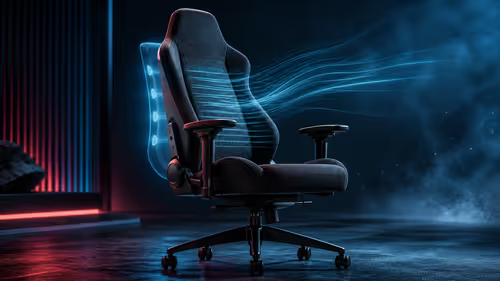
The breathable PU and air channels affect contact heat around the rest of the chair. Evaluate them in the same session without crediting armrests for ventilation.
Construction context comes from a robust steel frame and an intended user range extending to 150kg. Neither proves that the pads are worth the premium for this particular desk.
Compare premium seating through Evetech's gaming chairs above R4,000 and verify the live range.
Use a task map to decide whether all four directions matter. List keyboard, mouse, controller and any other regular input, then note where the elbows naturally settle for each one. Height may solve the shoulder line, depth may close a gap to the desk, width may match the torso and angle may follow the forearm. A direction earns value only when it improves one of those real positions. The HERO's enlarged pads can make transitions more forgiving, but surface size should not be confused with correct alignment.
After the map is complete, total the sessions in which the extra movement is used. Frequent, repeatable support can justify part of the R8,599 package; dormant adjustability cannot.
Frequently Asked Questions
What makes a larger pad useful?
It provides a broader forearm contact area through small hand movements.
Why does 4D movement matter?
It adapts support to different body and control positions.
When is it not worth the complexity?
When a fixed position already supports the user and the extra directions remain unused.
How should shoulders feel?
They should remain relaxed rather than lifting to meet the pads.
Can large pads create clearance problems?
Yes. Test them against the actual desk through normal chair movement.
Should both pads match?
Not necessarily. Mouse and keyboard tasks can justify different sides.
Can enlarged pads replace good desk reach?
No. Controls still need to sit close enough that the torso remains supported.
Why test getting in and out?
It reveals whether the saved pad position collides with the actual work surface.
Do movement breaks still matter?
Yes. Arm support does not remove the need to stand and reposition.
Ready to make enlarged armrests prove their worth at the desk?
Compare Evetech gaming chairs and test every HERO pad direction through real tasks.