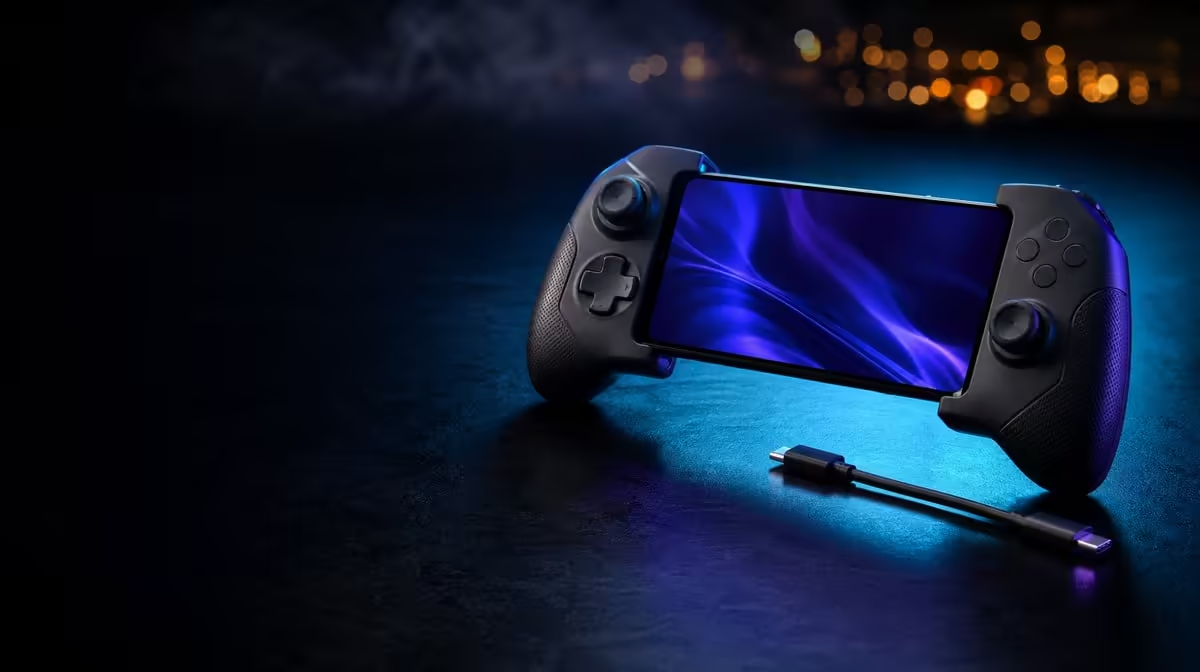
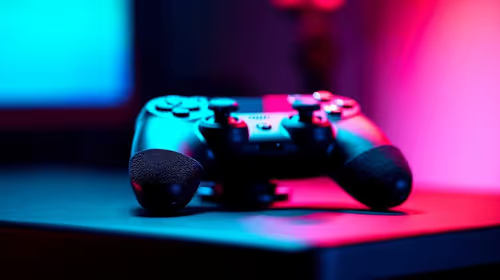
South African players do not need one permanent winner among three connection paths. To choose Bluetooth, USB-C or 2.4GHz gaming, assign each mode a device, place and budget. The tri-mode GameSir X5s costs R699, while receiver-based use needs a separately planned compatible dongle.
Quick Answer
Choose Bluetooth for receiver-free mobile play, USB-C for a direct wired session, and 2.4GHz when a compatible receiver fits the PC setup. The GameSir X5s is R699 before the separate dongle. Compare modes in the same local game scene so controller response is not confused with South African internet latency.
📱 Bluetooth reduces the mobile load
Bluetooth removes a loose receiver from the phone kit. Pair the X5s with Android, confirm that the chosen game supports external controller input and run a default button check.
This route suits travel and casual movement between playing spaces, especially with the controller's lightweight design. Portability still depends on how the phone, case and controller fit together, so judge the complete kit rather than inventing measurements.
A connected Android device does not guarantee that every title uses 6-axis gyro, HD Vibration or analog trigger travel. Record which features each game recognises.
If Bluetooth feels delayed, test several repeatable local inputs at the normal distance. Do not use an online match as the only evidence, because server travel belongs to a separate path.
Record the scene and result. "Local menu, Bluetooth, consistent" is clearer than a general impression that wireless felt fine. This note becomes the comparison for USB-C and keeps attention on repeatable behaviour.
If a game accepts buttons but not gyro, the limitation belongs to its input support rather than Bluetooth itself. Keep connection and feature compatibility as separate rows in the plan.
The Evetech gaming controller range provides the relevant South African category for comparing mobile connection options.
🔗 USB-C establishes the direct route
USB-C is useful wherever a cable does not interfere with play. It removes the controller's wireless hop, making it a sensible PC choice and a diagnostic reference.
Keep the game, device, display and test action unchanged when moving from Bluetooth. A menu direction or fixed camera turn repeated several times provides a clearer comparison than switching titles.
If the same delay remains over USB-C, inspect device performance, game processing and display timing. Sensitivity and deadzone should not be used to cover an input path that has not been diagnosed.
Use the wired baseline to confirm Hall stick centre, analog triggers and ABXY actions before enabling Turbo or a custom mapping. This creates a known state that can be restored later.
Test motion and feedback only after conventional input passes. HD Vibration can alter physical feel, and gyro can move the view with untouched sticks. Adding them too early can make a clean connection seem unpredictable.
📡 2.4GHz adds a receiver decision
A 2.4GHz mode needs compatible receiver hardware. Because the X5s package omits the dongle, a buyer should place it on a separate setup line rather than describing the full arrangement as R699.
Confirm compatibility before using the mode as a latency solution. A frequency label alone cannot guarantee a particular response. Test the receiver path under the same local conditions as USB-C and Bluetooth.
At a fixed PC desk, keeping track of a dongle may be easy. In a mobile bag, the extra piece may reduce convenience. That practical difference can matter more than an abstract connection ranking.
Once the receiver is part of the setup, compare several ordinary inputs under the same conditions used for USB-C. Consistency across a menu direction, stick movement and trigger press says more than one fast action.
Browse the broader Evetech gaming accessories category after the receiver has a clearly defined role.
🧭 Build a mode plan, not a mode argument
Create a table with device, location, connection, required items and first test. Bluetooth may read "Android, mobile, controller only". USB-C may read "PC desk, cable, local menu". The 2.4GHz column should name the compatible receiver rather than leaving it assumed.
Add a fallback. If Bluetooth becomes unreliable, USB-C can keep the session moving and reveal whether the issue follows wireless. If the receiver path fails, the cable can confirm game recognition. Tri-mode is valuable because it offers alternatives as well as preferences.
Add a switching routine too. Confirm device recognition, test default buttons, load the intended game profile and check whether Turbo is active. This protects an old custom layout from being mistaken for a mode problem.
Keep controller latency and internet latency separate. A press must first reach the device; online action then travels to a server. Test offline or locally before drawing a conclusion about the mode.
The X5s uses the same Hall sticks, triggers, gyro and buttons across connections. If only one route changes the behaviour, investigate that path before recalibrating the control hardware.
Review the table after a week of real play. The mode used most often deserves the simplest setup and clearest profile. A rarely used route can still remain valuable as a fallback, but it should not dominate the budget.
Consider a typical switch from phone to PC. End the Android session, connect through the chosen PC route, confirm default input, load the correct game profile and test one menu command. If 2.4GHz is selected, the compatible receiver must already be part of the plan. This sequence exposes the true convenience of each mode.
Then reverse the journey. Return to Bluetooth on Android without editing the working mobile map. A clean round trip proves that the connection notes and software profiles support tri-mode use rather than merely describing it.
The decision can change by day. Travel may favour Bluetooth, a long desk session may favour USB-C, and a receiver-equipped PC may favour 2.4GHz. Flexibility is the result, while disciplined setup keeps it from becoming confusion.
At R699, the X5s gives South Africans three routes with one receiver caveat. Choose the mode that fits the session, not the one with the most impressive label. The Evetech accessory best-seller page can help finish the wider setup after that choice.
Frequently Asked Questions
Which connection is easiest for mobile travel?
Bluetooth, because it avoids a separate receiver and cable. Game support still needs to be confirmed on the Android device.
Why choose USB-C at a fixed setup?
It supplies a direct path and a useful reference for diagnosing wireless response. A cable can be practical at a desk.
What makes 2.4GHz a separate budget decision?
The X5s dongle is not included. A compatible receiver must be identified and costed outside the R699 controller price.
Can local internet quality select the controller mode?
Not by itself. Online network travel and local controller input are different paths, so test a local scene first.
Do all modes guarantee the same game support?
No. Connection and game compatibility are separate. Verify external controls and extra features in the intended title.
Ready to give every connection a device, place and purpose?
Explore Evetech gaming controllers and build a South African mode plan around real sessions rather than a universal ranking.