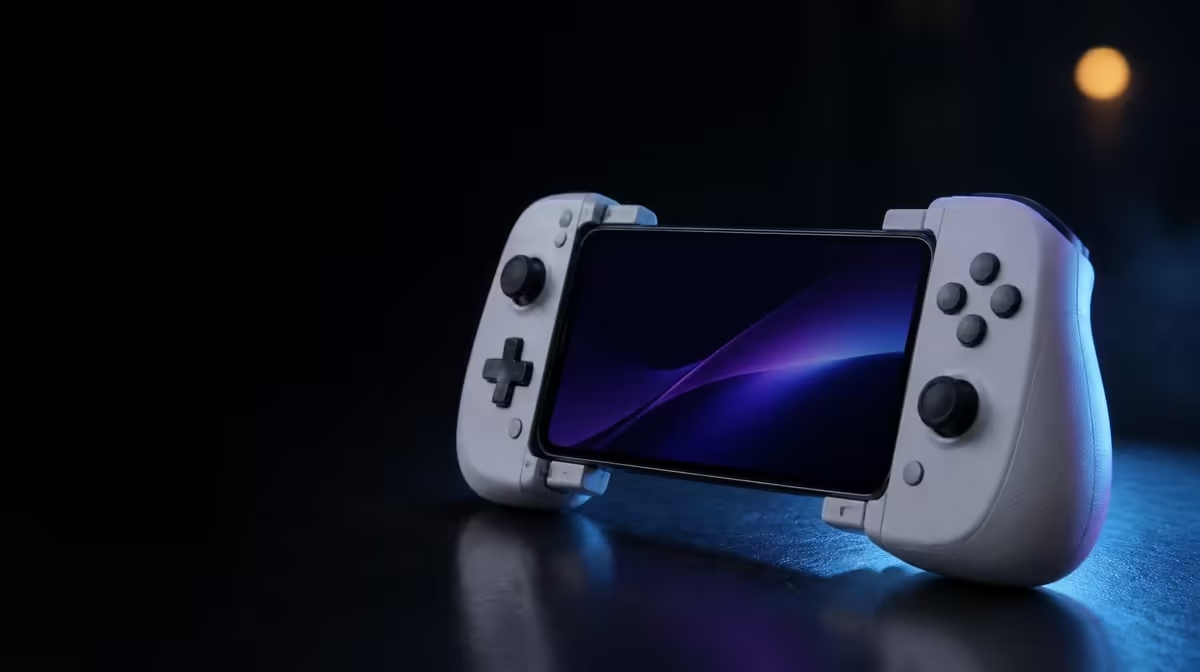
A controller that feels manageable on a sofa can become awkward once it shares a bag with power, cables and a phone. Choosing a mobile controller for commuting requires secure fit, packed-size planning and support for games that work in short travel windows. The R1,199 GameSir X3 Pro integrates cooling and controls, reducing separate attachments while adding its own bulk.
Quick Answer
For commuting, confirm that the phone stays secure, the stretched controller fits the bag, the cable and power arrangement are protected, and priority games work as expected. At R1,199, the X3 Pro combines the cooler, Hall sticks and quick triggers in one body, but its complete travel footprint must be judged rather than the controller alone.
🎒 Measure the packed kit, not the open frame
List every item needed for the intended session: controller, phone, cable, power source and protective storage. Place them together and measure the space they occupy. A stretchable controller closes around different phones during use, but that does not necessarily make it pocket-sized.
Protect the sticks and triggers from pressure in the bag. Heavy objects resting on a cap can load the mechanism, while loose cables can catch around the frame. Use a compartment or case that prevents movement and keeps grit away from the controls.
Evetech's gaming controller category helps commuters compare formats before deciding how much luggage space a model deserves. Consider the route too: a daily train trip, shared lift and airport journey create different opportunities for using and packing hardware.
Practise the pack-away sequence
End a test session, disconnect safely and return every piece to its storage place. A setup that takes too long to pack may be frustrating during a short stop, even if it performs well once assembled.
📱 Make secure phone seating non-negotiable
Remove the case during the first X3 Pro fitting and check overall length, camera-bump clearance and USB-C alignment. Stretch the controller evenly, seat the plug straight and lower the far end without forcing it. The phone should remain balanced when the bus or train moves.
Do not play in a posture where a sudden stop could send the handset or controller into another person. Keep the grip close and pause when movement makes safe control difficult. Travel suitability includes awareness of the environment, not only mechanical attachment.
The integrated cooler must meet the handset while leaving air openings clear. A hand wrapped tightly around the unit in a narrow seat could block flow. Check placement under the real grip, rather than judging it only on a desk.
🔌 Count power and cable constraints
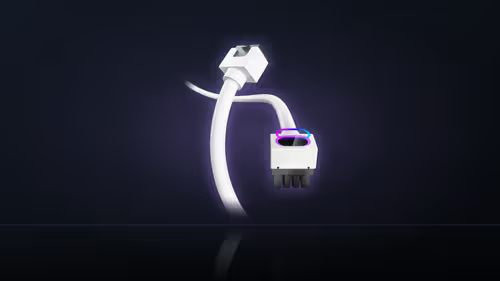
Charge Cool One Cable can reduce the number of loose routes around charging and cooling, which is valuable in a confined seat. Give the line enough slack for hand movement without letting it trail into a walkway. Protect each connector from sharp bends inside the bag.
The phone may consume energy faster than it receives during a demanding game. Record battery movement through a typical commute-length run, and stop at any heat warning. Integrated cooling does not remove the need to manage workload and ambient temperature.
Supporting travel pieces can be explored through Evetech's gaming accessories department. Choose around cable protection and compact handling rather than adding items simply because space remains.
🎮 Match controls to short-session play
Hall sticks give the X3 Pro magnetic directional sensing, while micro-switch triggers make rapid digital actions distinct. Both can be useful when a short session leaves little time to settle into an awkward profile. Test neutral input and button mapping before leaving home.
Six-axis gyro may be less comfortable in a crowded setting because it requires physical controller movement. Use a stick-led profile or lower motion sensitivity when space is limited. Dual rumble can also be reduced if feedback would disturb grip stability or nearby passengers.
Offline support and network requirements belong to the game rather than the controller. Prepare the intended title before the journey and do not assume a control connection guarantees access during the trip.
The best-selling accessories view offers broader context for a travel kit. Keep the final arrangement lean enough to unpack, use and protect without rushing.
At R1,199, the X3 Pro trades separate cooling hardware for a more substantial controller body. That exchange makes sense when the owner regularly wants cooling and full controls away from home. It is weaker value when the kit rarely leaves a desk.
Test the controller through the exact length of a normal commute. A ten-minute trip does not need the same battery planning as an intercity journey, and a player may spend part of the route standing or changing vehicles. Build the gaming window around safe seated time rather than the full trip duration.
Download updates and prepare games before leaving. Mobile connectivity can vary along a route, and a controller has no influence over a title that cannot start or maintain its online session. An offline training mode can make a more dependable travel companion where the game offers one.
Think about public sound and movement. Headphones, rumble strength and gyro range should respect nearby passengers. A small motion profile with reduced vibration may be more practical in a confined seat than the expansive setup used at home.
Run a deliberate interruption test. Pause the game, lock the phone, pack the unit safely, then reconnect and resume later. Check whether inputs return correctly and whether the phone needs to be removed from the frame. Travel play often ends unexpectedly, so recovery matters as much as launch.
Inspect the kit after the journey. Look for a cable bend, grit near the controls or pressure marks on the storage compartment. Correcting those details early protects both Hall-stick mechanics and USB-C alignment.
Finally, ask whether the integrated cooler will be powered and used often enough to justify carrying it. The X3 Pro's R1,199 package is compelling for a commuter who wants full controls and thermal support together. A player taking only brief, light sessions should rank packed simplicity more heavily.
Create a home-to-travel reset list: charge the phone, prepare the game, check the cable, inspect stick protection and confirm the storage space. Completing it before departure reduces hurried fitting in a moving environment.
On arrival, allow the controller to return to normal room conditions before a long session if it spent time in a hot bag or vehicle. Starting temperature affects both comfort and the cooling comparison.
The best commuting controller is not simply the smallest. It is the model whose full protected kit can be carried, deployed and recovered safely within the real journey.
Frequently Asked Questions
What should commuters measure before buying?
Measure the phone fit and the total protected kit, including power and cables. The controller's stretched dimension alone does not describe bag space.
Does an integrated cooler make travel simpler?
It can remove a separate cooling clamp, while adding cooling hardware to the controller body. The complete pack determines whether that is simpler.
Are micro-switch triggers useful during a short trip?
They can make rapid commands easy to identify, provided the game maps them and the player's grip remains comfortable in the available space.
How much is the X3 Pro travel example?
The cooled white controller costs R1,199. Check Evetech's current availability before planning it into a commute kit.
Ready to build a controller kit that travels cleanly?
Browse Evetech's mobile control choices and test the full unpack, play and repack routine before the first trip.