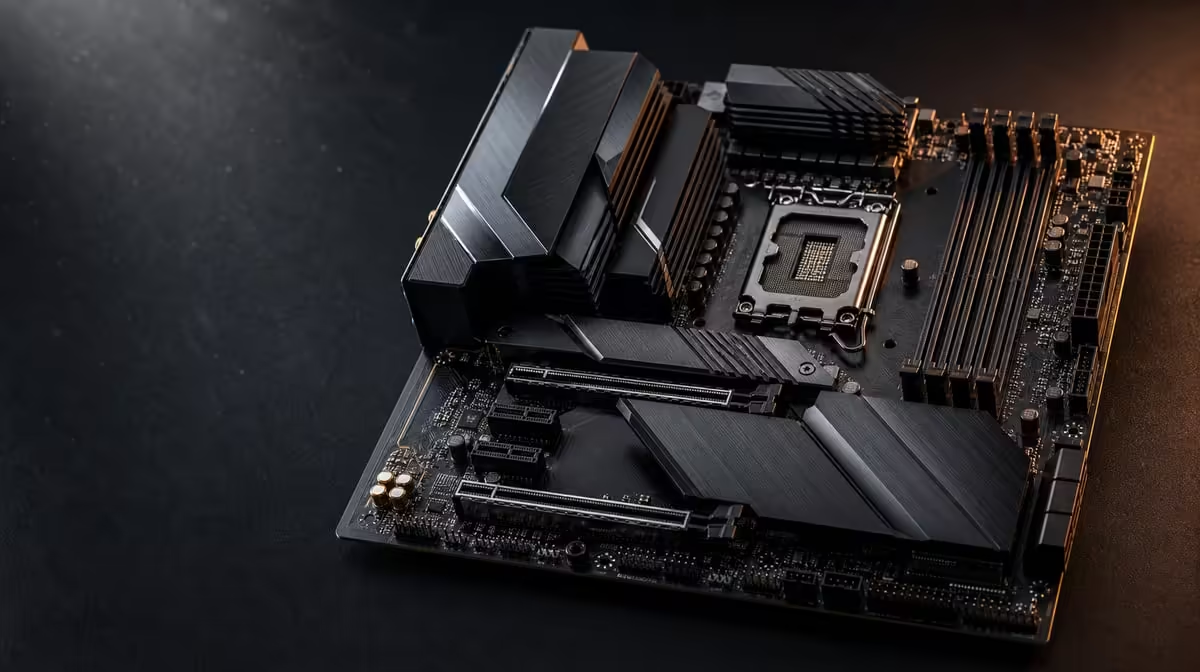
A newer chipset can widen motherboard design choices, but it does not assign frame rates by itself. Comparing X870E with older AM5 chipsets means examining exact boards, their storage routes, network interfaces, format and price against one gaming build. The ROG Crosshair X870E Extreme demonstrates the feature ceiling rather than proving every older option obsolete.
Quick Answer
Choose between X870E and an older AM5 board by exact CPU support, DDR5, graphics fit, storage layout, networking, external connections and chassis compatibility. The R24,899 Extreme separates itself through five internal drive positions and PCIe 5.0, then adds three network choices, USB4 and a larger E-ATX design. A simpler compatible board can still produce the better gaming system.
?? Compare models, not generations
Begin with the chosen processor. AM5 is the common socket family in this comparison, but each exact CPU and firmware path still needs confirmation. Evetech's AMD processor category can define the model before board features enter the discussion.
Create a requirement sheet containing:
- exact CPU and DDR5 plan;
- graphics card and any additional expansion hardware;
- launch storage and likely next drive;
- wired or wireless network route;
- case format and external-device needs.
Score exact boards against this list. A newer chipset label cannot recover value from a missing requirement, and an older label does not erase a design that still fits.
?? Inspect storage and expansion
The Extreme provides PCIe 5.0 and five M.2 positions. That breadth can suit a storage-heavy creator or gaming workstation, provided each drive has a role and the exact layout accommodates all devices.
An older AM5 board with enough suitable positions may perform the planned storage work just as effectively. Interface headroom matters when a matching SSD and workload can use it. Capacity, cooling and physical access remain part of the decision.
Browse Evetech's X870 motherboard selection to see current platform choices, then compare them with the complete AMD motherboard range. Keep the device map fixed so the comparison does not drift towards whichever feature list is longest.
Plan the graphics-card area
Board format and slot arrangement affect access around a large GPU. Mark any add-in card and M.2 position that may sit beneath or near it. A board with more nominal expansion can be less practical if the completed layout makes essential devices difficult to install or service.
?? Value networking through infrastructure
Wi-Fi 7 can support a modern wireless plan where compatible equipment and suitable signal conditions exist. The Extreme's 5G and 10G wired interfaces can serve distinct local network roles.
An older board can remain perfectly suitable on a stable conventional connection. Online gaming does not automatically use a 10G link, and no local interface makes the external service exceed its own path. Large local file movement creates the clearer multi-gig use case.
Include upgrade dependencies
If selecting the Extreme for 10G, price the switch, cabling, remote endpoint and storage that would complete the route. If selecting it for Wi-Fi 7, confirm the router and room. Platform potential should not be valued as realised performance when the surrounding equipment remains unchanged.
?? Test the full build at R24,899
Construct two equal-budget systems: one with the Crosshair and one with an exact older-chipset board that meets the base requirements. Allocate the difference to graphics, storage capacity, cooling or display quality, then compare real gaming and creator tasks.
The newer flagship can win when several expansion and connection advantages avoid later add-in hardware or replacement. The older board can win when it already supports the CPU, GPU and devices without limiting the workload.
Account for E-ATX
The Extreme requires a compatible case. Verify mounting, cable access, cooling and component clearance. A case replacement or larger chassis belongs in the motherboard cost column.
Preserve a stable baseline
Whichever platform wins, assemble the minimum device set first and record the firmware, memory positions and storage map. Add optional hardware in stages. This reduces the number of unknowns during first boot and creates a cleaner foundation for later upgrades.
Build a weighted comparison
Give essential compatibility a pass-or-fail score. Then assign weights to storage, networking, external connectivity, assembly and price according to the actual user. A creator moving large files might weight 10G and M.2 breadth heavily, while a gaming-only buyer may assign more value to a lower total platform cost.
Score only capabilities the exact model provides and the surrounding equipment can use. This prevents a newer chipset from winning because it offers several low-priority functions, while also revealing when an older design requires too many workarounds.
Include firmware and support effort
The comparison should account for the intended processor at purchase and at the next credible upgrade. Record the current firmware state and any preparation needed before the CPU is installed. Do not assume that sharing AM5 makes the first-boot sequence identical.
After assembly, keep the known-good configuration with the parts list. Future troubleshooting becomes easier when memory arrangement, drive placement and firmware changes can be traced.
Revisit the choice after selecting the case
An E-ATX chassis may create more room but also change cost, desk footprint and cable routing. Rebuild the comparison once the exact case and cooler are known. A board that looked ideal on a specification sheet can lose value if it complicates every maintenance task.
Older AM5 alternatives may use a format that fits the existing case more cleanly. That physical advantage should be scored beside connection count and not dismissed as a cosmetic difference.
Decide from the workload timeline
List what the machine does at launch, after the first storage addition and after the next major platform change. The Extreme should solve problems across that timeline without forcing current compromises. If its strengths appear only in a distant undefined stage, the older option deserves priority today.
Compare replacement risk honestly
An older AM5 board that already serves the CPU and devices may remain useful for years, while a newer flagship can avoid replacement when a specific storage or network requirement arrives. Write down the event that would force each board out of the system.
If the event is a credible second creator drive or 10G local storage project, assign it a time and cost. If no event can be named, chipset age alone is not sufficient evidence for replacement.
This approach values upgrade readiness without pretending that every future CPU, SSD or add-in device is known. It also protects a working older platform from being discarded merely because another generation exists.
Frequently Asked Questions
Does X870E automatically increase gaming frame rates'
No. The board enables platform features; frame rates depend on the complete hardware and game workload.
Can an older AM5 board support a modern gaming PC'
Yes, if the exact model supports the chosen CPU, DDR5, graphics card, storage and required connections.
What stands out on the X870E Extreme'
Its distinguishing package spans modern PCIe expansion, five internal SSD locations, wireless access, two multi-gig ports, USB4 Type-C and the larger E-ATX format.
Why compare exact M.2 layouts'
Position count does not prove identical capability or access. Every intended drive must be mapped to a suitable location.
Does Wi-Fi 7 make Ethernet unnecessary'
No. Wireless flexibility and wired predictability suit different rooms and workloads.
When can an older board be better value'
It can be better when it meets every required device path and frees money for a component that improves current work more directly.
Ready to compare AM5 generations without guessing'
Use Evetech's AMD motherboard range to test exact models against one fixed parts list, then choose the platform that produces the stronger complete PC.