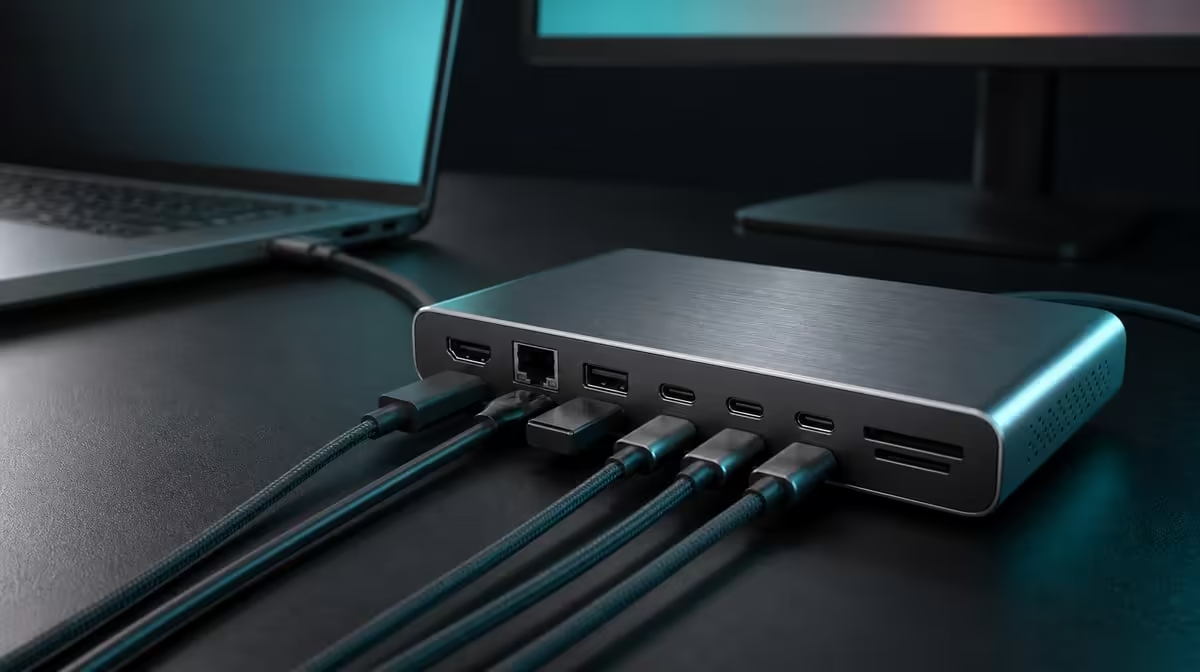
Eight functions become useful when each one is tied to a source, cable, device, and task. This UPERFECT UExtend function guide explains the R399 hub's 4K video, 60W charging, 1000Mbps Ethernet, SD reader, and two USB data ports without turning any label into a universal promise.
Quick Answer
At R399, the UExtend expands one compatible USB-C connection for 4K display output, up to 60W Power Delivery, Gigabit Ethernet, SD access, and two USB data devices. It supports Nintendo Switch, MacBook, and laptop use, while every display, charger, cable, network, and peripheral path still needs to match.
🖥️ 4K display output
Video begins at the host. The source port must support display output, the cable must suit the route, and the monitor must accept the chosen mode.
Compare Evetech's USB hub selection after confirming host video capability.
🔋 60W Power Delivery
The hub passes compatible charger input towards the laptop up to 60W. Charger output, cable support, negotiation, and system demand determine battery behaviour.
🌐 Gigabit wired networking
The Ethernet port is rated at 1000Mbps. Actual local and internet results still depend on cabling, network hardware, service, destination, and traffic.
For a larger fixed system, compare Evetech's docking stations.
💾 SD and two USB devices
The SD reader and two fast-data ports support storage and peripherals. Test real cards, drives, files and combined activity to judge their data path. Eject removable media before disconnection.
Use Evetech's gaming-accessories range to assign both USB roles. At R399, the UExtend earns value when the full combination is rebuilt often. Check current availability at purchase time.
Build one acceptance sequence: establish compatible power, connect the host, activate the monitor, confirm Ethernet, mount the SD card, and attach each USB device. Record the successful parts and repeat after restart.
Translate every function into a check
For 4K video, confirm host display support, a suitable lead, monitor detection, and the chosen mode. For 60W Power Delivery, identify the compatible charger, power cable, accepted host input, and busiest workload. For Ethernet, inspect the wired link and test the actual network route.
For SD, complete a read and safe-eject cycle with the real card. For each USB data port, assign a device and verify its ordinary task. This translation turns the function list into an acceptance sheet.
Understand the shared host connection
All roles converge on one compatible USB-C host path. That convenience is the point of a multiport hub, but it also means the source's modes and resources remain central. A successful SD read does not prove video support, and a charging symbol does not prove 4K output.
Establish separate baselines before the full setup. Then add functions in the order they matter most. If a problem appears, return to the last successful combination and identify the new variable.
Explain support without overextending it
Nintendo Switch, MacBook, and laptop use are named for the UExtend. Keep those statements precise. Do not expand Switch support into every console, or laptop support into every USB-C port and display combination.
Create a source profile for each named or intended system. Record video, power, cable, and peripheral requirements. This makes switching sources deliberate rather than hopeful.
Build a connection and recovery card
List the working host socket, charger, power lead, display cable, monitor input, Ethernet cable, SD routine, and two USB assignments. Add the order that restored the setup after a restart.
If the monitor is blank, follow the display branch. If charging is absent, follow the power branch. If a drive disappears, return to the corresponding USB or SD baseline. The card prevents unrelated components from being replaced.
Value the functions by owner
A creator may rank SD and 4K first. A fixed-office user may rank Ethernet, charging, and input devices. A Nintendo Switch setup may prioritise the compatible display and power plan. The same eight-in-one package can have different value maps.
Assign daily, weekly, occasional, or unused frequency to every function. At R399, the UExtend is most compelling when several high-frequency roles share the same host connection.
Verify the complete physical routine
Set up from a closed bag or disconnected desk. Leave enough cable slack, keep removable media accessible, and protect plugs from movement. Use the workstation for a representative session, then eject storage and pack down.
Repeat at a second location if mobility matters. Portability should describe the full hub, charger, cables, card, and devices, not merely the size of the central unit.
Explain what the eight-in-one count does not prove
It does not prove that every host provides video, every charger negotiates 60W, every network reaches 1000Mbps in use, or every storage device shares one speed. Those outcomes depend on the connected chain.
Keeping this boundary clear makes the function guide more useful, not less. Buyers can focus their checks on the equipment they own.
Build a first-day setup script
Prepare compatible power, connect the host, establish the external display, add Ethernet, insert the SD card, and attach the USB devices separately. Verify each state before moving forward.
At the end, use the complete desk for a normal session and then eject storage. Save the successful order and any host-specific settings.
Review the price through consolidation
List the separate display, network, card, and USB adapters the UExtend may replace. Count only devices or reconnection work that actually exists.
The R399 value grows when several recurring tools become one understood hub route. It shrinks when the user needs only one function or when an essential compatibility row fails.
Keep future support precise
When another device enters the setup, create a new profile instead of copying the old one. Confirm video, charging, and peripheral behaviour for that source.
Named support should remain named; it should not expand into a claim about every console, laptop, or USB-C socket.
Use the function guide as a fault map after purchase. If SD and USB work but the monitor does not, host recognition is established and attention can move to display support and the screen path. If video works but charging does not, the power chain remains the separate question.
These observations do not identify every cause immediately, but they prevent a working branch from being dismantled. The eight functions are easier to own when each has a precise diagnostic boundary.
Assign a success statement to every function
For video, success is a detected supported screen mode. For power, it is the buyer's required battery outcome. For Ethernet, it is a stable wired task. For SD and USB, it is completed work plus safe eject where relevant.
Write these statements before testing. They stop an attractive specification from being counted as a completed outcome.
End with the owner's top profile
Choose the single most common combination of UExtend functions and run it from connection through pack-down. Record any optional branch separately.
The hub's strongest explanation should describe that profile in plain language. A complete guide is useful when it leads to one repeatable routine, not only when it defines every port.
Frequently Asked Questions
Can the UExtend add video to any USB-C port?
No. The source must support display output.
Does the hub generate charging power?
No. It passes compatible charger power up to its 60W ceiling.
What does 1000Mbps apply to?
It is the Ethernet-port rating.
Is an exact USB speed confirmed?
Test transfer time with the real card, drive, host and files.
Which systems are named?
Nintendo Switch, MacBook, and laptops are named, subject to each required function's compatibility.
Ready to give every UExtend function a tested place in your setup?
Compare Evetech's USB hubs with your host, monitor, charger, network, SD card, and two data devices mapped.