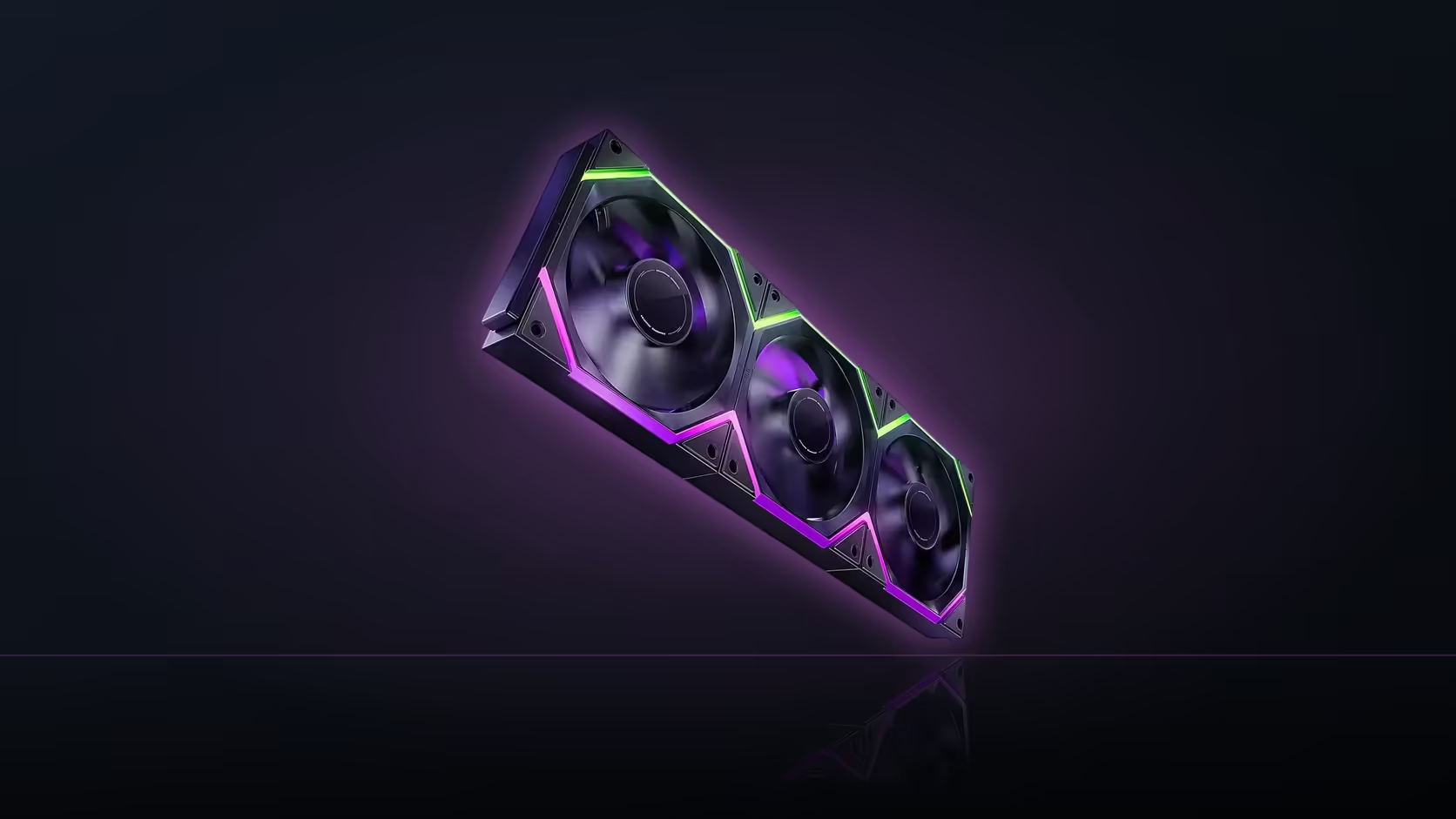
Two AsiaHorse three-packs list the same airflow ceiling and the same speed range, so a comparison between them has to look past the cooling numbers to find what actually separates them. The Nyota Pro and the Nyota A12 both run an 800 to 2000 RPM PWM range topping out at 61.5 CFM, which means the decision comes down to a lighting feature and a R100 gap between prices rather than anything a fan curve would reveal.
Quick Answer
On paper the Nyota Pro and the Nyota A12 cool identically: both list up to 61.5 CFM and an 800 to 2000 RPM PWM range. The Pro three-pack costs R599 against R499 for the A12, and the R100 difference buys a dual-zone ARGB ring instead of a single-zone one. Whether that is worth paying depends entirely on whether independent two-colour lighting control, which needs AsiaHorse's separately sold UMBRA hub, matters to the build.
🌀 Matching airflow, matching speed
Neither fan holds an advantage in the numbers that actually cool a case. Both spin from 800 to 2000 RPM under PWM, both top out at 61.5 CFM, and both are quoted at 29 dBA or less. A buyer choosing purely on thermal performance has no reason to prefer one over the other, since the published figures are identical across the range.
Where a curve might still differ
Published maximums describe the top of the range, not how each fan behaves at low or mid RPM under a real fan curve. Both use a hydro-dynamic bearing, so neither has an inherent advantage there either. Absent independent bench data for this exact model pair, the sensible assumption is that the two behave the same across the curve, matching their identical headline specifications.
💡 The dual-zone ring versus a single zone
The Pro's ring is split into two zones. The listing describes full independent control of those zones as a capability that comes through AsiaHorse's UMBRA hub, sold separately and not carried by Evetech. Without that hub, both fans run standard ARGB effects from a motherboard's 5V 3-pin header, and at that point the practical lighting difference between a dual-zone ring on board sync and a single-zone ring on board sync narrows considerably. The A12, by contrast, publishes a 16-LED ring with no zone-splitting or hub dependency at all.
💰 What the R100 actually buys
Across a three-pack, R100 works out to roughly R33 per fan for the dual-zone ring alone, since every other spec matches. That premium only pays off in a scheme that genuinely uses two independently controlled colours, which is a hub-dependent outcome outside our current AsiaHorse range. A build planning to sit on board-driven standard effects gets little practical benefit from the extra zone and would cool identically on the cheaper pack.
🔗 Chaining differs too
The Pro links its trio with a modular interlock, physically joining the fan frames so one cable run covers all three. The A12 instead uses linked PWM and ARGB connectors between separate fans, which keeps each unit independent for servicing. Neither approach changes the airflow or speed figures; it is purely an installation and maintenance difference, and worth weighing alongside the lighting question when picking between the two.
🔌 What each row actually needs from the motherboard
Neither model changes the basic header requirement: a fan header for PWM speed control and, separately, an addressable header for the ARGB lighting, whether the row is a Pro three-pack or an A12 three-pack. The Pro's modular interlock and the A12's linked connectors both resolve to one output cable per row by the time they reach the board, so the practical wiring on the motherboard side ends up identical regardless of which chaining method sits inside the case. What differs is only what happens inside the row itself, between the fans, before that single lead reaches its header.
🧯 What a failed fan means for either pack
Both the Pro and the A12 are sold exclusively as three-packs, so a single failed fan in either row means replacing the whole pack rather than swapping in one unit. That shared limitation puts the two models on equal footing for the worst-case scenario, but the chaining method changes how much work getting to that point actually involves. On the A12, a failing fan can usually be identified and unplugged from its linked-cable chain without disturbing its neighbours. On the Pro, isolating one fan from a modular interlock generally means releasing the physical joint and, in many cases, removing the whole assembly from the case first just to separate the working fans from the one that has failed. Neither difference changes the cost of the fix, since both still mean a fresh three-pack either way, but it does change how much handling the working two fans go through in the process.
That handling difference is worth weighing against how likely a build is to ever need it. A fan row that goes in once and stays in place for years rarely puts either chaining method to the test, since the servicing question only becomes real the day a fan actually fails. For a build expected to be opened and reworked regularly, the A12's easier per-fan disconnection is the more forgiving choice of the two, independent of anything to do with lighting or price.
For a side-by-side look at the wider case fan lineup, Evetech's case fan category groups both families together, and anyone leaning toward hub-based control in general can browse fan controller hardware as a separate line of research.
Frequently Asked Questions
Do the Pro and A12 cool at different rates?
Not according to their published specifications; both are rated for the same 800 to 2000 RPM PWM range, topping out at 61.5 CFM.
What does the extra R100 pay for?
A dual-zone ARGB ring on the Pro, against a single-zone ring on the A12, with independent zone control gated behind AsiaHorse's separate UMBRA hub.
Does either fan need a hub to light up?
No. Both run standard ARGB effects from the motherboard's 5V 3-pin header without any additional hardware.
Which model suits a straightforward build?
The A12, since it matches the Pro's airflow without a lighting feature that depends on hardware outside Evetech's range.
How do the two fans chain together differently?
The Pro uses a modular interlock joining the fan frames; the A12 uses linked PWM and ARGB cables between separate units.
Are both sold only as three-packs?
Yes, both are three-pack products in this comparison, so neither offers a single fan for topping up a row.
Weighing airflow against lighting features?
Compare the full case fan range on Evetech to see how the Nyota Pro and Nyota A12 line up against everything else.