The best-value display feature is the one that prevents a repeated compromise. For portable monitor value in South Africa, confirmed source support comes first, followed by screen area, native detail, brightness, inputs, and mounting in the order the buyer's daily tasks demand.
Quick Answer
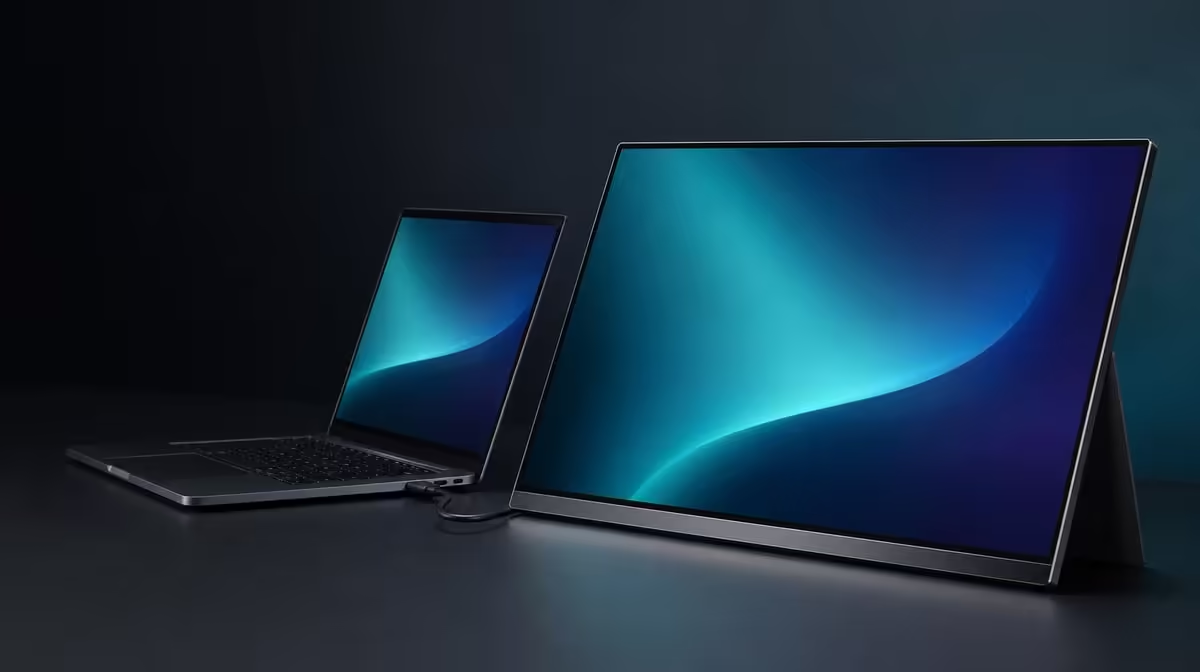
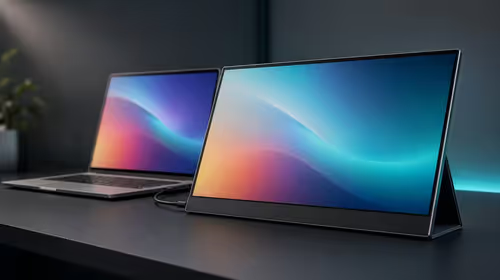
Start with compatibility, then rank the screen characteristics used every week. At R5,999, the UPERFECT UColor J5 offers value when its 17.3-inch IPS workspace at 3840 x 2160, 400cd/m2 headroom, connection options, mount support, warmer viewing mode, adaptive synchronisation, stated contrast, or 10ms response solves a real SA workspace or entertainment need.
🔌 Compatibility protects the whole purchase
Check every source before comparing picture features. USB-C display video requires a capable host port and cable. HDMI provides another route, while monitor power remains part of the plan.
Document the working input for each laptop, desktop, console, or mobile device. A monitor with the wrong connection is poor value even if its resolution and brightness look excellent.
Evetech's portable monitor selection gives current South African options for comparing source flexibility.
📐 Size and resolution must serve a workload
A 17.3-inch panel creates a roomier second canvas, while demanding more bag and desk space. It suits buyers who repeatedly use large documents, detailed images, timelines, or entertainment and can accommodate the physical format.
Native 3840 x 2160 adds fine detail. Use suitable scaling so text remains readable. If the monitor only shows one ordinary reference window, a simpler panel may offer better value.
Measure transport with protection, source, cables, and power included. Compare fixed options through Evetech's PC monitor range if the screen rarely travels.
☀️ Brightness and mounting solve environments
The 400cd/m2 rating gives useful indoor headroom as ambient light changes. It does not make the panel immune to direct sun or glare. Angle and shade may add more value than another step of output.
VESA support can move the J5 onto a compatible arm, improving height and clearing the desk. Confirm pattern, load, fasteners, and cable motion. A mount earns value when the display serves a regular fixed role.
The 1000:1 ratio expresses a measured relationship between the panel's light and dark output rather than colour accuracy. Price it according to what it proves.
🎮 Extras should pass a usage test
On a supported gaming route, FreeSync addresses visible tearing. The 10ms figure concerns pixel transitions. A warmer reading profile is available through Low Blue Light. Give each feature a task and frequency.
Build a score with required, weekly, occasional, and unused columns. Several unused extras should not outweigh one essential connection or physical fit.
Evetech's monitor best sellers give a further live checkpoint. Recheck both the R5,999 amount and availability at purchase time, then stop when one screen passes the complete routine.
Long-term value includes recovery. A good portable setup can be reconnected, returned to native 4K, scaled correctly, and positioned without guesswork after travel. Save the working route and picture baseline.
Create a value statement for each core feature. Compatibility should name the source. Size should name the workspace. 4K should name the detailed task. Brightness should name the room. VESA should name the desk problem. Any blank statement receives less weight.
Test the setup on an ordinary week. Record device switches, bright-room sessions, detailed work, travel days, and mounted use. Frequency gives the score evidence and prevents a one-off demonstration from dominating the purchase.
Consider feature interaction. A 17.3-inch 4K panel can show a larger detailed workspace, while scaling keeps it readable. VESA can hold that workspace at a stable height. Dual inputs can bring it to more than one source. These linked benefits can be stronger than separate specification counts.
Also record friction. A large bag requirement, uncertain USB-C route, or constantly changing brightness can reduce value. Solve what can be solved through planning and keep the remaining trade-off visible.
Compare a cheaper candidate after the tasks are known. If it passes every required row, it may offer better value. Compare a dearer candidate the same way and require a measurable improvement. R5,999 remains the anchor, not an automatic winner.
The first value feature is a proven video path. Confirm the laptop, desktop, console, or compatible mobile device can output through the intended HDMI or USB-C route, and verify the cable for that signal. Plan monitor power as a separate line. A screen that cannot join the source reliably has no practical value, regardless of how many picture features appear beside its price.
Next, make size and resolution earn desk space. The J5's 17.3-inch 3840 x 2160 panel can suit detailed material and side-by-side working, provided scaling keeps controls readable. Mark its footprint beside the laptop and inside the travel bag. If the extra canvas improves frequent tasks and the complete kit still fits the routine, the larger portable format has a strong case.
Environmental features should answer environmental problems. The 400cd/m2 rating offers brightness headroom for changing indoor light, while glare control and sensible positioning remain important. VESA support can move the panel into a steadier fixed-desk role after the pattern, load, fasteners, and cable movement have been checked. Neither capability should receive value points when the screen always lives in a dim room on an uncluttered surface.
Finally, score entertainment and comfort options by use. FreeSync addresses tearing on a compatible path; Low Blue Light can supply a warmer picture during suitable extended sessions; the 10ms figure helps set response expectations. At R5,999, the J5 is best value for a buyer who can name several recurring uses across this package. Someone needing only one simple second-screen task should compare more focused portable monitors.
Value also depends on how quickly the screen enters and leaves service. Time a normal setup from the closed bag or disconnected desk: place the panel, arrange the laptop, connect power and video, confirm detection, and restore the working layout. Repeat the pack-down without pulling a connector or leaving a cable behind. A feature-rich display that creates daily friction may deliver less value than its specifications imply.
Use a 30-day forecast to challenge novelty. Mark the days when 4K detail, the larger canvas, higher indoor brightness, a second input, VESA, FreeSync, or Low Blue Light would actually be used. Be conservative. The exercise need not predict the future perfectly; it simply forces each capability to compete for a place in ordinary life rather than a once-off demonstration.
Frequently Asked Questions
Which feature protects value first?
Confirmed source and cable compatibility protect the purchase before any panel characteristic.
Who gains from 17.3 inches?
Users who need more physical viewing area and can provide suitable desk and carrying space.
When is 4K practical?
It is practical when fine detail is used regularly and the source can drive the chosen workload.
How valuable is 400cd/m2?
Its value rises in changing bright indoor rooms and falls where modest output already suits the environment.
Why can VESA improve long-term value?
A compatible arm can give the portable panel a stable home role and free desk space.
Ready to rank portable display features by daily use?
Explore Evetech's monitor range and compare current SA prices only after compatibility, workload, light, and physical fit are clear.