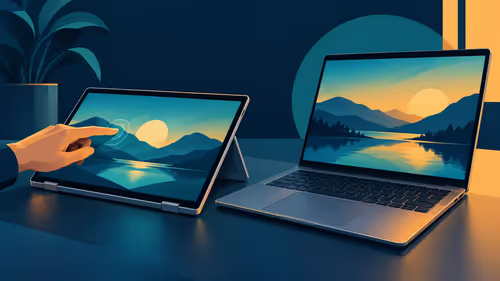
Choosing a creator laptop means deciding where your budget should do the most work. A richer display is valuable when you inspect images on the laptop. A dedicated graphics processor may matter when an application depends on it. Neither specification answers the whole question by itself.
Quick Answer
The Lenovo Legion Pro 5 combines an RTX 5070 with a 16-inch 165Hz OLED display; the ASUS Vivobook 14 Flip offers a 14-inch OLED touchscreen. As at 29 October 2026, Evetech listed an OLED touchscreen ASUS Vivobook 14 Flip at R50,999 and a Lenovo Legion Pro 5 with RTX 5070 at R51,498; the two examples show different configurations near the same South African budget.
🎨 Decide what you need to see
The Vivobook listing describes a 14-inch OLED touchscreen, 32GB of memory and 4TB of storage. Those are features of the specific local configuration, not every laptop in the family. If you review photographs or layouts away from your desk, the built-in display is a part of the work you see throughout the day.
A screen technology name is a starting point. Look for the exact resolution, brightness conditions and colour information supplied for the model. Those details help you compare a panel against your task. They do not prove that an export or print will look identical on another device.
The MacBook Pro with PROLED XDR Display, announced by Apple in October, is another laptop built around a distinctive panel. Apple describes tandem OLED, touch, and P3 plus Adobe RGB colour gamuts. Its announced model is separate from the two local price examples above. Neither listed Rand figure is a local PROLED price.
If your critical colour decisions happen on a separate monitor, account for that device as well. The external screen has its own panel and settings. A laptop may provide a portable view while a desk display handles another part of the workflow. Which screen matters most depends on where you review finished work.
🧮 Identify the graphics workload
The Legion Pro 5 example lists an NVIDIA GeForce RTX 5070, 48GB of memory and 2TB of storage. It also lists a 16-inch 2560 x 1600 OLED display at 165Hz: choosing this graphics configuration does not mean giving up OLED. The Vivobook's listed distinction is a 14-inch 1920 x 1200 OLED touchscreen with integrated graphics. The listing does not establish how long your specific project will take.
Ask the software publisher which graphics features and supported hardware your actual app requires. A project built around 3D rendering may have different requirements from a writing and presentation workflow. An editor using video effects should check the features used in their own project, not merely count the GPU name on a product page.
Memory and storage are separate considerations. The listed Legion configuration has more memory than the Vivobook example, while the Vivobook lists more storage. Capacity differences are useful facts, but neither alone establishes a performance winner. Check the exact files and applications you use before assigning value to the numbers.
The graphics card is also not a substitute for a compatible application. A capable component does not automatically make a programme available on a particular operating system. Confirm the app, plug-ins and export route first, then investigate which component the publisher says is relevant.
If a client or team supplies files, include the handover in that investigation. The output format and any required plug-ins can determine whether a proposed workflow is practical, even when the laptop has ample storage.
⚖️ Compare a complete configuration
Both local listings describe OLED screens. The practical distinction is a 14-inch touch panel with integrated graphics versus a larger 16-inch panel and a dedicated GPU, alongside different memory and storage. The Legion pairs that larger panel with 48GB memory and a 2TB SSD, while the Vivobook lists 32GB memory and 4TB storage.
Make a list of the actions that take up your time. Is the problem seeing detail away from a desk, opening a large project, applying an effect or presenting work to someone else? If an app publisher states a GPU requirement for the action you need, give that requirement weight. If the primary concern is the built-in viewing experience, examine the exact display specification.
There may be room for a different balance. A buyer who already owns a suitable monitor does not necessarily need the laptop's internal panel to perform every desk task. A buyer who works on location may have less opportunity to use that monitor. Those are workflow observations, not a claim that either example is universally superior.
Also account for storage beyond the headline capacity. Work files, previews and working copies consume space. Decide what must be carried on the laptop and what can remain on an external drive. The answer can help you judge whether the larger listed SSD changes your actual buying decision.
Consider the space for completed exports as well as the original material. A project may temporarily need both versions on the machine, so an estimate based only on source files can be misleading.
🇿🇦 Use the dated prices as a shortlist
The R50,999 Vivobook and R51,498 Legion were listed as in stock in the captured NPro catalogue on 29 October 2026. The Vivobook listing also states integrated Intel graphics, while the Legion identifies its RTX 5070 with 8GB graphics memory. Revisit the laptop best sellers for the current configuration and price.
If you are interested in Apple's announced display, the MacBook range provides a separate category to check. Keep the price of a currently listed older MacBook apart from the announced PROLED design. Look up the exact display and chip together before drawing a conclusion.
The Legion combines its RTX 5070 with a 16-inch 165Hz OLED panel, while the Vivobook combines its 14-inch OLED touchscreen with integrated Intel graphics. The screen, graphics and storage figures describe different complete configurations at similar prices.
Frequently Asked Questions
Which listed example has an RTX 5070?
The Legion Pro 5 configuration with 48GB memory and 2TB storage was listed with that GPU at R51,498.
Which listed example has an OLED touchscreen?
The Vivobook 14 Flip configuration was described as an OLED touchscreen laptop and listed at R50,999.
Do the two prices prove which machine is faster?
No. The Legion has an RTX 5070 and a 16-inch 165Hz OLED display; the Vivobook offers a 14-inch OLED touchscreen.
Is either price an announced PROLED MacBook price?
No. Both figures come from separately listed Windows laptop configurations on 29 October 2026.
Ready to choose where your laptop budget goes?
Explore the current laptop range at Evetech and compare each configuration with your creative software.