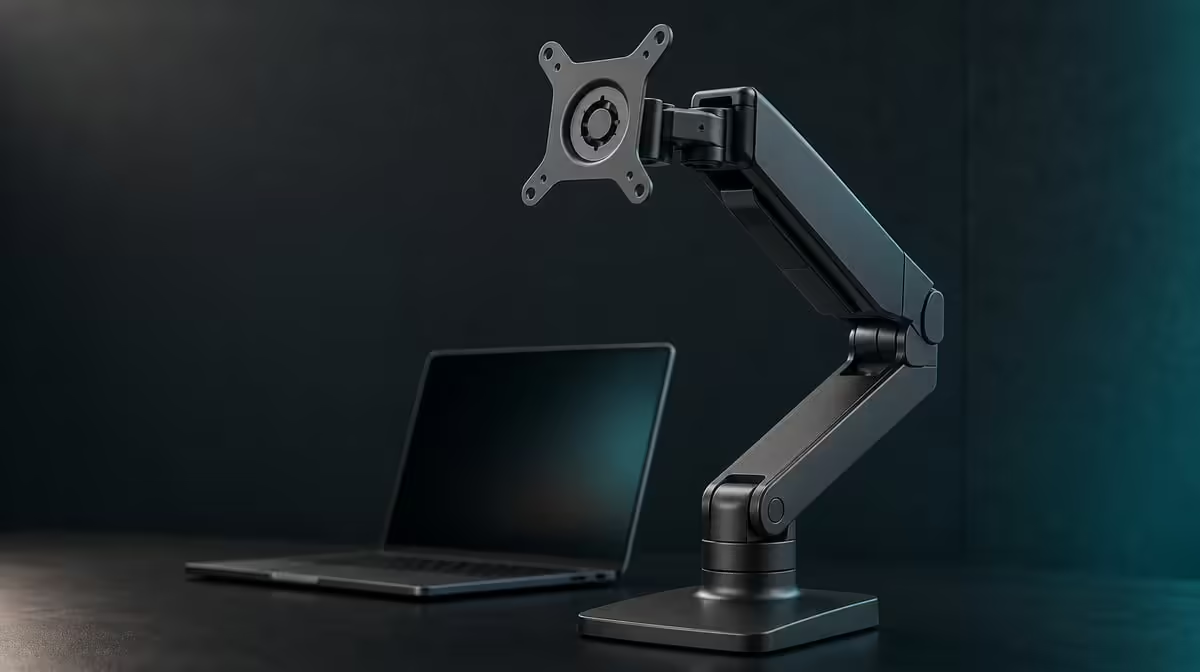
A 15.6-inch diagonal answers the size question, not the whole support question. UStand stability for a 15.6-inch monitor depends on the screen's weight, thickness, case, arm reach, surface and cables. The R599 UPERFECT UStand includes 15.6 inches within its device range; check the screen's mass against current load guidance before mounting.
Quick Answer
Yes, a 15.6-inch device falls within the UStand's 7-15.6-inch size range, but size alone cannot guarantee stability. The stand costs R599 and combines aluminium with anti-slip rubber. Obtain the monitor's weight from its own documentation, begin close to the base and reject any setup that lifts, settles, rocks or relies on cable tension.
📏 Treat 15.6 inches as the first gate
Confirm the device diagonal from its product information rather than measuring the visible panel only. A stated 15.6-inch monitor reaches the UStand's upper size boundary.
Record the screen's weight separately. The absence of a stand load figure means no responsible comparison can convert diagonal compatibility into a mass limit.
Thickness and case shape affect how the monitor meets the support. A protective cover may add depth, create a raised corner or move a port against the aluminium.
Place the unloaded UStand on a firm desk and inspect all rubber contact areas. The screen should meet them evenly without resting on a button, connector or narrow decorative edge.
After the full device card is complete, compare support formats through Evetech's monitor accessory range.
⚖️ Begin with the shortest useful reach
Open the base completely and keep the 135-degree arm close to the footprint. Lower the monitor centrally with both hands and release pressure in stages.
Watch the base edges and folding joint. A change in angle after release, a rocking contact point or a lifting edge means the position has failed.
Sit at the normal viewing distance before extending. Move only enough to make the screen useful, then repeat the release and desk-vibration tests.
Rotate the 15.6-inch display only while supporting it. Portrait orientation moves more material vertically around the support and requires a fresh balance check.
Do not press another object against the base or let a cable act as a brace. Apparent stability created by outside contact is not a successful stand position.
🔌 Add real working forces
Type, move a mouse and interact with the screen if touch is part of the workflow. A flexible desk may transmit movement that a rigid aluminium frame cannot remove.
Connect power and video one at a time. Carry cable weight away from the ports and create a relaxed loop before routing excess length beyond the stand.
Observe for several minutes. A lead caught behind a table or beneath a notebook can pull slowly and make the display creep after the initial test.
The UStand allows mounted charging but does not choose the display's power equipment. Use the correct source and leave adapters on another stable surface.
Portable displays are listed in Evetech's portable monitor category, where buyers can obtain exact model information for the fit process.
🧳 Repeat the check after travel
Remove the 15.6-inch monitor and all cables before folding the UStand flat. Protect the rubber from grit and keep the stand from pressing against the display in the bag.
At the destination, assess the new table before mounting. Surface grip, desk flex and cable direction can differ from the stable home arrangement.
Use a side photograph to rebuild the known base opening and arm reach, but treat it as a starting point. Repeat the unloaded, mounted and connected tests.
Tripod mode needs its own footprint assessment and may not suit the same large device merely because desktop mode passes. Selfie-stick use should be rejected when the screen cannot be controlled comfortably.
At R599, the UStand is a useful size-compatible candidate for 15.6 inches, not a blanket capacity promise. Check current availability, then use Evetech's accessory favourites for the wider desk only after stability is proven.
Build an upper-bound test card specifically for the 15.6-inch screen. Record the monitor model, its documented weight, whether a cover remains attached, landscape or portrait orientation, arm reach and cable direction.
Run the card on the desk with no cables. Begin with the base fully open and the arm near the support. Touch the desk at several points, use the keyboard and observe whether movement comes from the furniture or the UStand.
Next, attach only the power lead. Carry its mass onto the desk before it reaches the connector and wait several minutes. Add the video cable after the first route remains stable.
If the device uses ports on both sides, avoid creating opposing cable pulls. Two taut leads can make the screen look centred while holding it between external forces. Disconnect them to confirm the mechanical position stands on its own.
Test portrait only if the workflow needs it. The longer vertical shape may make small oscillations more visible, and a lower connector can approach the support after rotation.
For a touch-enabled display, a tap introduces a direct force that passive viewing does not. Keep one hand ready and test light normal interaction rather than pressing harder to see whether the stand survives.
Do not convert to tripod with the monitor still attached. Rebuild the three-point support, check the surface and then decide whether that mode passes the same weight and leverage assessment.
Use a stop list that another person can follow: joint changes angle after release, base no longer lies flat, rubber loses even contact, a plug touches aluminium or ordinary typing creates continuing shift. Any one condition ends the trial.
Repeat the approved desktop position after folding the UStand. If the safe geometry cannot be recreated without many loaded adjustments, improve the setup note and practise with the monitor removed.
The most defensible verdict is conditional: 15.6 inches is inside the stated range, and the exact monitor still needs an individual weight-and-balance pass. That answer protects buyers from treating a diagonal limit as a complete capacity figure.
Ask another user to follow the 15.6-inch test card. If the person cannot identify the safe arm reach, connector loop or rejection signals, improve the record before daily use. A stable result should be reproducible without relying on invisible hand pressure from the original setup.
Check the current R599 listing only after that physical approval. Availability completes the purchase decision, while the device documentation and balance test establish suitability.
Frequently Asked Questions
Does 15.6 inches fall within the stated range?
Yes. The UStand supports 7-15.6-inch devices.
Does the size range confirm a safe weight?
No. Device weight and diagonal size are separate checks. Compare the monitor's mass with current UStand load guidance before mounting.
How should the screen be positioned?
Start centrally and close to the base, then extend only after the shorter arrangement passes.
What does anti-slip rubber contribute?
It improves grip and cushions contact, while device centring and footprint still control leverage.
Can cables make a suitable monitor unstable?
Yes. A taut or heavy lead can pull the screen sideways or make the stand creep.
When should the setup be rejected?
Reject it if the base lifts, the arm settles, contact is narrow or the screen cannot remain secure through normal use.
What does the stand cost?
The UPERFECT UStand is R599.
Ready to test a 15.6-inch screen beyond its diagonal measurement?
Explore Evetech monitor stands and pair the R599 UStand with the exact device weight, contact, surface and cable route.