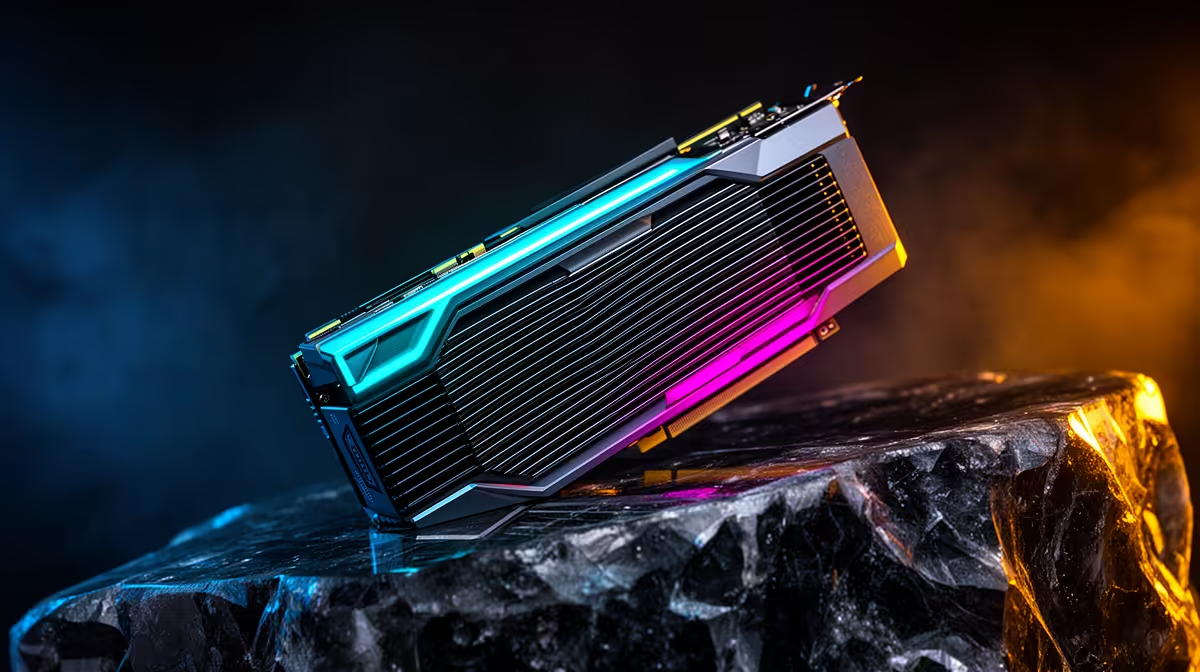
Two machines can both run a large language model and still behave like completely different tools. A workstation with 128GB of unified memory will happily load a 70-billion-parameter model that a 32GB RTX 5090 simply cannot fit, yet that same 5090 will sprint through anything that does fit in its memory, generating tokens at a pace the unified-memory box cannot match. The deciding factor is whether your model fits, and how fast you need the answer once it does.
Quick Answer
Unified memory wins when the model is bigger than your GPU's VRAM: 128GB can hold a 70B model that a 32GB RTX 5090 cannot load at all. VRAM wins on raw speed, with the RTX 5090 moving data at roughly 1,792 GB/s versus around 614 GB/s on a high-end unified-memory chip, so smaller models that fit in VRAM run far faster on the discrete card.
The two numbers that decide everything
Local LLM performance comes down to two figures: capacity and bandwidth. Capacity is how much memory you have, which sets the largest model you can load. Bandwidth is how fast the processor can read that memory, which sets how quickly tokens come out once the model is loaded.
Unified memory and discrete VRAM sit at opposite ends of this trade-off. A Mac-class chip with 128GB pools all of that memory for the GPU cores, giving you huge capacity but moderate bandwidth. An RTX 5090 has only 32GB of GDDR7, but reads it at almost three times the speed. Neither is simply better; they win in different situations.
When unified memory wins: big models
Capacity is a hard wall
A model either fits in memory or it does not. There is no graceful slowdown when you run out; the load fails or the system spills to far slower storage and crawls to a halt. A 70B model at 4-bit quantisation needs roughly 35 to 40GB just for weights, before context. That clears 32GB by a wide margin, so the RTX 5090 cannot hold it.
A 128GB unified-memory machine has no such problem. It loads the 70B model with room left for a long context window, and can even hold larger mixture-of-experts models that would be impossible on any single consumer GPU. For people who care most about model quality and size, capacity is the whole game.
The tokens are slower but usable
The catch is speed. Because unified-memory bandwidth sits lower, that 70B model generates tokens more slowly than a smaller model would on a fast GPU. Benchmarks for M5 Max-class chips running 70B models at Q4_K_M typically land in the 12 to 15 tokens per second range. For chat, coding assistance and document work that is comfortably usable; for high-throughput batch jobs it is the patient option, not the quick one. You are buying the ability to run the model at all, and accepting a steadier pace in return.
MoE models change the speed story
The growing adoption of Mixture-of-Experts architectures in 2026 partly softens the speed gap for large unified-memory machines. A 70B-plus MoE model activates only a fraction of its total parameters per token, so the memory read each step is far smaller than the headline count implies. Large unified-memory pools keep the full model resident without any offloading, and because only the active experts are read per token, generation speed is much better than a dense model of equivalent total size. This dynamic makes high-capacity unified-memory machines increasingly competitive on the newest, strongest coding models.
When VRAM wins: raw speed
For any model that fits inside 32GB, the RTX 5090 is the faster machine by a clear margin. Its 1,792 GB/s of bandwidth feeds the compute cores far quicker, so a 7B, 14B or even a tightly quantised 30B model streams tokens noticeably faster than the same model on a unified-memory chip.
This matters most when latency is the point: a coding assistant that has to feel instant, an agent making many short calls, or anything where you are waiting on each response. Smaller, fast models that fit comfortably in VRAM are where discrete hardware pulls ahead and stays ahead. The current generation of AI-ready PCs at Evetech is built around exactly this strength.
How context length shifts the balance
The capacity question gets sharper once you account for the KV cache. Context length, the amount of conversation or code the model holds at once, consumes VRAM on top of the model weights. A 32B model loaded on a 32GB card with a short context might fit fine, but extending to a 128K token window can push the total beyond 32GB and trigger the PCIe spill. Unified memory sidesteps this problem entirely, since the same large pool handles both weights and context without overflow. For developers who work with large codebases or long agent sessions, context appetite is a real constraint that tips the balance toward unified memory sooner than the model size alone would suggest.
Choosing for your workload in South Africa
Match the hardware to what you actually run. If your work depends on the largest, smartest models and you can wait a little longer per response, unified-memory capacity is the deciding feature. If you live in fast 7B to 30B models and want every reply to feel snappy, raw VRAM bandwidth is what you are paying for.
A practical middle path many local builders take is a strong discrete GPU for everyday speed, with the understanding that the very largest models stay out of reach. Plenty of South African developers spec their machines from the best-selling PCs at Evetech and choose the memory layout around the models they genuinely use, not the ones they might run once.
A quick rule of thumb
If the model fits in VRAM, the fast GPU wins on speed. If it does not, unified memory wins by being the only option that runs it at all. Decide which side of that line your real workload sits on before you spend.
Frequently Asked Questions
Can the RTX 5090 run a 70B model at all?
Not comfortably. A 4-bit 70B model needs roughly 35 to 40GB, which exceeds the 5090's 32GB. You would have to offload layers to system RAM, which slows generation drastically and defeats the point of the fast GPU.
Why is unified memory slower if it has more capacity?
Capacity and bandwidth are separate. Unified memory trades peak bandwidth for a large shared pool, so it holds bigger models but reads them more slowly than dedicated GDDR7 on a discrete card.
What size model is the sweet spot for a 32GB GPU?
Models up to roughly the high-40B range at practical quantisation fit with headroom for context. That covers the vast majority of strong open models for coding and general assistance.
Does quantisation change the answer?
Yes. Heavier quantisation shrinks a model's memory footprint, sometimes enough to squeeze a larger model into VRAM, at some cost to output quality. It can shift where the capacity line falls for your specific setup.
Which should a local developer buy first?
If most of your work fits in 32GB and you value speed, prioritise GPU bandwidth. If you need the largest models regardless of pace, prioritise total memory capacity instead.
Building a machine for local AI work? Compare configurations across the AI PC range at Evetech and pick the memory layout that matches the models you actually run, whether that means raw VRAM speed or the capacity to load the biggest models in one shot.