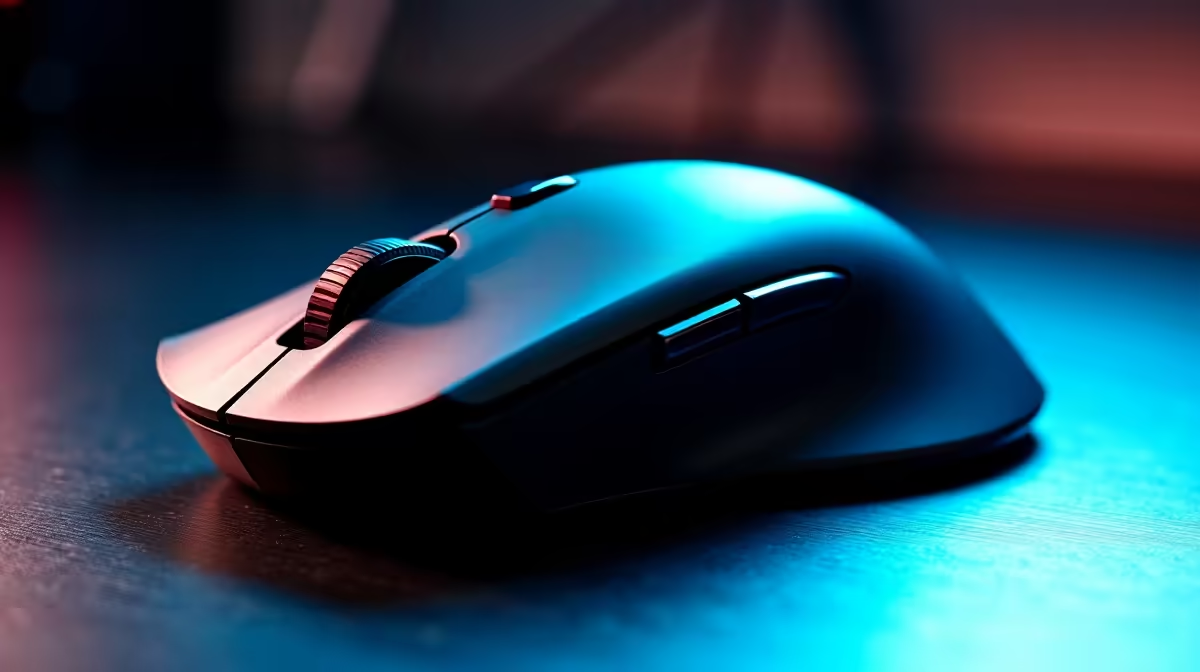
That familiar ache in your wrist after a marathon Valorant session? Or the stiffness creeping in after a long day of coding? You’re not alone. For many South Africans, long hours at the desk are a reality. But what if the solution wasn't just taking more breaks, but upgrading your most-used tool? Choosing the best ergonomic mouse SA has to offer isn't just about comfort… it's about boosting performance and protecting your long-term health.
Why You Need the Best Ergonomic Mouse in SA
Let's be honest, a standard mouse is a one-size-fits-none device. An ergonomic mouse, however, is sculpted to fit the natural resting position of your hand and wrist. This isn't just a luxury; it's a crucial upgrade for anyone spending serious time on a PC.
The main benefit is preventing Repetitive Strain Injury (RSI), a nasty condition that can cause pain, numbness, and weakness. By keeping your wrist in a neutral "handshake" position, a good ergonomic mouse reduces muscle strain and pressure on the median nerve. For gamers, this means longer, pain-free sessions and more stable aim. For professionals, it means getting through the workday without that nagging discomfort. Investing in your comfort is a smart move, and you can often find some great gaming mouse deals to make the switch more affordable.
Match the Mouse to Your Hand: Grip Styles Explained
Finding the best ergonomic mouse in South Africa for you starts with understanding how you hold your current one. There are three primary grip styles, and each one pairs best with a specific mouse shape.
- Palm Grip: Your entire palm rests on the mouse, with your fingers lying flat on the buttons. This is the most common grip. You'll want a larger, wider mouse with a high back to fill your palm and provide maximum support.
- Claw Grip: Your palm touches the back of the mouse, but your fingers are arched up in a claw-like shape. This allows for quicker clicks. Look for a slightly shorter mouse with a pronounced hump at the back and steeper button slopes.
- Fingertip Grip: Only your fingertips touch the mouse; your palm doesn't make contact at all. This style offers maximum agility. The ideal mouse is small, lightweight, and often symmetrical.
Not sure which one you are? Pay attention to your hand the next time you're deep in a game or project. Recognising your natural grip will help you narrow down the options when you explore our full range of gaming mice to see all the different shapes available.
Our Top Ergonomic Mouse Picks for 2026 ✨
While the "best" is subjective, a few models consistently stand out. Here are a few archetypes to guide your search for the top ergonomic mouse in SA.
The Productivity Powerhouse: Logitech MX Master 3S
This mouse is a legend in creative and office circles for a reason. Its large, sculpted shape is pure comfort for palm grippers. Features like the MagSpeed scroll wheel and seamless multi-device switching make it a workflow beast. While not a dedicated gaming mouse, it's more than capable for casual play after hours.
The FPS Champion: Razer DeathAdder V3 Pro
A favourite in the esports scene, the DeathAdder line has been refined over years to offer a flawlessly safe and comfortable shape for most hand sizes, particularly favouring palm and claw grips. It's incredibly lightweight, boasts a top-tier sensor, and offers the hyper-responsive clicks needed for competitive gaming.
The Vertical Victor: Logitech Lift Vertical
If you're already experiencing wrist pain, a vertical mouse can be a revelation. The Logitech Lift puts your hand in that perfect handshake position, immediately relieving pressure on your wrist. It takes a little getting used to, but for all-day office work, it’s one of the best ergonomic solutions available.
Gaming Pro Tip 🔧
Your mouse's DPI is only half the story. True sensitivity is calculated as eDPI (effective DPI). To find yours, multiply your mouse DPI by your in-game sensitivity setting (e.g., 800 DPI x 0.4 in-game sens = 320 eDPI). Keeping your eDPI consistent across different games helps build muscle memory for flawless aim.
Key Features to Look for in an Ergonomic Mouse
Beyond the shape, a few technical specs can make or break your experience.
Connectivity: Wireless Freedom or Wired Reliability?
Modern wireless technology is so good that latency is a non-issue for even pro gamers. The choice between top-tier wireless mice and their reliable wired mouse counterparts often comes down to personal preference for a clean desk versus the peace of mind of never needing to charge.
Sensor, DPI, & Polling Rate
- Sensor: Look for a flawless optical sensor. Most reputable brands use them.
- DPI (Dots Per Inch): This is mouse sensitivity. A higher DPI isn't always better; most pros use a moderate setting between 400-1600. What's important is having a quality sensor that's accurate at the DPI you choose.
- Polling Rate: Measured in Hz, this is how often the mouse reports its position to the PC. 1000Hz is the standard, offering a smooth, responsive feel.
Don't Forget the Supporting Gear 🚀
Your amazing new ergonomic mouse deserves a great surface to glide on. Pairing it with the right mouse accessories like a quality mousepad can improve tracking accuracy and consistency. For those needing extra support, a dedicated wrist rest can also make a world of difference.
Choosing the best ergonomic mouse is an investment in your daily comfort and competitive edge. By understanding your grip style and key features, you can find the perfect device to carry you through work and play, pain-free.
Ready to End Wrist Pain and Level Up Your Game?
Your perfect ergonomic mouse is waiting. Explore our massive range of gaming mice and find the ideal fit for your hand and budget right here in South Africa.