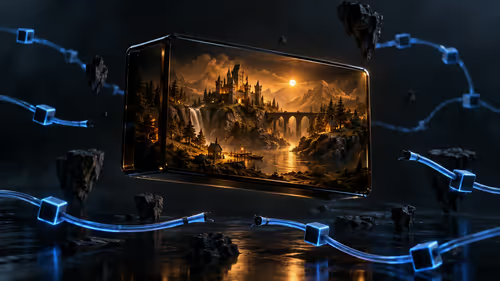
Crimson Desert is finally here, and the hype is absolutely real. But if you are rocking an entry-level machine, you might be sweating about your frame rates. Can a budget-friendly rig actually handle Pearl Abyss's massive open world? Let's dive into the expected RTX 4050 Laptop GPU Crimson Desert performance. We will break down exactly what laptop FPS and settings you need to survive Pywel in 2026. 🚀
The Reality of 6GB VRAM in 2026
Crimson Desert is gorgeous but incredibly demanding. The RTX 4050 laptop GPU packs 6GB of VRAM. That is enough for solid 1080p gaming, provided you manage your expectations. If you are currently browsing notebooks for sale in South Africa, the 4050 remains a fantastic entry point. You will not max out ultra textures, but you can still achieve a highly playable experience without breaking the bank.
Optimising Laptop FPS & Settings 2026 🔧
To get the best laptop FPS and settings in 2026, you must rely on Nvidia's DLSS 3. Frame Generation is your best friend here. By setting DLSS to 'Balanced' or 'Performance', you can expect your frame rate to hover around 50 to 60 FPS at medium settings.
Performance Pro Tip ⚡
Always keep your laptop plugged in while gaming and set Windows Power Mode to 'Best Performance'. This ensures your RTX 4050 receives maximum wattage... preventing annoying micro-stutters during intense combat sequences.
If you prefer a desktop setup to brute-force those frames, you might want to look at a pre-built PC instead. Desktop components naturally draw more power and offer a bit more headroom for future titles.
Tweaking for the Best Visuals
Finding the sweet spot between eye candy and smooth gameplay takes a little patience. For the best RTX 4050 Laptop GPU Crimson Desert performance, start by turning down volumetric clouds and shadow quality. These two settings are notorious resource hogs in modern open-world games. Leaving textures on high will keep the game looking incredibly sharp, provided you do not exceed that crucial 6GB VRAM limit.
If you notice your frame pacing feeling a bit sluggish during massive sieges, consider dropping ambient occlusion to medium. This minor sacrifice frees up valuable GPU cycles... ensuring your frame rate remains stable when the action gets chaotic.
Pushing the Hardware Limits
Heat is the ultimate enemy of laptop performance. When exploring dense villages or engaging in heavy boss fights, your laptop will get warm. Make sure your machine is elevated on a hard surface for better airflow.
If you find the 4050 a bit too restrictive for next-gen titles, it might be time to check out some gaming PC deals for a bigger upgrade. Alternatively, if you already have a desktop gathering dust, you can simply buy a new graphics card to handle the massive open-world load.
Is It Worth Playing on a Budget Rig? ✨
Absolutely. Crimson Desert is built with scalability in mind. While the RTX 4050 won't give you 4K ray tracing, it delivers a smooth 1080p adventure with the right tweaks. Plus, finding decent tech specials makes budget gaming much more appealing. You can easily find an RTX 4050 laptop for around R16,999 to R19,999... a very fair price for modern portable gaming in South Africa.
Ready to Find Your Perfect Match?
Conquering massive open worlds requires the right hardware. For maximum power, choice, and value in South Africa, Evetech is hard to beat. Explore our massive range of laptop specials and find the perfect machine to conquer your world.