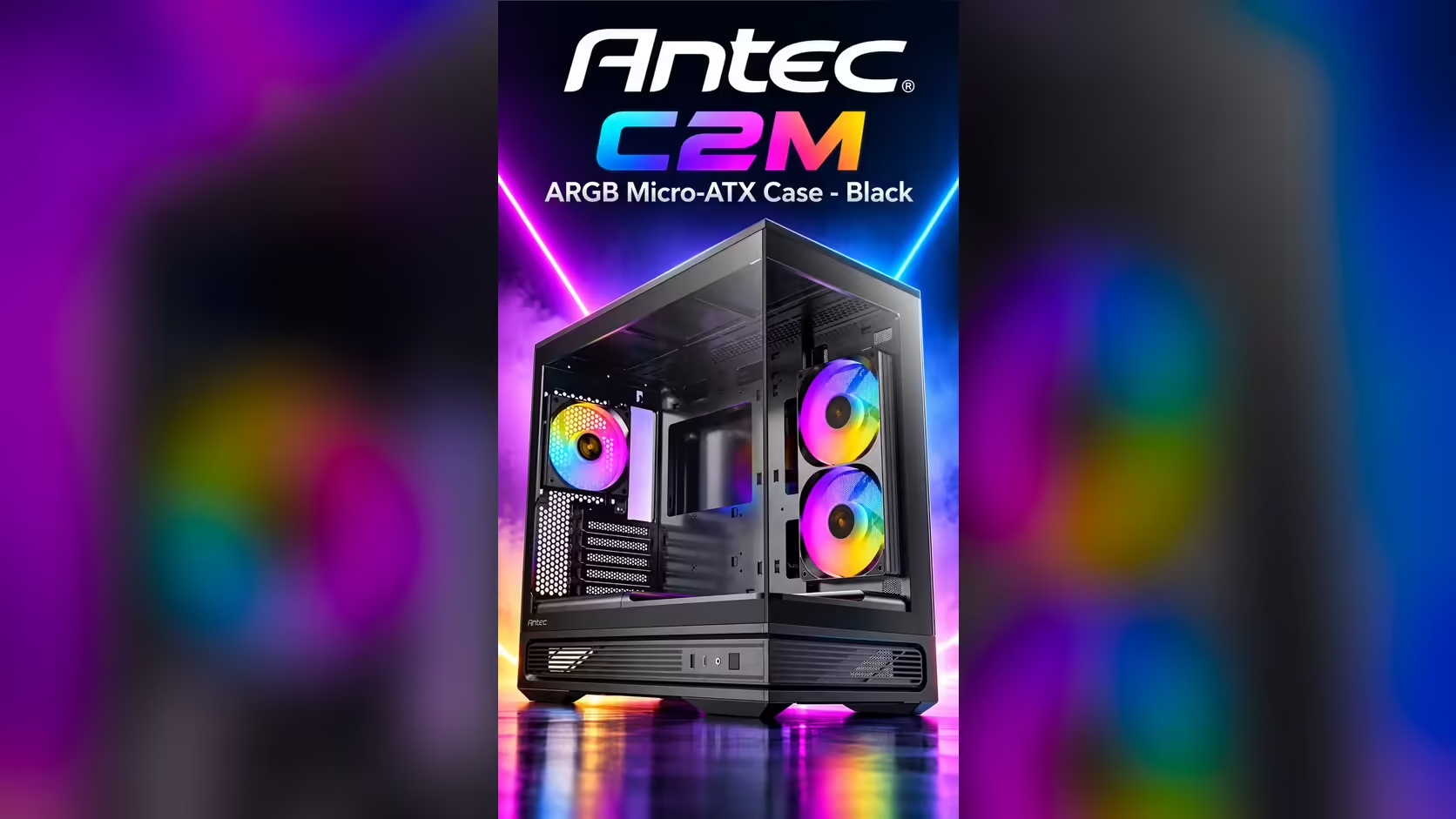
Ten-gigabit ports have been on mainstream boards for years, yet a case connector still makes many builders wonder what they are really getting. The Antec C2M ARGB lists USB Type-C 10Gbps, a speed that suits fast external SSDs and large file copies. Whether the connector delivers it depends on three parts of the chain, and this piece explains each one so you can judge the port before you rely on it.
Quick Answer
The C2M ARGB lists USB Type-C 10Gbps, which is about 1,000MB/s in practice for a fast drive. You reach that speed only when the motherboard header, the cable and the device all run at 10Gbps. The case is R899 at Evetech, and a matching cable and drive are the parts that decide whether the port performs.
🔌 What 10Gbps Means for a Drive
USB 3.2 Gen 2 is the standard behind the 10Gbps label. Its raw ceiling is 1,250MB/s before overheads, and a good external SSD on a 10Gbps link tends to land near 1,000MB/s on a large file. That is about twice what a 5Gbps link manages and roughly 16 times what USB 2.0 can reach at 480Mbps. For the case itself, browse the Micro-ATX and Mini-ITX case listings and compare the C2M with its alternatives.
For a video editor moving 200GB of footage, the difference is measurable. At around 1,000MB/s the copy takes a little over three minutes, while at 60MB/s on USB 2.0 it takes close to an hour. A builder in Durban working with raw footage will feel that gap every week.
🧩 The Motherboard Header Decides Half the Speed
The case's connector needs a matching header on the motherboard. A header marked USB 3.2 Gen 2 or 10Gbps carries the full signal, while a USB 3.2 Gen 1 header stops at 5Gbps and a plain USB 2.0 header at 480Mbps. Many boards have one of each, so read the manual and confirm which header the case lead connects to.
If the board lacks a 10Gbps header, the connector still works, but at the slower speed of the header it uses. That is a limit of the board, not a fault in the case, and it is worth knowing before you order a fast drive.
🧵 Cables, Lengths and Hubs
The lead between the connector and the header must be rated for 10Gbps. A cable that carries only the older standard drops the link to 5Gbps, even on a fast header. Measure the run from the header to the spot where the port will sit, and choose a lead long enough to reach without a sharp bend.
Keep the drive on a direct connection while you test. A hub shares its bandwidth between devices, so a 10Gbps drive behind a shared hub can fall below its rated speed. The cable solutions page lists the leads and adapters for a clean run, and the case accessories page covers the clips that keep a lead out of the way.
🧪 What Speed to Expect in Practice
Expect a 10Gbps chain to deliver close to 1,000MB/s on a large sequential copy with a fast drive. Small files are slower, because each file adds overhead, so a folder of thousands of photos will not reach the headline figure.
Run a test copy after setup. A transfer near 1,000MB/s confirms that the header, the cable and the drive all work at full speed. A transfer near 500MB/s points to a cable or a header that is limited to 5Gbps, and you know which part to replace.
Traffic on a shared port matters too. A second device on the same controller splits the bandwidth, so keep the fast drive as the only busy device while you measure.
Frequently Asked Questions
What speed does the C2M ARGB's USB-C connector reach?
The spec list says 10Gbps. In practice a fast drive reaches about 1,000MB/s on a large copy, provided the header, cable and device all support 10Gbps.
Will an older header still work?
Yes, but at its own speed. A 5Gbps header gives 5Gbps, and a USB 2.0 header gives 480Mbps.
Do I need a special cable?
A cable rated for 10Gbps. A cable that carries only the older standard limits the link.
Can I use a hub with a 10Gbps drive?
You can, but a hub shares bandwidth between devices. Connect the drive directly when you want the full speed.
Setting up a fast USB-C link?
Browse Evetech's cables and cases, then pick the parts that match your motherboard header and your drive.