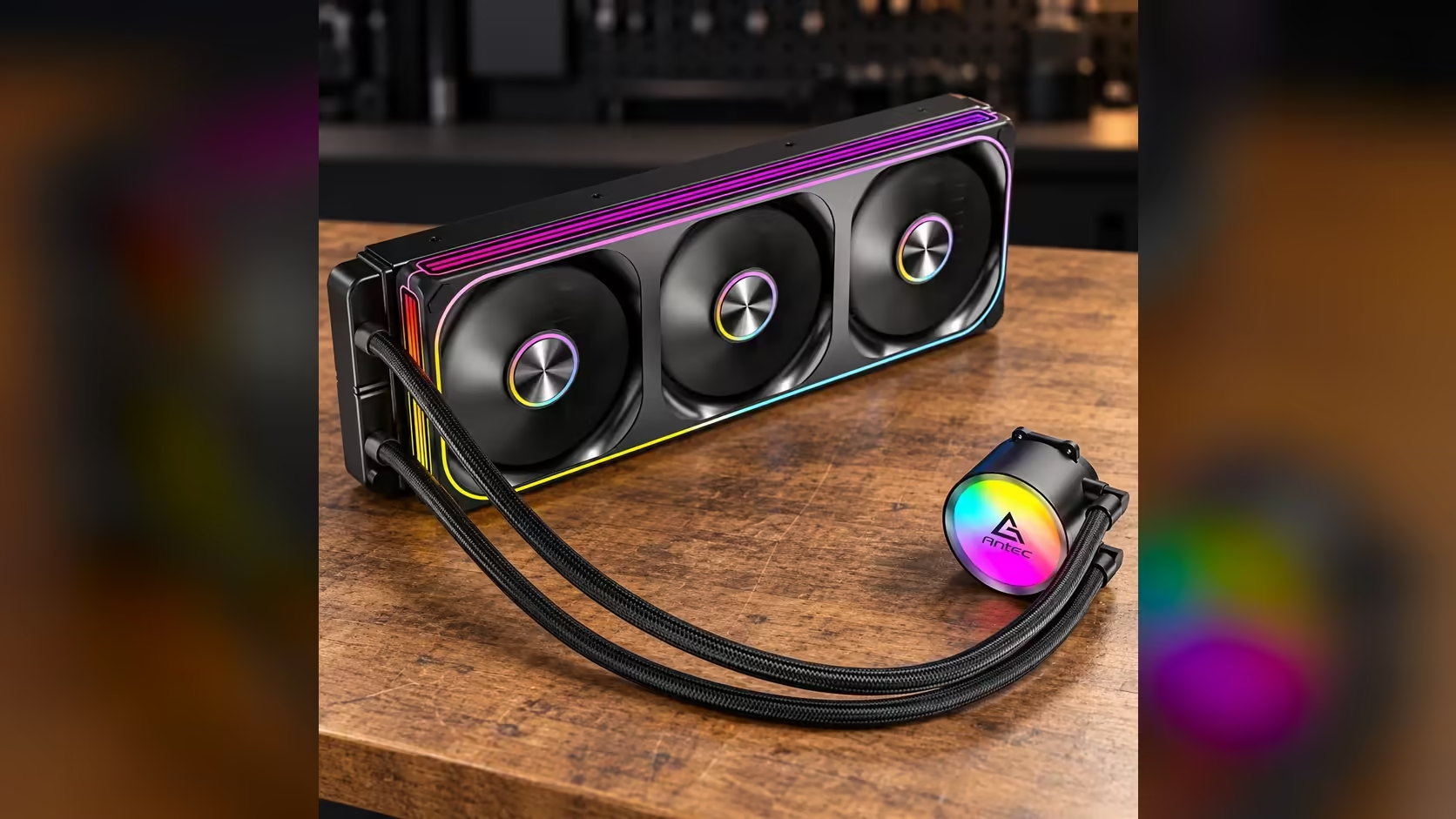
The Antec Omni Matrix 360 puts its pump at the centre of the loop, and the 2700RPM figure on the box tells you how fast that pump turns. Everything else in the cooler depends on that pump moving coolant from the block to the radiator and back. If the pump stalls, the radiator and fans have nothing to work on, and the CPU heats up in minutes. Here is what the pump does in this particular cooler, how its lit head fits in, and what to check once the loop is running.
Quick Answer
The pump runs at 2700RPM and keeps coolant moving between the CPU block and the 360mm radiator. The pump head also carries ARGB lighting, which is a separate function from the pump's speed. The whole unit costs R999, and the pump is the part to check first whenever the cooler's temperatures start to climb.
🔄 The pump's job in this loop
The loop has four parts: the pump, the block on the CPU, the radiator and the tubing that joins them. The pump moves coolant from the outlet of the block through the radiator, and back to the block again. The heat from the processor goes into the coolant at the block, and the radiator gives it up to the air. The pump's job is to keep that cycle moving.
On the Antec Omni Matrix 360, the pump runs at 2700RPM, which is 45 full turns every second. That speed is set by the pump itself, so you do not adjust it in software. The fans on the radiator are the part you control, and their range is 800RPM to 1800RPM.
The pump is also the one part of the cooler that keeps running while the PC is on. A fan can slow down at idle, but the loop should keep moving whatever the processor is doing. Check the pump reading at idle and under load, and make sure the figure does not drop to zero at any point.
💡 What the lit pump head adds
The pump head on this cooler is an ARGB mirror-finish unit. The lighting is a separate function from the pump, so the light does not change the speed of the impeller inside. You can change the colour and the effect without changing how the pump behaves. Most ARGB leads use a 3-pin connector, so check the header type before you plug it in.
The mirror finish is a visual choice. A reflective cap picks up the light from the fans and the room, so the pump head looks lit from several angles. That look is most visible through a glass side panel, and a solid panel hides it almost completely.
Keep the pump lead and the lighting lead separate in your planning. They go to different headers, and a mix-up leaves either the pump unreadable or the lights dark. Check the board manual for both headers before you route the cables.
🌡️ What to check once the loop is running
Start with the pump reading in BIOS. Under load, the reading should sit near the rated 2700RPM, and a reading of zero means the pump is not turning. Check it after every change to the cables, since a loose lead is the usual cause of a missing pump reading.
Next, watch the CPU temperature alongside the pump reading. A stable pump with a rising temperature usually points to the radiator or the room, while a falling pump reading with a rising temperature points to the pump or its lead.
Finally, listen to the cooler. A steady hum from the pump is normal, while a rattle or a click suggests a loose mount or a tube touching the case. Tighten the mount and reroute the tubing if you hear either.
For a closer look at the other 360mm options and how their pumps compare, our liquid CPU coolers range is the place to start. The CPU coolers category covers the full set of cooling options for your build.
Frequently Asked Questions
What does the pump do in the Omni Matrix 360?
It moves coolant between the CPU block and the 360mm radiator, carrying heat away from the processor. It is rated at 2700RPM and runs whenever the PC is on.
Can I change the pump speed in software?
The cooler lists the pump at a rated 2700RPM, and the fan curve is the setting you will use most. Check your board's fan control page to see what it offers for the pump header.
Does the pump's lighting change how the pump works?
No. The ARGB lighting on the pump head runs separately, so the colour and effects do not change the impeller's speed.
What should I do if the pump reads zero?
Power down, check the pump lead in its header, and restart. A reading of zero means the coolant is standing still, so heat stays in the block until the pump runs again.
Choosing a pump and radiator?
Browse our liquid CPU coolers and compare the 360mm options before you add one to your build.