



What Is the MacBook Pro PROLED XDR Display?
PROLED XDR is Apple's tandem OLED touchscreen for its new MacBook Pro. As at 29 October 2026, a separate 14-inch M5 Pro MacBook Pro with 1TB storage was listed at Evetech for R50,999.
Read moreApple describes marking ranges, moving clips and pinch zoom in Final Cut Pro on its new PROLED MacBook Pro. Compare that touch workflow with an existing M5 Pro configuration listed at Evetech in South Africa.
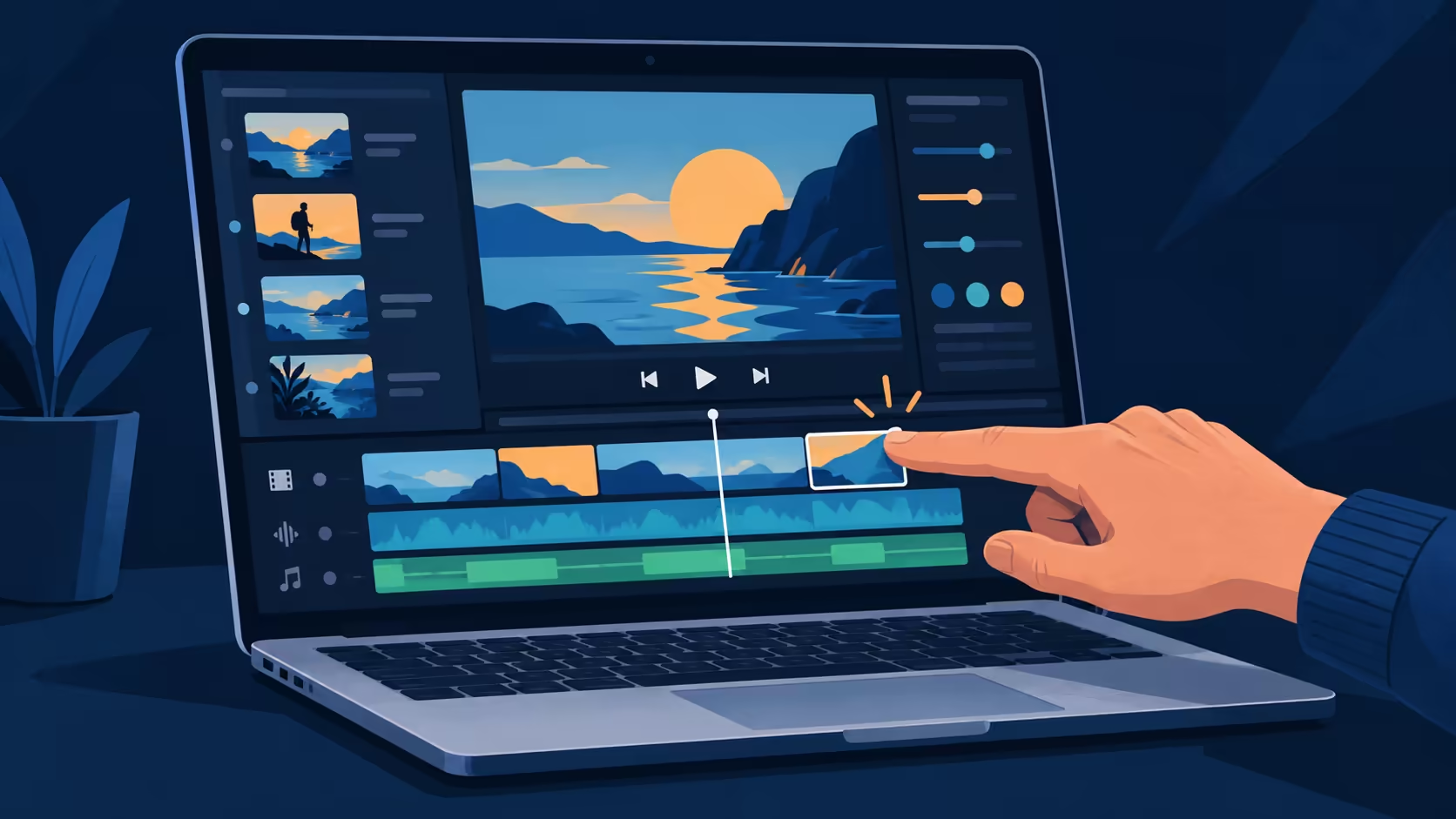
Editing on a timeline is a sequence of small choices: find the frame, choose a range, move a clip and check the result. Touch in Final Cut Pro gives editors another way to make some of those choices on Apple's newly announced MacBook Pro with PROLED XDR Display. Apple identifies three direct timeline actions: marking a range, placing a clip and zooming into a cut.
Apple says Final Cut Pro on its PROLED MacBook Pro supports touch to mark ranges, move clips and pinch to zoom into a cut. As at 29 October 2026, Evetech listed its separate 1TB, 14-inch M5 Pro configuration in stock for R50,999; it is a different model from the new PROLED version.
Apple describes using touch to mark ranges in Final Cut Pro. A range identifies the portion of a clip you want to work with. Touch lets you mark that region directly on the timeline before the next edit.
The distinction matters to South African buyers deciding whether a new screen is worth waiting for. An editor who works mostly at a desk may already be comfortable with a trackpad or mouse. Someone who frequently reviews clips away from the desk may value having a direct way to indicate a selection. Neither preference changes the need to learn the editing interface itself.
Apple also describes dropping clips directly into place and using a pinch gesture to zoom in on a cut. A closer timeline view helps you inspect a small portion of an edit; a wider view helps you see the sequence as a whole. The gesture changes the view, while the editor remains responsible for the placement and the final result.
Final Cut Pro has these specific touch interactions; other apps need their own support. Apple says macOS translates touch into clicks for many existing apps, which is different from an app offering dedicated timeline gestures.
The new PROLED model comes with M5 Pro or M5 Max. Apple also announced a separate 14-inch MacBook Pro with M6 and a Liquid Retina XDR display. The M6 machine does not have the PROLED touch display.
For an immediate South African comparison, the catalogue lists the earlier 1TB M5 Pro, in a 14-inch configuration, at R50,999. That number is the price of the listed existing model, not a quote for the newly announced PROLED machine. Browse the MacBook range to compare configurations, or look at laptop best sellers if the editing app and operating system are still open choices.
The three examples serve different moments in an edit. Marking a range selects material; dropping a clip changes its position; pinch zoom changes the timeline view. A gesture that changes the view does not itself move or trim a clip.
These touch actions supplement the existing Mac controls. Apple also describes Musical Typing and other app-specific interactions separately, so Final Cut's timeline gestures should not be assumed to describe the controls in another application. The input choice remains part of the wider editing setup.
Yes. Apple describes pinch to zoom on a cut using the touch display of MacBook Pro with PROLED XDR Display.
Apple says editors can drop clips directly into place using touch on the new PROLED MacBook Pro.
Apple lists the 14-inch MacBook Pro with M6 with a Liquid Retina XDR display, separate from the PROLED models with M5 Pro or M5 Max.
As at 29 October 2026, the earlier 1TB M5 Pro with a 14-inch display is listed in stock at R50,999. It is an existing model, not the newly announced PROLED version.
Ready to compare your editing laptop? Explore the MacBook range at Evetech and match the configuration to your projects.
Yes. Apple describes pinch to zoom on a cut using the touch display of MacBook Pro with PROLED XDR Display.
Apple says editors can drop clips directly into place using touch on the new PROLED MacBook Pro.
Apple lists the 14-inch MacBook Pro with M6 with a Liquid Retina XDR display, separate from the PROLED models with M5 Pro or M5 Max.
As at 29 October 2026, the earlier 1TB M5 Pro with a 14-inch display is listed in stock at R50,999. It is an existing model, not the newly announced PROLED version.
PROLED XDR is Apple's tandem OLED touchscreen for its new MacBook Pro. As at 29 October 2026, a separate 14-inch M5 Pro MacBook Pro with 1TB storage was listed at Evetech for R50,999.
Read more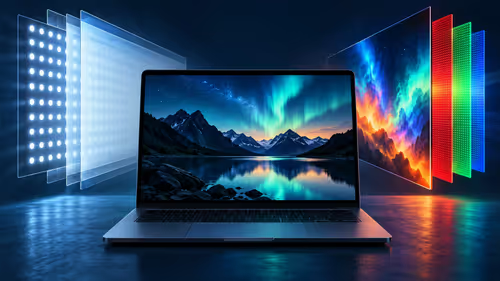
PROLED uses tandem OLED while the separate M6 MacBook Pro uses mini-LED. Compare how the panels produce light and which brightness figures Apple publishes.
Read more
Apple lists P3 and Adobe RGB for the PROLED MacBook Pro. Understand what those colour spaces mean and why a file, display and final output are separate parts of a workflow.
Read more
Apple describes swiping, pinching, dragging and window gestures on the PROLED MacBook Pro. Understand what each action changes before comparing a South African laptop purchase.
Read more
Apple says macOS translates touches into clicks for many existing apps on its new PROLED MacBook Pro. Learn what that does and does not establish about custom gestures.
Read more
Touch adds gestures to the PROLED MacBook Pro while its trackpad remains available. A separate M5 Pro MacBook was listed at R50,999 at Evetech on 29 October 2026.
Read more
Edge default search engine controls searches typed in the address bar. Choose a supported search provider in browser settings, then test the address bar separately from a website search box or a new-tab page before assuming the change failed.

gaming headset short-list for Edenvale in - what's in needs a balanced, cautious look before buying. Compare fit, budget, workload, warranty support, and upgrade room so the choice makes sense for South African buyers.

A 2700RPM pump spins its impeller 2700 times a minute to push coolant round the loop. Faster flow moves heat from the CPU block to the radiator, though a quicker pump can be a little louder. The Antec Omni Matrix 360 at R999 pairs it with an ARGB head.

Plug the three pre-connected 120mm fans into one PWM fan header, since they run from a single cable. If the lighting has its own lead, send it to the addressable header, usually labelled ARGB. Evetech's Omni Matrix 360 at R999 follows that same plan.

Targus DOCK402 combines a mobile dock with a built-in GaN charger. Its useful buying checks are host power negotiation, USB-C video support and the single-display limit, rather than assuming every USB-C laptop gets the maximum charging and resolution.
Edge default search engine controls searches typed in the address bar. Choose a supported search provider in browser settings, then test the address bar separately from a website search box or a new-tab page before assuming the change failed.

Edge block pop-ups can stop unwanted windows while permitting a trusted site that needs one. Check the exact site exception and distinguish pop-up windows from adverts inside a page and website notifications before turning off protection broadly.

Edge website notifications are controlled per site. Block the unwanted origin in browser permissions instead of muting every Windows alert, then check whether the interruption was a site notification rather than a pop-up or a message inside a page.
PROLED XDR is Apple's tandem OLED touchscreen for its new MacBook Pro. As at 29 October 2026, a separate 14-inch M5 Pro MacBook Pro with 1TB storage was listed at Evetech for R50,999.
PROLED uses tandem OLED while the separate M6 MacBook Pro uses mini-LED. Compare how the panels produce light and which brightness figures Apple publishes.
Apple lists P3 and Adobe RGB for the PROLED MacBook Pro. Understand what those colour spaces mean and why a file, display and final output are separate parts of a workflow.
Apple describes swiping, pinching, dragging and window gestures on the PROLED MacBook Pro. Understand what each action changes before comparing a South African laptop purchase.