



What Is the MacBook Pro PROLED XDR Display?
PROLED XDR is Apple's tandem OLED touchscreen for its new MacBook Pro. As at 29 October 2026, a separate 14-inch M5 Pro MacBook Pro with 1TB storage was listed at Evetech for R50,999.
Read moreApple describes swiping, pinching, dragging and window gestures on the PROLED MacBook Pro. Understand what each action changes before comparing a South African laptop purchase.

Reaching towards a laptop screen can do more than point at something. On the new MacBook Pro touch display, Apple describes gestures for moving through content and arranging windows. Each gesture is an extra input option alongside the keyboard and trackpad.
Apple says the MacBook Pro with PROLED XDR Display supports touch actions including swiping, pinching, dragging and window gestures. As at 29 October 2026, the South African Evetech catalogue listed a 1TB 14-inch M5 Pro for R50,999. It is the earlier model, not the new touch design.
Apple describes swiping through a webpage and pinching to zoom into a photo. These are two different actions: a swipe moves through content, while a pinch changes the view of an item. They can be useful when you want to interact with what is directly under your finger.
Apple gives these as system examples. A pinch changes the visible scale of a photo; it does not change the number of pixels in the original file. Individual applications may present their own controls differently.
Apple gives dragging and dropping slides between presentations as an example. The gesture moves a visible slide from one place to another. It is a different action from pinching a photo: dragging changes an item's position, while pinch-to-zoom changes the view.
Some existing apps can receive a translated click from a touch, according to Apple. A translated click is not the same as an app developer creating a specialised touch control. The distinction is useful when you assess a tool that has not yet documented its own gesture features.
Apple also describes double-tapping a window to fill the screen and flicking a window to tile it into place. These examples concern window arrangement rather than editing the contents of a document. A full-screen view can focus attention on one task; a tiled layout lets you see more than one window.
The new screen does not remove the familiar input devices. Apple lists a trackpad and keyboard on the PROLED models, so you can continue to use them for typing and pointer work. Pick the control that fits the task instead of assuming a finger is always the best choice.
The locally listed R50,999 M5 Pro model is an existing configuration with a Liquid Retina XDR display, not the announced PROLED touch version. The MacBook range contains multiple configurations, so the display name matters alongside the chip.
If your main need is a laptop for an existing application, compare the laptop best sellers against the software you actually use. A current price is useful for budgeting but cannot confirm an application's touch behaviour.
Apple describes swiping to scroll a webpage on the PROLED MacBook Pro.
Yes. Pinching enlarges the view of a photo without itself changing the original image's pixels.
Yes. Apple lists both a keyboard and a Force Touch trackpad on the PROLED model.
No. The 29 October 2026 catalogue snapshot identifies an existing M5 Pro laptop with 1TB storage.
Ready to choose your next laptop? Compare the MacBook range at Evetech and check the screen and configuration for your work.
Apple describes swiping to scroll a webpage on the PROLED MacBook Pro.
Yes. Pinching enlarges the view of a photo without itself changing the original image's pixels.
Yes. Apple lists both a keyboard and a Force Touch trackpad on the PROLED model.
No. The 29 October 2026 catalogue snapshot identifies an existing M5 Pro laptop with 1TB storage.
PROLED XDR is Apple's tandem OLED touchscreen for its new MacBook Pro. As at 29 October 2026, a separate 14-inch M5 Pro MacBook Pro with 1TB storage was listed at Evetech for R50,999.
Read more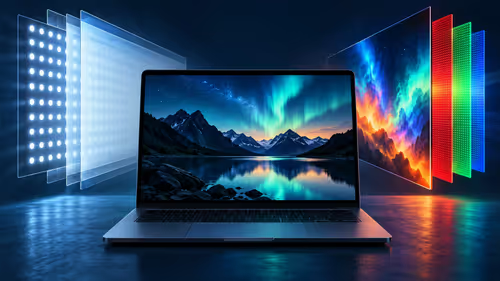
PROLED uses tandem OLED while the separate M6 MacBook Pro uses mini-LED. Compare how the panels produce light and which brightness figures Apple publishes.
Read more
Apple lists P3 and Adobe RGB for the PROLED MacBook Pro. Understand what those colour spaces mean and why a file, display and final output are separate parts of a workflow.
Read more
Apple says macOS translates touches into clicks for many existing apps on its new PROLED MacBook Pro. Learn what that does and does not establish about custom gestures.
Read more
Apple describes marking ranges, moving clips and pinch zoom in Final Cut Pro on its new PROLED MacBook Pro. Compare that touch workflow with an existing M5 Pro configuration listed at Evetech in South Africa.
Read more
Touch adds gestures to the PROLED MacBook Pro while its trackpad remains available. A separate M5 Pro MacBook was listed at R50,999 at Evetech on 29 October 2026.
Read more
Edge default search engine controls searches typed in the address bar. Choose a supported search provider in browser settings, then test the address bar separately from a website search box or a new-tab page before assuming the change failed.

gaming headset short-list for Edenvale in - what's in needs a balanced, cautious look before buying. Compare fit, budget, workload, warranty support, and upgrade room so the choice makes sense for South African buyers.

A 2700RPM pump spins its impeller 2700 times a minute to push coolant round the loop. Faster flow moves heat from the CPU block to the radiator, though a quicker pump can be a little louder. The Antec Omni Matrix 360 at R999 pairs it with an ARGB head.

Plug the three pre-connected 120mm fans into one PWM fan header, since they run from a single cable. If the lighting has its own lead, send it to the addressable header, usually labelled ARGB. Evetech's Omni Matrix 360 at R999 follows that same plan.

Targus DOCK402 combines a mobile dock with a built-in GaN charger. Its useful buying checks are host power negotiation, USB-C video support and the single-display limit, rather than assuming every USB-C laptop gets the maximum charging and resolution.
Edge default search engine controls searches typed in the address bar. Choose a supported search provider in browser settings, then test the address bar separately from a website search box or a new-tab page before assuming the change failed.

Edge block pop-ups can stop unwanted windows while permitting a trusted site that needs one. Check the exact site exception and distinguish pop-up windows from adverts inside a page and website notifications before turning off protection broadly.

Edge website notifications are controlled per site. Block the unwanted origin in browser permissions instead of muting every Windows alert, then check whether the interruption was a site notification rather than a pop-up or a message inside a page.
PROLED XDR is Apple's tandem OLED touchscreen for its new MacBook Pro. As at 29 October 2026, a separate 14-inch M5 Pro MacBook Pro with 1TB storage was listed at Evetech for R50,999.
PROLED uses tandem OLED while the separate M6 MacBook Pro uses mini-LED. Compare how the panels produce light and which brightness figures Apple publishes.
Apple lists P3 and Adobe RGB for the PROLED MacBook Pro. Understand what those colour spaces mean and why a file, display and final output are separate parts of a workflow.

Apple describes swiping, pinching, dragging and window gestures on the PROLED MacBook Pro. Understand what each action changes before comparing a South African laptop purchase.